Hello,
Remove it by going to EventON > Single Event > set Select eventTop style to Clean White.
OR
Use this code to hide it:
.evo_page_body .evo_sin_page .evosin_event_title { display: none !important; }
Replies for tickets on suppota
Hello,
Remove it by going to EventON > Single Event > set Select eventTop style to Clean White.
OR
Use this code to hide it:
.evo_page_body .evo_sin_page .evosin_event_title { display: none !important; }
Could you take a look at this page and let us know if your calendar looked the same before you fixed it?
https://dev2.myeventon.com/31799-2/

The issue is with the slider, right?
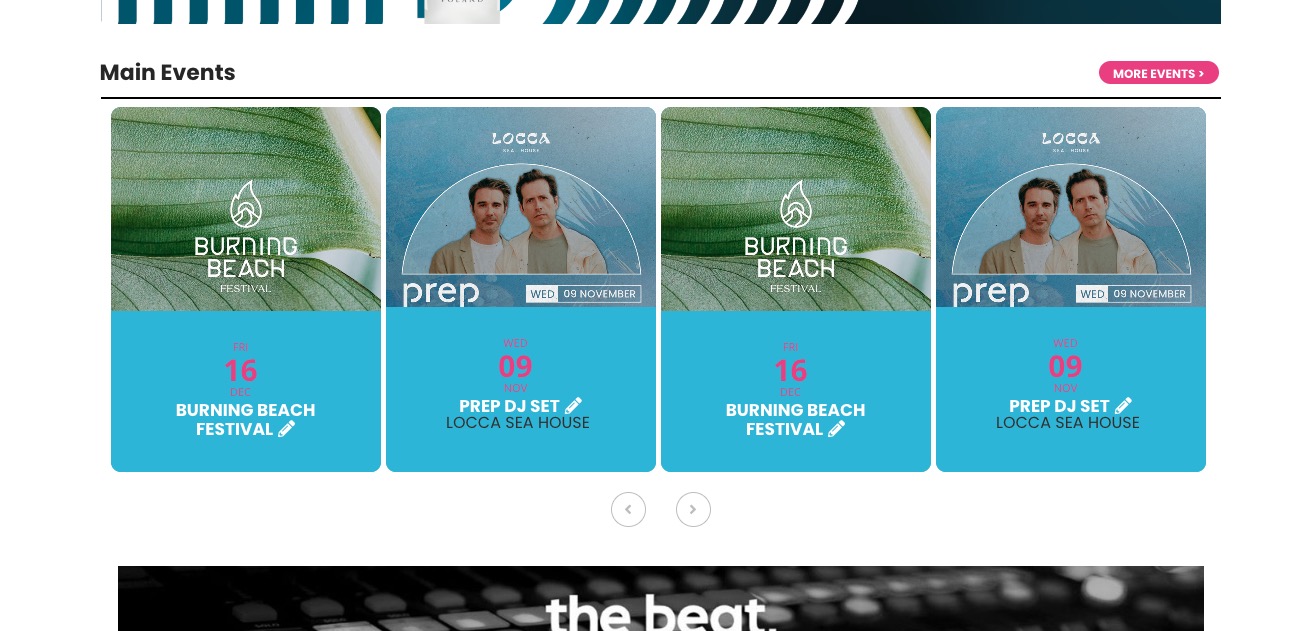
Please don’t fix the issue yet by duplicating events.
Could you tell us which events aren’t visible? We are going to make some tests.
Hello,
Which add-on are you referring to? Tickets https://www.myeventon.com/addons/event-tickets/?
Please send us wp-admin access to your site as a private message for us to further assist your situation.
Please update Action User add-on.
To update eventon addons: You can download latest eventon addons from myeventon > my account. Then you can go to your website, deactivate old addon and install new one and activate then delete the old addon. This link will further explain the process. Also you can follow us on twitter to get real-time announcements on updates!
Thank’s. It’s working but not mobile.
Hello
Here ist the wp-admin access:
https://drinks-and-more.ch/wp-admin/
Username: lindoma
Password: W2RbUeEP4yBQhvY
I think the login issue is solved. I can login with the @mindgroup.ch address.
Here is the order number and date:
It is Order #152432 (October 27, 2022). Many thanks.
Best
Ray
I’ve tried all three options. All three yield the same results, with the time imported as UTC – 0 instead of Eastern Time (UTC -4).