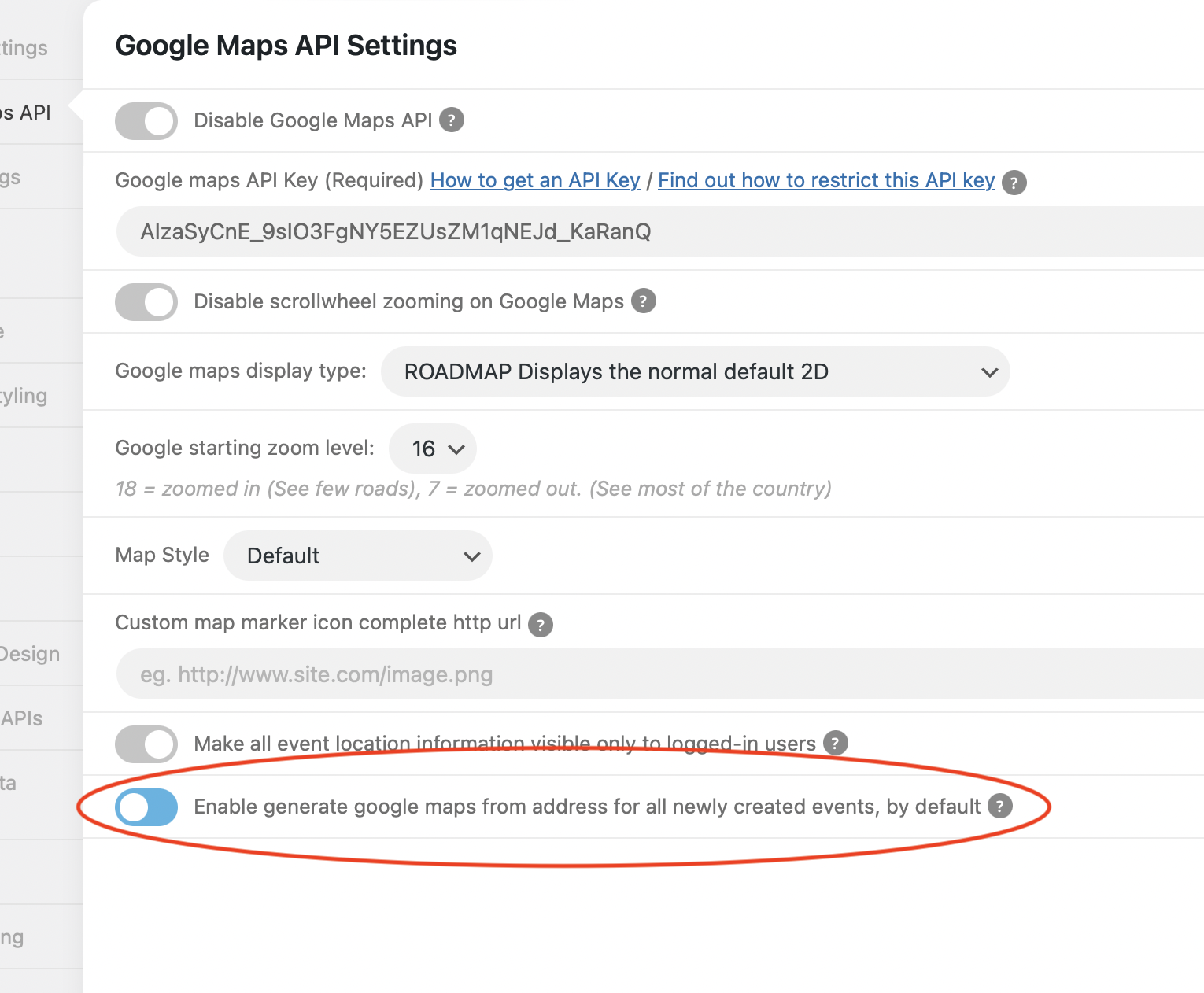
I have also set up “Enable generate google maps from address for all newly created events, by default” checked – but when I create a new event through the form, it doesn’t create the map. How do I fix this? Thanks.
Replies for tickets on suppota
I have also set up “Enable generate google maps from address for all newly created events, by default” checked – but when I create a new event through the form, it doesn’t create the map. How do I fix this? Thanks.
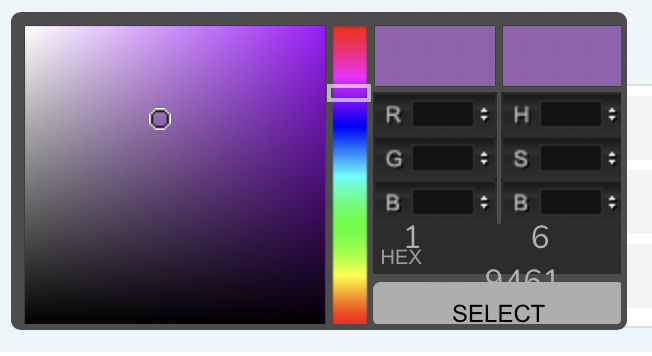
Another question – can this be fixed? I have it so our clients can choose a color on the form, but they can access the HEX color section to add the number. The fields need to be bigger so it can be accessed. Thanks.
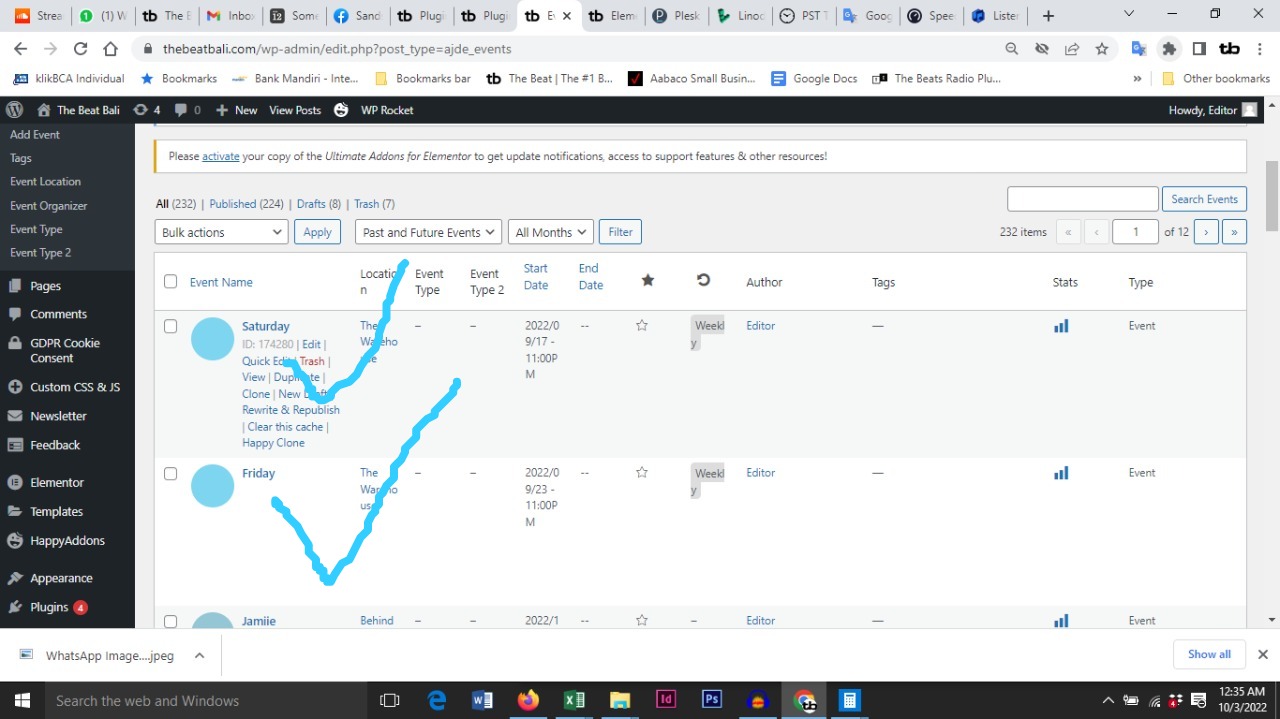
In regard to the listed events page on wordpress, the top two (Saturday and Friday) are what you see on the calendar.
All the events on that list (224 published) should appear on the calendar as past or future events. They did yesterday but now they don’t. And the set up on all those events is exactly the same as the two Saturday and Friday pages that do appear.
BTW Only featured events are shown on the slider. And also there are many events within the list that are repeating but not showing.
Something very weird happened yesterday.
Thanks for your help
These are the other calendar codes on the home page
[add_eventon_fc show_et_ft_img=”no” ft_event_priority=”yes” jumper=”no” mo1st=”yes” heat=”yes” ]
[add_eventon_el el_type=”ue” tiles=”yes” tile_bg=”1″ tile_count=”12″ tile_style=”1″ tile_height=”400″ show_et_ft_img=”no” hide_past=”yes” filter_type=”select” hide_arrows=”yes” jumper=”no” jumper_offset=”2″ exp_so=”yes” show_limit=”yes” only_ft=”yes” number_of_months=”6″ event_count=”4″ ux_val=”4″ hide_mult_occur=”no”]
Hi. Thanks for the reply. I will answer your questions separately
Kenneth has been working with me on this site. The last ticket was just before this happened.
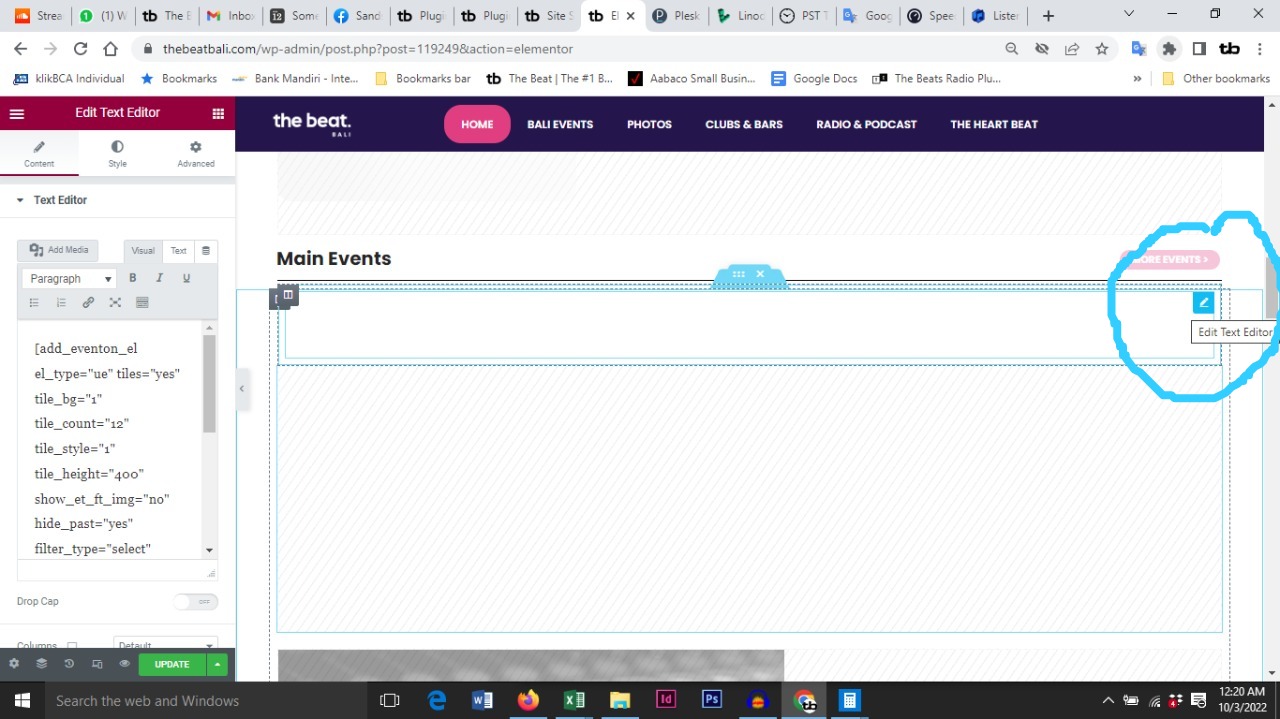
In regard to the elementor issue.
Click the pencil on the right top corner of the box to view the code. Thats the way it works here anyway. screenshot attached
The shortcode for the slider is this
[add_eventon_slider slider_type=”mini” slides_visible=”1″ slide_style=”imgtop” slider_speed=”400″ slider_pause=”4000″ ux_val=”4″ number_of_months=”6″ event_count=”30″ slide_loop=”yes” slide_hide_control=”yes” only_ft=”yes” slide_auto=”yes”]
sorry its not free
https://www.myeventon.com/addons/event-lists-extended/
it does a few things but setting the number of events to display regardless of the month in one of them
but of an issue trying to see the shortcode and what events should be shows see video below
if you could let us know the shortcodes used (or how to access them in elementor) and say 2 or 3 events that should be shows that would help us diagnose
alrighty see long and boring video below (yeah I know it goes on and on)
so the addons spoke about are as follows:
Tickets to sell tickets: https://www.myeventon.com/addons/event-tickets/
to have special logged in prices you would also need: https://www.myeventon.com/addons/dynamic-pricing/
(please note the video for that logged in restrictions)
The RSVP addon for free events for members only
https://www.myeventon.com/addons/rsvp-events/
the points thing I was talking about where you can manually give them points to rsvp with https://www.myeventon.com/addons/rsvp-points/
theres a few bundles that have discounted multiple addon purchases https://www.myeventon.com/addons/
reminders: https://www.myeventon.com/addons/reminders/
things not spoken about in the video
https://www.myeventon.com/addons/rsvp-events-invitees/
allows you to invite members to rsvp although you probably have your own emailing system that does the same thing
for live eventshttps://www.myeventon.com/addons/qr-code/ adds a qr code to their tickets or rsvp so you can quickly check them into the event
https://www.myeventon.com/addons/speakers-schedule/ for events with sessions and speakers- nice way to display them on the event
we also have a demo site you can play around with
https://dev.myeventon.com/wp-login.php
Login with: username: tester
password: pass
thanks for your prompt response.
1-How can I get the extended addon where I can list set of event number? is it free?
2-I’ll creat ticket for the new suggestion.
Thanks,,,
currently its not possible to show the next xyz days regardless of the month with any addon
The only thing close to what you are after is with events list extended addon where you can list a set number of events regardless of the month
but none of our addons have a show a set period of days Thank you for your great suggestion, at the moment it is not supported. However please create a new ticket and select Feature Request as category so others can vote on your idea and get it moved into development faster.