Hello,
Please send us wp-admin access to your site as a private message for us to further assist your situation.
Replies for tickets on suppota
Hello,
Please send us wp-admin access to your site as a private message for us to further assist your situation.
Hello,
I was able to successfully upload the json file in this event:
https://arsmagna.live/wp-admin/post.php?post=75646&action=edit
Is this event a copy?
https://arsmagna.live/wp-admin/post.php?post=75619&action=edit
Could you try copying an event, then open it and enable “Activate tickets for this Event” + Seats, save Draft, make sure to refresh the page (maybe even a few times), open Seats and upload the json file, save changes, save Draft, refresh the window.
Hello,
You can use Event Type for this:
https://docs.myeventon.com/documentations/confused-event-type-categories/
You can also use NOT-, NOT-all for event type filter values
Just create a new type and then use it to exclude events you don’t want to show.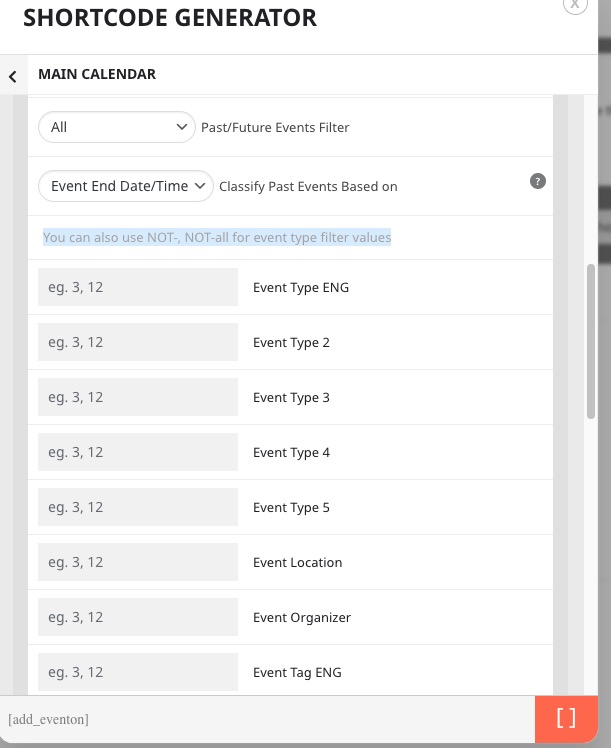
Hello,
Thank you for your great suggestion, at the moment it is not supported. However please create a new ticket and select Feature Request as category so others can vote on your idea and get it moved into development faster.
You can also follow this guide:
https://docs.myeventon.com/documentations/show-additional-custom-data-eventcard/
This is how you can get Event Type:
https://docs.myeventon.com/documentations/taxonomies-eventon/
Hi James,
You can then remain at 4.1.1 until we release the next version.
If you have any other questions, please feel free to create a new ticket
Hi there,
No, we reverted back to 4.1.1 and the site now behaves as expected. The issue occurred when we updated to 4.1.3.
Thank you.
Hi there, apologies.
If you try again, you should have access now.
Thank you.
Another thing
EventOn seems not to work with PHP 8…. The images dont show in Tiles when I switch from PHP 7.4 to PHP8
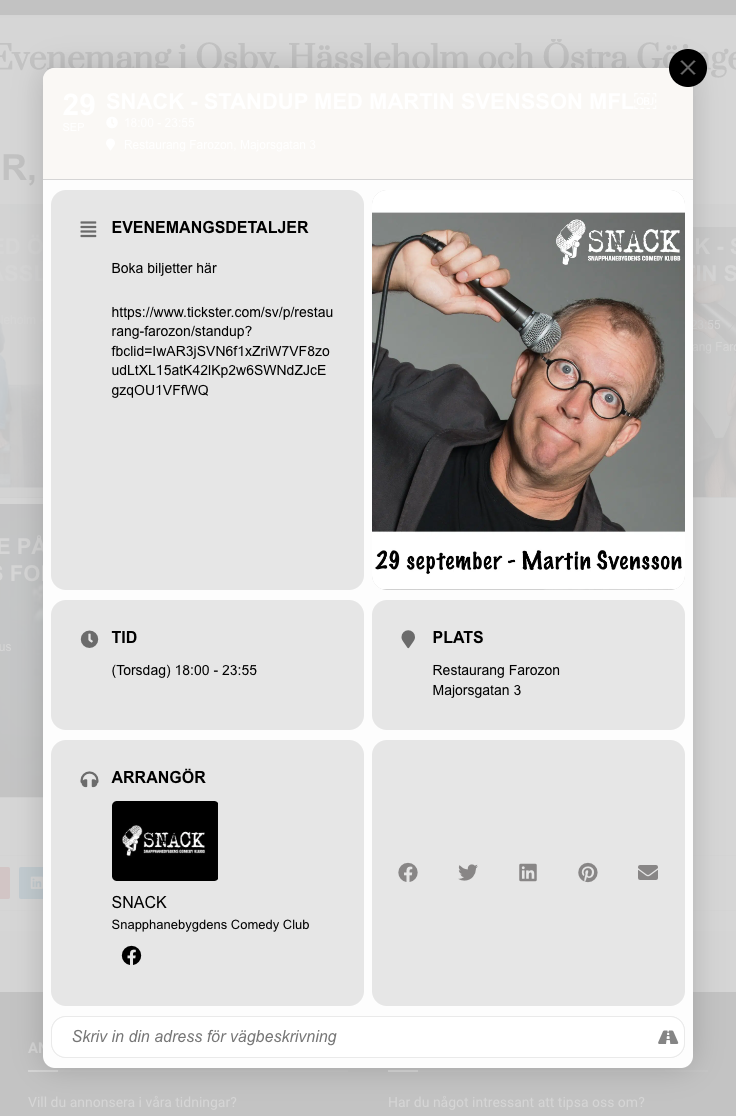
Thanks! I solved most of it… but still have problems. See screenshot
My ICS URL is:
https://outlook.office365.com/owa/calendar/ce1ff8984e8849499851c51f0ef7d33c@bauschcloud.com/1fabb8bb19fe4c4bb6e8b11833d347cf16254904762243515631/calendar.ics
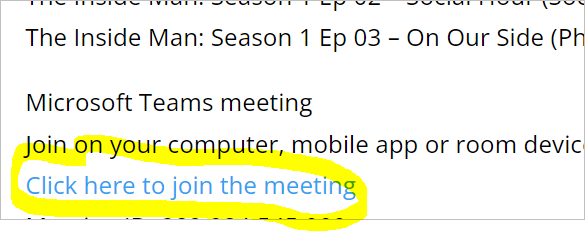
See the event on 10/4 at 10AM. On a competitor WordPress plug-in (ICS Calendar) it shows “Click here to join the meeting” as a working clickable hyperlink which is also how it shows on Outlook native. I have attached a screenshot to show you how it is shown there.
On your WordPress plug-in (EventON) loaded with your ICS Import add-on, it it displays the same text but is not a clickable hyperlink. I am new to your products and WordPress – this may be a simple configuration error on my part but I do not know.
…
Microsoft Teams meeting
Join on your computer, mobile app or room device
Click here to join the meeting
…