Hello,
Please go to wp-content/plugins/eventon-tickets/includes/html-ticket-inquery.php.
Unfortunately, we don’t provide support for customizations, since it’s against our and CodeCanyon’s Support Policies.
Replies for tickets on suppota
Hello,
Please go to wp-content/plugins/eventon-tickets/includes/html-ticket-inquery.php.
Unfortunately, we don’t provide support for customizations, since it’s against our and CodeCanyon’s Support Policies.
Hello,
Could you send us a link to the .ics file, so we can try it and check the content?
Hello,
Please follow the instructions in this documentation to activate debug in your site to see any PHP errors recorded that can provide insight on to whats going on. Please reply with a link to debug.log file. If you are not able to do this please send us FTP access to your site so we can do this for you.
Hello,
Action User Plus is enabled and working:
https://dev.myeventon.com/wp-admin/admin.php?page=action_user#evoAU6
More info on how to set it up:
https://docs.myeventon.com/documentations/setup-actionuser-plus/
Test submission form I created:
https://dev.myeventon.com/test-29/
Go to Shortcode Generator > select “EVENT LISTS & ITEMS” > select Category Type: Event Speakers > put the shortcode on a page:
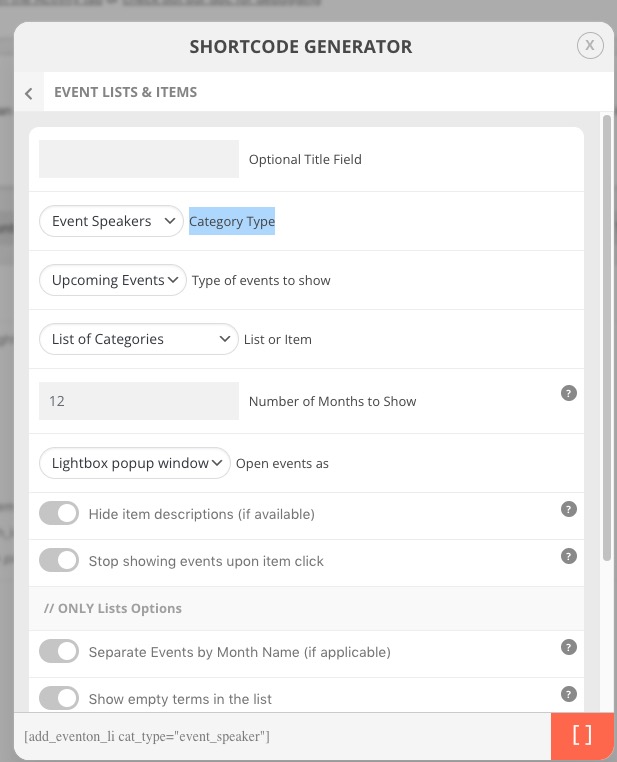
Here’s what you’ll get:
https://dev2.myeventon.com/31517-2/
Hello,
The way your event looks like and also the HTML code is completely different from the default template:
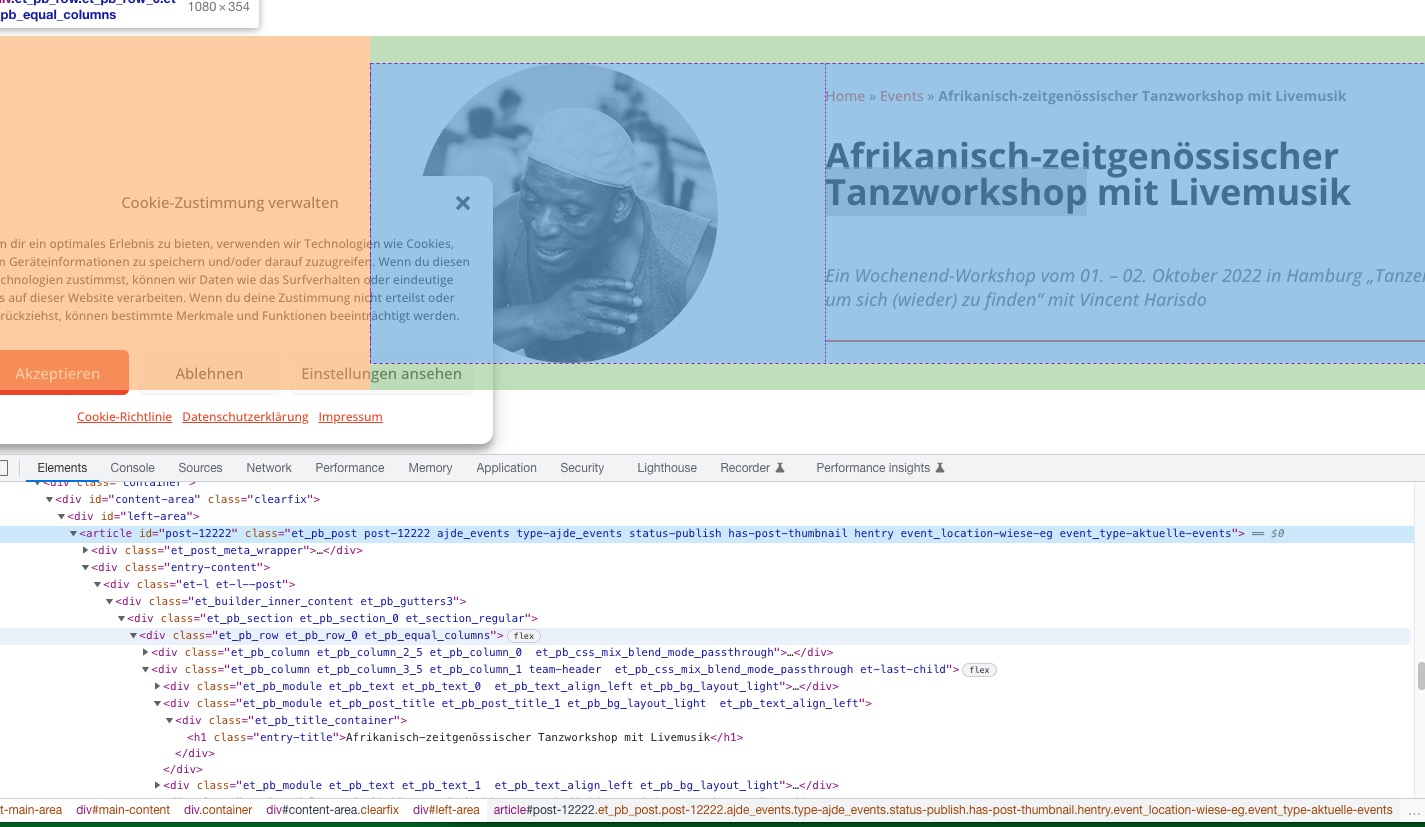
So, unfortunately, we cannot help with this one. Could you contact the Divi developer and ask about this?
And if we duplicate the event that already has those seats assigned, would that work?
When you duplicate events, EventON also creates a completely new WooCommerce Product and assigns it to the newly created event, so all new seats are free and available and this will not work, I am afraid.
Hello,
Mailchimp is the only available third-party supported provider. In order to add more you need to customize the source code. Unfortunately, we don’t provide customizations at the moment.
Wishlist https://www.myeventon.com/addons/event-wishlist/ is a standalone add-on that only requires the main plugin to work. You don’t need to connect it with Mailchimp.
Hello,
The only solution is to create a separate new event for each repeat and enable reminders there.
And if we duplicate the event that already has those seats assigned, would that work?
I mean if those seats would appear occupied in the seat editor of the new event.