Hello,
Thank you for your great suggestion, at the moment it is not supported. However please create a new ticket and select Feature Request as category so others can vote on your idea and get it moved into development faster.
Replies for tickets on suppota
Hello,
Thank you for your great suggestion, at the moment it is not supported. However please create a new ticket and select Feature Request as category so others can vote on your idea and get it moved into development faster.
Please take a look at these acceptable ICS file fields:
UID – Unique ID for the event
DTSTART – Timestamp of event start date and time
DTEND – Timestamp of event end date and time
SUMMARY – Event Name
DESCRIPTION – Event description
LOCATION – Event location name or address
If you want to extend it please follow
https://docs.myeventon.com/documentations/add-support-additional-ics-fields/
The main issue is that does Google Calendar support “organizers” and “event categories“? Not really sure.
Maybe you need to use CSV Import instead:
https://www.myeventon.com/addons/csv-event-importer/
Try on https://dev.myeventon.com/wp-admin/
Perfect!
I am happy to pay the cost of the support extension for such great support. It doesn’t get any better than that. The problem was solved within 8 hours.
Many Thanks
Thomas
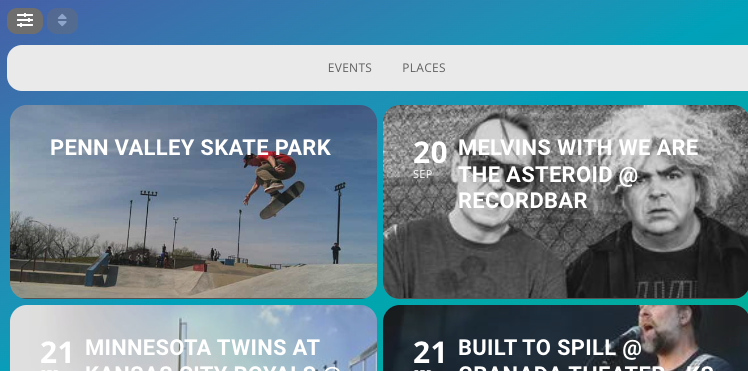
What we are trying to achieve with EventON is we have two Types of things we would like to display. One of them is events which everything works perfect to do. The other is we would like to display static places or locations that are not events. We can display them but would like to hide the date and time and if possible have them display under event type 2.
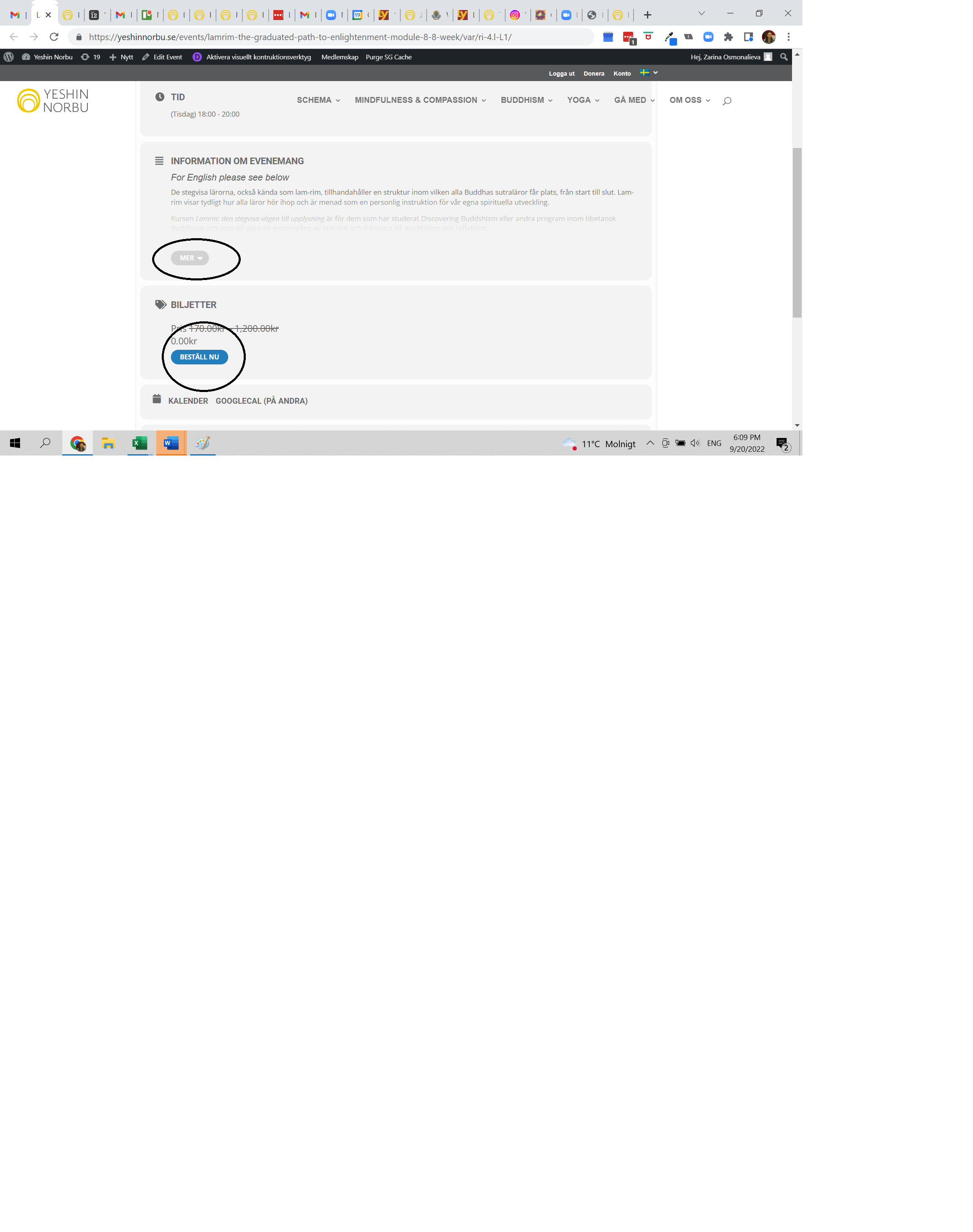
this is the link: https://yeshinnorbu.se/en/events/lamrim-the-graduated-path-to-enlightenment-module-8-8-week/var/ri-4.l-L1/
and this is a screenshot, those two buttons won’t open. so basically, i can’t pay for the course as when i click on “beställ nu”, it won’t open the options for me. and i can’t read the course description. i cleared cache and also clicked on purge SG cache. it does not help.
i guess you didn’t like it
see video
the solution is faily simple- add an event
see video
turn it into a marketing opportunity
not sure on the addons you have, but if you have the rsvp addon- add that so people cant register their interest- then you can use the built in emailer to send them an alert
www.hsnctemple.org/wp-admin
eventonadmin / Temp@022event
Thanks for your answer!
This is however solving my problem only partially.
Moreover the page displays 24 months with “No events” text, which looks a bit dumb.
I see that under LANGAUAGE > GENERAL CALENDAR there is “No Events on The List at This Time”, so I suppose that this text is displayed when no events are in the list (which is my case).
Aside from displaying empty months or not, if the list is empty the text “No Events on The List at This Time” or whatever else message should displays.
The page shows a loading animation and then blank… the users expect a response of any kind (text message) otherwise it looks like something is not working properly, isn’t it?
So can you please tell me how to display “No Events on The List at This Time”? Or can you suggest a solution to display something when the list is empty?