Hi, please, any fix on these issues?
Archives: Replies
Replies for tickets on suppota
Reply to: tickets(288400)
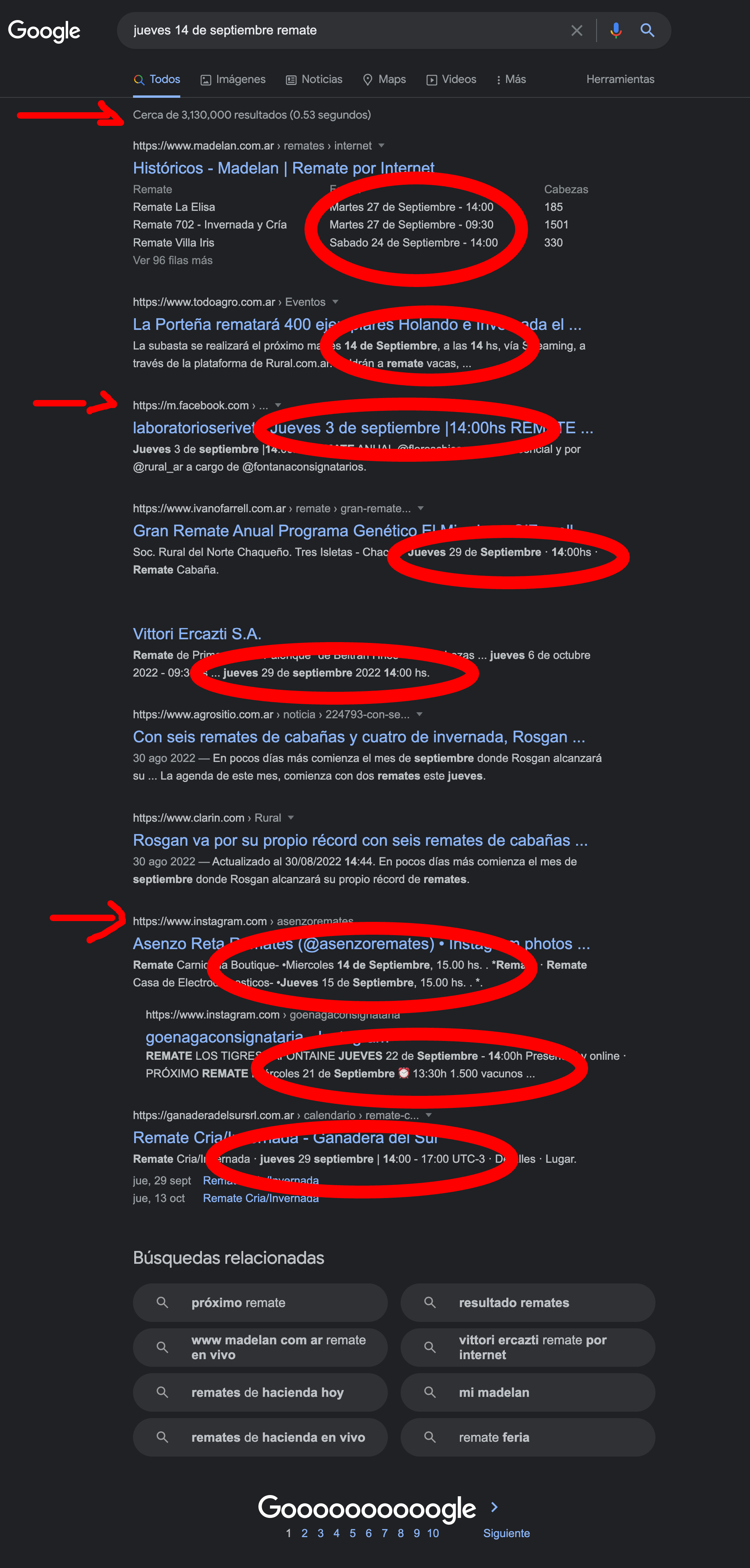
Hi, thanks, but this sentence: “(jueves) 14:00” doesn´t have any sense at all.
It also confuse people, about date number and time, for example:
(jueves) 14:00, could be quickly read as Jueves 14, but the event it is NOT on: Jueves 14, but on Jueves 15, at 14 horas (so it is very important to SEPARATE date and time, to be read without any confussion, like at:
Jueves 15 de Septiembre a las 14:00 horas
and if you need to corroborate this, please take a look to this search on GOOGLE, and see over 3 MILLION results on this screenshot (also attached here):
https://www.awesomescreenshot.com/image/32920271?key=41f501919873db81160079930712241c
as you can see, almost 100% of sites with DATE-TIME results in SPANISH displays date and time the way I am expecting that eventon display the DATE and TIME.
Please take a look to that search results… from over 3 million, first page, and also containing results from INSTAGRAM and FACEBOOK -I have highlighted on it.
Reply to: tickets(290273)
At least, at the backend, so that I could EDIT information in HTML directly inside the SCHEDULE field, as for now, I have to edit on another webpage editor, then copy the code from there, and go back to the “schedule block description field” to paste the code, and so on…
Reply to: tickets(291240)
Thank you! I knew there was a way but couldn’t find any documentation or find it inside the website.
Have a great day! 🙂
Reply to: tickets(291165)
User: eon_admin
Password: eventon561!help
Reply to: tickets(291260)
Great to hear. If you have any other question please feel free to create a new ticket, we are happy to help.
Reply to: tickets(291260)
All good now. I just revised the version and did it again. Now it all works fine.
Thanks for your help. we live and learn
Reply to: tickets(291210)
Hello,
Could you send us a link to the event with the issue?
Seems to be working correctly:
https://www.defiancelibrary.org/wp-admin/post.php?post=7284&action=edit
Reply to: tickets(291260)
BTW the slider is ok now.
Reply to: tickets(291260)
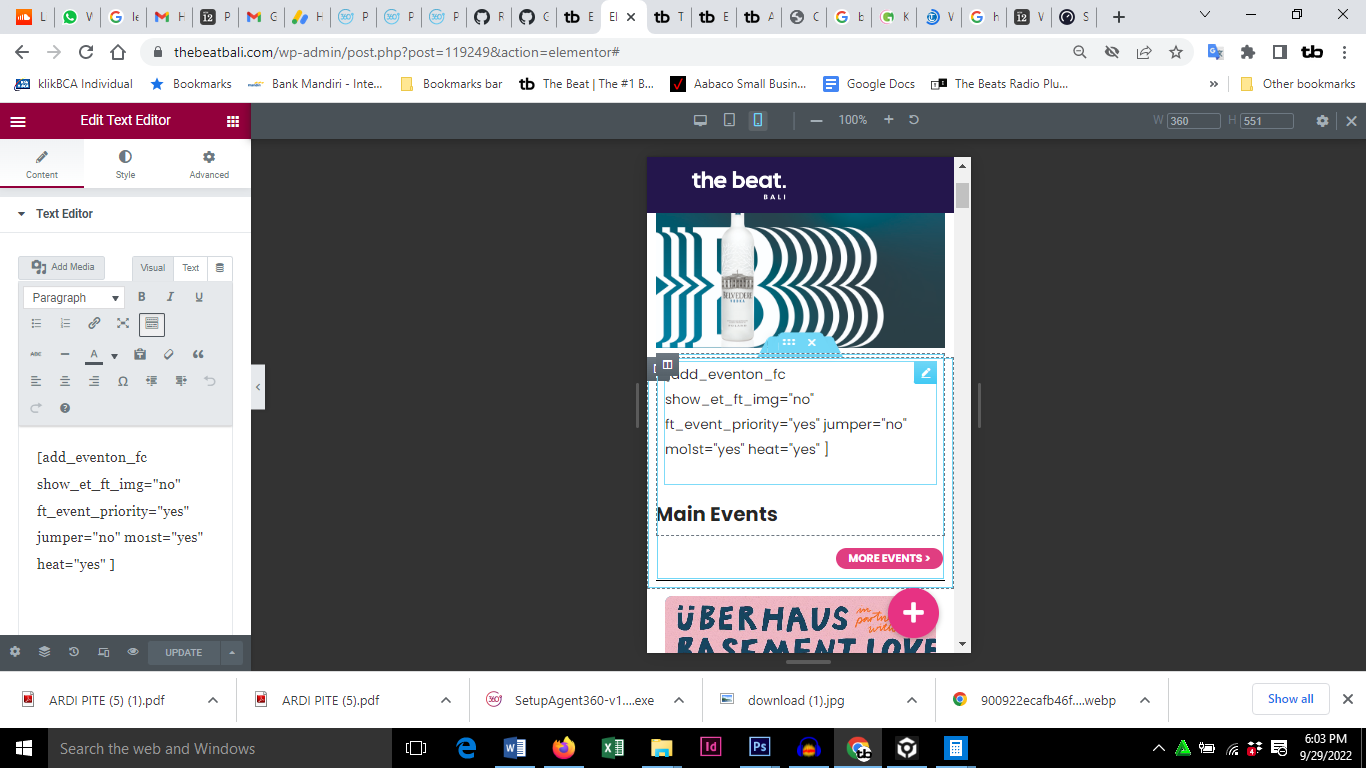
We have lost the full and mini calendar on desktop and mobile. Help!
see screenshot