Hello,
Could you tell us what version did you upgrade from?
Replies for tickets on suppota
Hello,
Could you tell us what version did you upgrade from?
Hello,
Can we take a look at wp-admin? Please send us wp-admin access to your site as a private message for us to further assist your situation.
Could you go to EventON > Event Top > make sure that Unused Event Top Fields are distributed into columns?
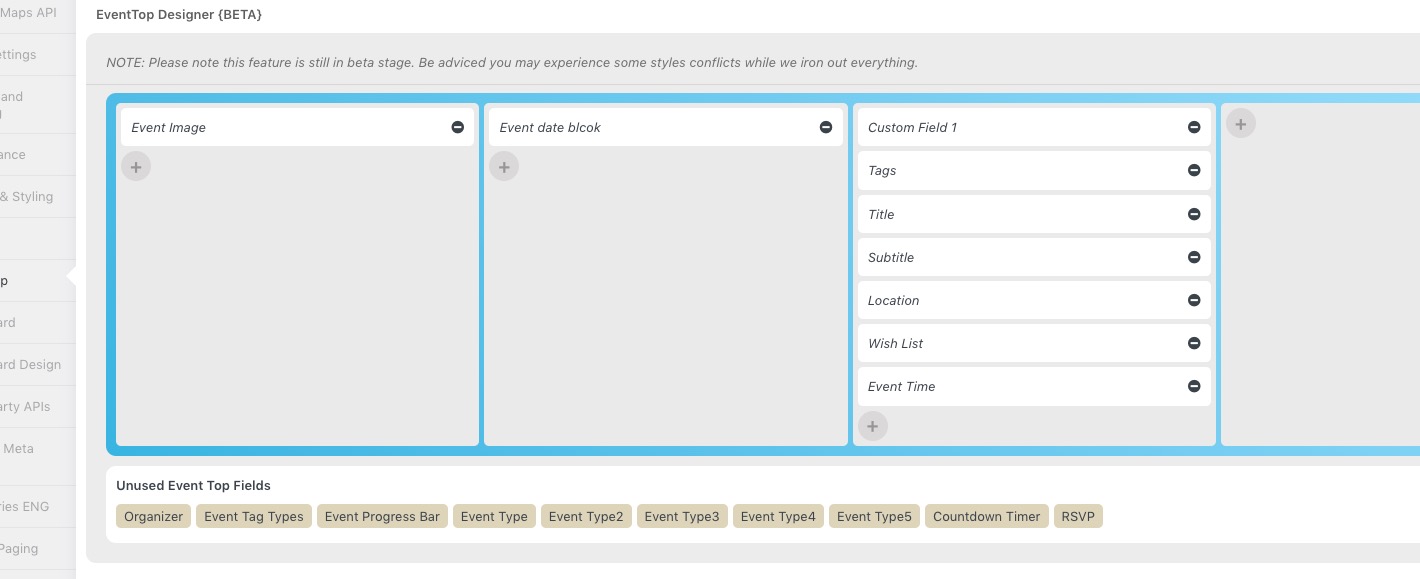
Single Event Page. Do you have a reference screenshot we can take a look at?
Hello,
You don’t need a developer to use the add-on. Just go to EventON > EventON API > copy the code from “Code to paste the below code into external website, where you want the eventON calendar to show.” > paste it to a page you want to show an embedded calendar on.
That’s basically it.
What version did you upgrade from?
We are glad your issue is resolved, if you have any further questions or concerns please create a new ticket.
thank you, don’t know why it wasn’t working before but now it does 🙂
thanks again!
p.s. when logging into the site, it may require logging in twice due to cache. Thank you!
I Initially purchased the full version but I followed the instructions on your website for the update and it said to delete it. so I assumed the update came with the corresponding files.
here is my purchase info: Licensor’s Author Username: ashanjay
Licensee: Aurora Ben
Item Title: EventON – WordPress Virtual Event Calendar Plugin
Item URL: https://codecanyon.net/item/eventon-wordpress-event-calendar-plugin/1211017
Item ID: 1211017
Item Purchase Code: d8d2cbda-1550-42ea-b4a8-5397f5e9dee1
Purchase Date: 2019-08-01 09:53:24 UTC
License Certificate
This document certifies the purchase of the following license: REGULAR LICENSE.
Details of the license can be accessed from your downloads page.
For any queries related to this document or license please contact Envato Support via https://help.market.envato.com
Envato Pty Ltd (11 119 159 741)
Level 3 551 Swanston Street, Carlton, VIC 3053,
Hello,
Could you update to 4.1.3?
To update eventon to latest version: If you are unable to do autoupdate, you can go to codecanyon your account > download and get the latest eventon version as zip file. Then you can go to your website, deactivate old eventon, activate (Do not delete eventon settings & data when EventON is uninstalled) from eventon settings, delete old eventon, install new one and activate. This link will further explain the process it. Also you can follow us on twitter to get real-time announcements on updates!
After the update, please go to https://www.floing.at/wp-admin/admin.php?page=eventon#evcal_001b > enable Use UTC offset time globally on calendars.
Could you update to 4.1.3 that is currently available on CodeCanyon? It should have some fixes to the time issue.