Hi Ben,
Please navigate to Eventon > Settings > TimeSettings and enable “Use UTC offset time globally on calendars (BETA)”
Check if that fixes your issue.
Replies for tickets on suppota
Hi Ben,
Please navigate to Eventon > Settings > TimeSettings and enable “Use UTC offset time globally on calendars (BETA)”
Check if that fixes your issue.
Hi Fernando,
Please check out this addon
https://www.myeventon.com/addons/full-cal/
Hello,
I am waiting a response.
Thank you
Cho
You are very much welcome. If you have any other questions, please feel free to create a new ticket.
Hello
I have downloaded the updated version.
I have activated the TimeSettings and enable “Use UTC offset time globally on calendars (BETA)” to ON
I am still having the problem:
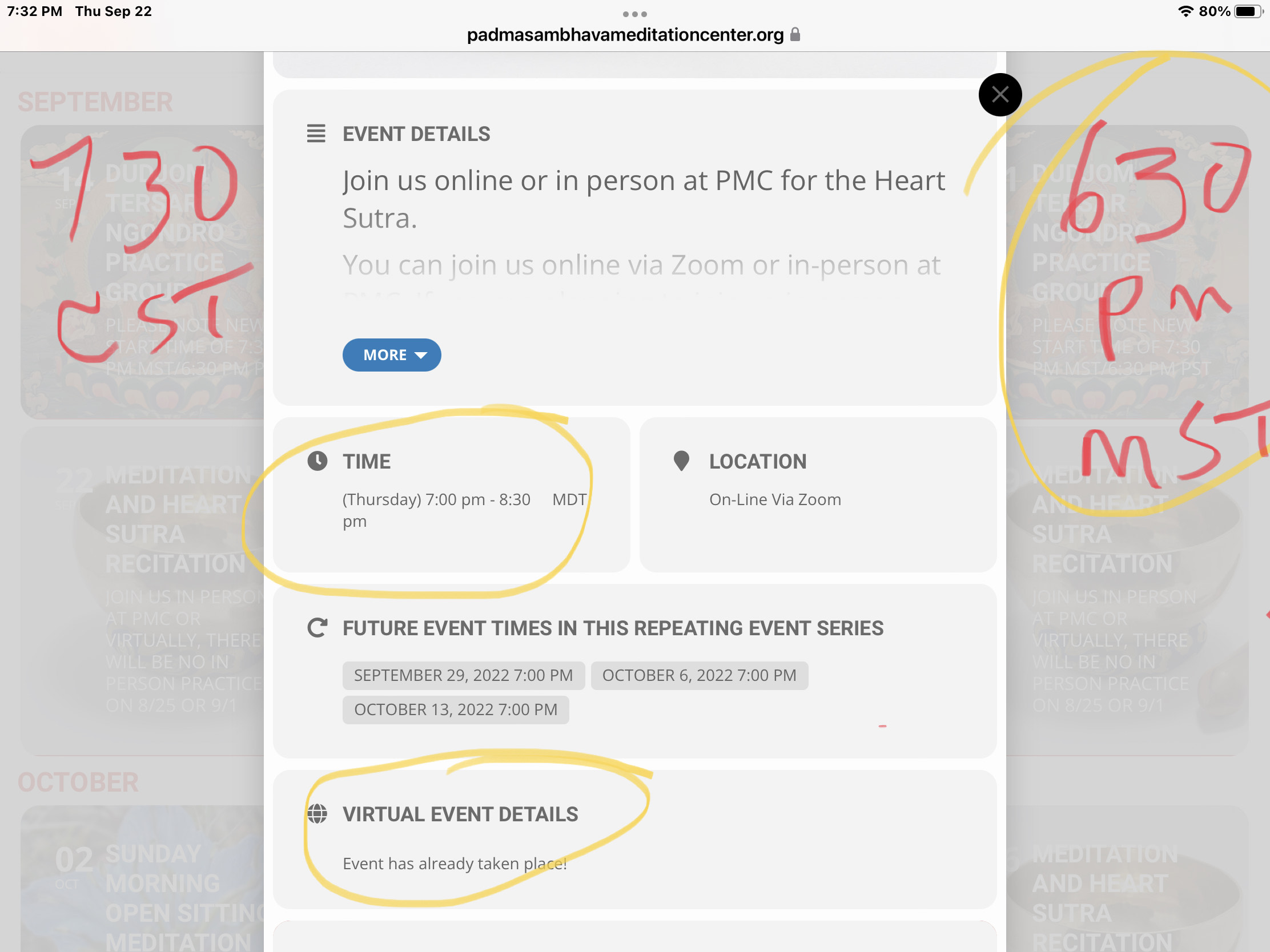
Recurring events are “showing event over” for current evening programs. So people can not access the zoom link to join programs, for example, I am in the Central Time zone and tonight at 7:15 pm CST (615 pm MST) I opened the event for tonight. The event link area was showing “event over” message. The program does not begin until 7 pm MST /8 pm CST the link should be live still
Please see attached image.
This is a problem for us. Please help. Can we schedule a zoom call, I am unable to give you access to our site.
create a new ticket for each
Hello, It was already set as Direct Image. What I had to do it was set the minimum height to a given value to force the image to show completely
I have another two more issues, should I create another two tickets? or can we manage them in this thread?
Thanks in advance
Thank you!!
Could try replacing
“Schaltfläche “”Jetzt kaufen””,”
with
Schaltfläche “Jetzt kaufen”,
Please go to
https://beatrice-mueller.de/wp-admin/admin.php?page=eventon#evcal_004aa
Change the order of the fields.