Hello,
Thank you for your messages, I am going to assign this ticket to Ashan and he will be able to take it from here and find you a solution. Please allow some time for him to get back to you, we greatly appreciate your patience and thank you for being a eventon customer! Also please disable any IP blocking on your site if there are any.
Enabled EventON > Time Settings > Use UTC offset time globally on calendars and also EventON > Hide past events for default calendar(s) > switched to Hide events past today’s date. The updated version also helped fixing this.
We are glad your issue is resolved, if you have any further questions or concerns please create a new ticket.
If you have a moment, we would greatly appreciate if you could kindly leave us a review at codecanyon! from your account > downloads. Cheers!
Hello,
4.1.3 only contains a minor fix. You can apply it yourself or send us a login info as a private message:
https://docs.myeventon.com/patch-fixes/issues-on-the-single-event-page/
Please try while we are working on fixing this issue.
There is this error:
[08-Sep-2022 21:45:34 UTC] PHP Fatal error: Uncaught Error: Call to undefined function send_nosniff_header() in /mnt/web501/d1/68/52629168/htdocs/wp-admin/admin-ajax.php:41
Stack trace:
#0 {main}
thrown in /mnt/web501/d1/68/52629168/htdocs/wp-admin/admin-ajax.php on line 41
Could you please try the instructions mentioned in this documentation? It doesn’t say anything about EventON, so maybe there is some kind of incompatibility.
Hello, i think i have it allow.
https://prnt.sc/JmKyGyw4iDAz
I am not sure, if you understand what i need. Some Events have time, and some Events dont have time yet, so i need this date without time. All day event button, doesnt have affecting to it: https://prnt.sc/wdoxLXMIQrDP
Let me know, thank you.
Regards.
Lukas
Hello Artem, I have tried your instructions but no luck.. strange that this is not working.
I have switched the theme but no effect… Plugins deactivating is not an option because site is live…
To try this option of inactivating plugins to find any conflicts I have duplicated the site:
With only eventon, and eventon-tickets and woocommerce active no solution either… (ticket stock to zero on Monday 12th September 09.30/12.30)
You can continue testing on this website: http://concept.ontwerpunie.nl/potterij/
Login: http://concept.ontwerpunie.nl/potterij/wp-admin/
User: eventon
Password: Artem-eventon-2022!
Event: http://concept.ontwerpunie.nl/potterij/wp-admin/post.php?post=964&action=edit
Frontend: http://concept.ontwerpunie.nl/potterij/reserveren/
Hope you can find a solution…
Thanks in advance, Lars
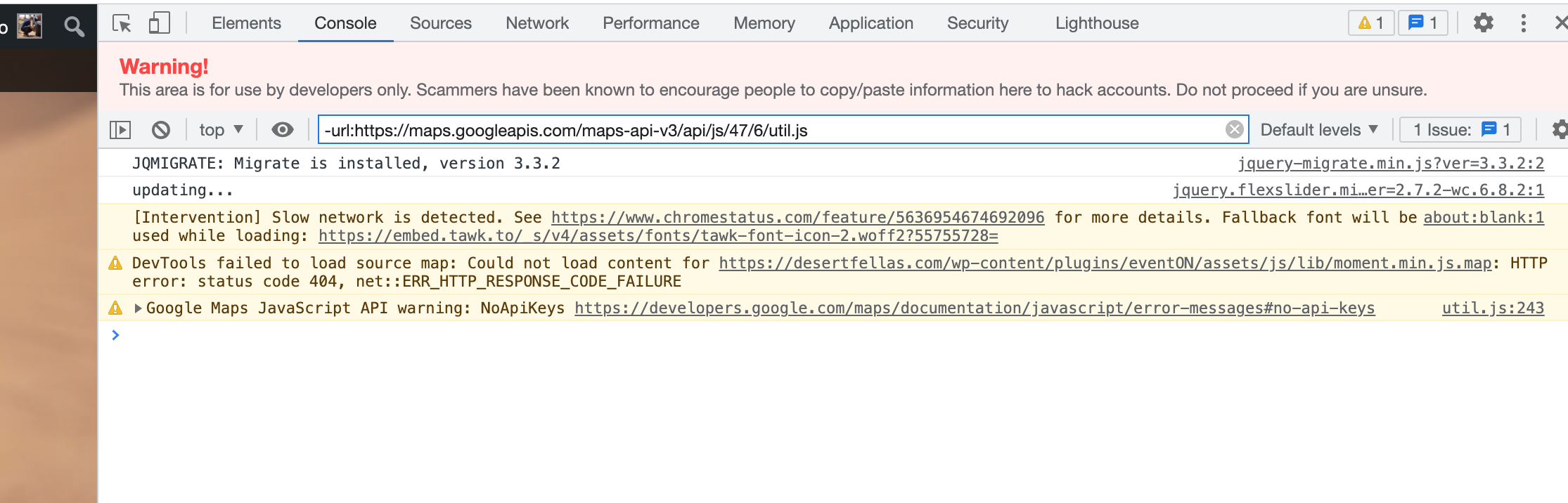
Hi I guess you fix this issue in latest update,
But despite new update (Eventon 4.1.3) update sources are serving Eventon 4.1.2 instead.
Could you please share with me a new version of plugin Eventon 4.1.3. to see if this problem is gone?
Thanks

Hello,
Thank you very much – what I was missing was the time in the All Day options.
Everything is working now, except for a duplicate add to calendar on each event (see attached screenshot) – would you have any idea on why this is happening?
Patch fix works fine but still shows as version 4.1.2 and not 4.1.3
If you refresh the page you’ll see events in the top map.