Hi,
thanks for your help!
Here are the ftp-details:
“protocol”: “ftp”,
“host”: “w017148d.kasserver.com”,
“port”: 21,
“user”: “w017148d”,
“pass”: “nfPYQN2ec23KouHH”,
Best regards!
Tobias
Replies for tickets on suppota
Hi,
thanks for your help!
Here are the ftp-details:
“protocol”: “ftp”,
“host”: “w017148d.kasserver.com”,
“port”: 21,
“user”: “w017148d”,
“pass”: “nfPYQN2ec23KouHH”,
Best regards!
Tobias
Ashan,
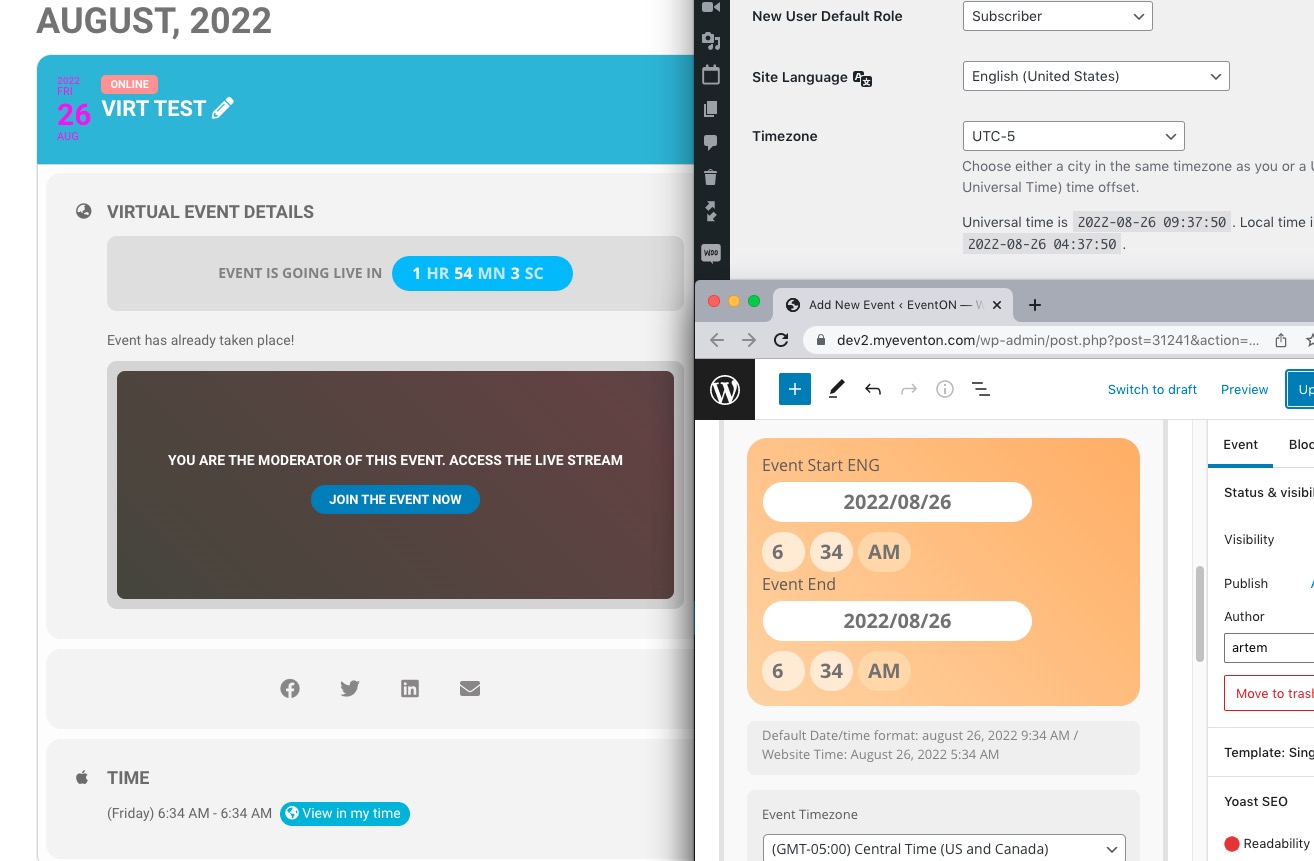
Similar issue on dev2:
https://dev2.myeventon.com/wp-admin/post.php?post=31241&action=edit
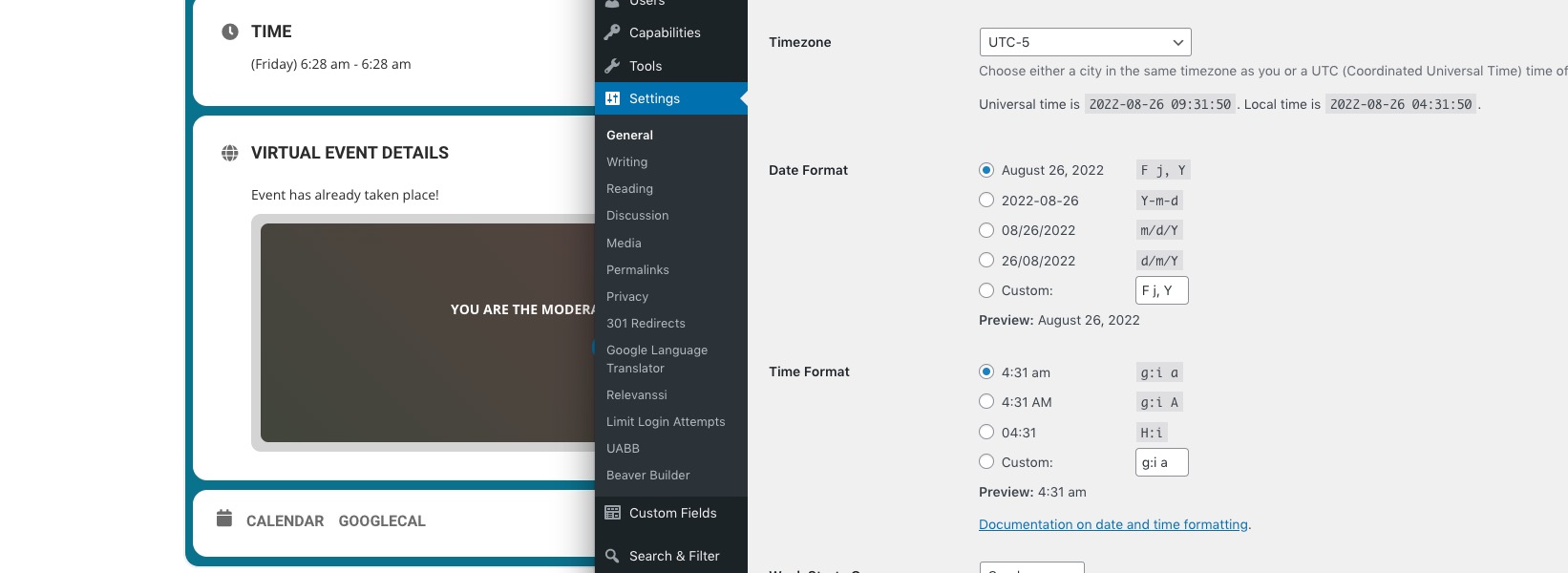
Customer’s website:
https://w10.01a.myftpupload.com/wp-admin/post.php?post=4973&action=edit
Thank you for your messages, I am going to assign this ticket to Ashan and he will be able to take it from here and find you a solution. Please allow some time for him to get back to you, we greatly appreciate your patience and thank you for being a eventon customer! Also please disable any IP blocking on your site if there are any.
Hello,
I just refreshed Permalinks. Could you try now?
Please also try EventON > QR Code > enable Disable encrypted ticket numbers on ticket.
Google crawls through your whole website. You can let Yoast or similar plugin create a sitemap: https://yoast.com/help/xml-sitemaps-in-the-wordpress-seo-plugin/
You can also create /events page where put this shortcode with added cal_init_nonajax:
[add_eventon cal_init_nonajax=”yes”]
This loads Initial Calendar without AJAX.
After put /events into Google to identify where to find events.
URL: https://bredeschool.unicoz.nl/inloggen
User: jacy.toetenel@gmail.com
Pw: lQjv#RtY1vm5zQE3rTmoWRBO
Please search for events:
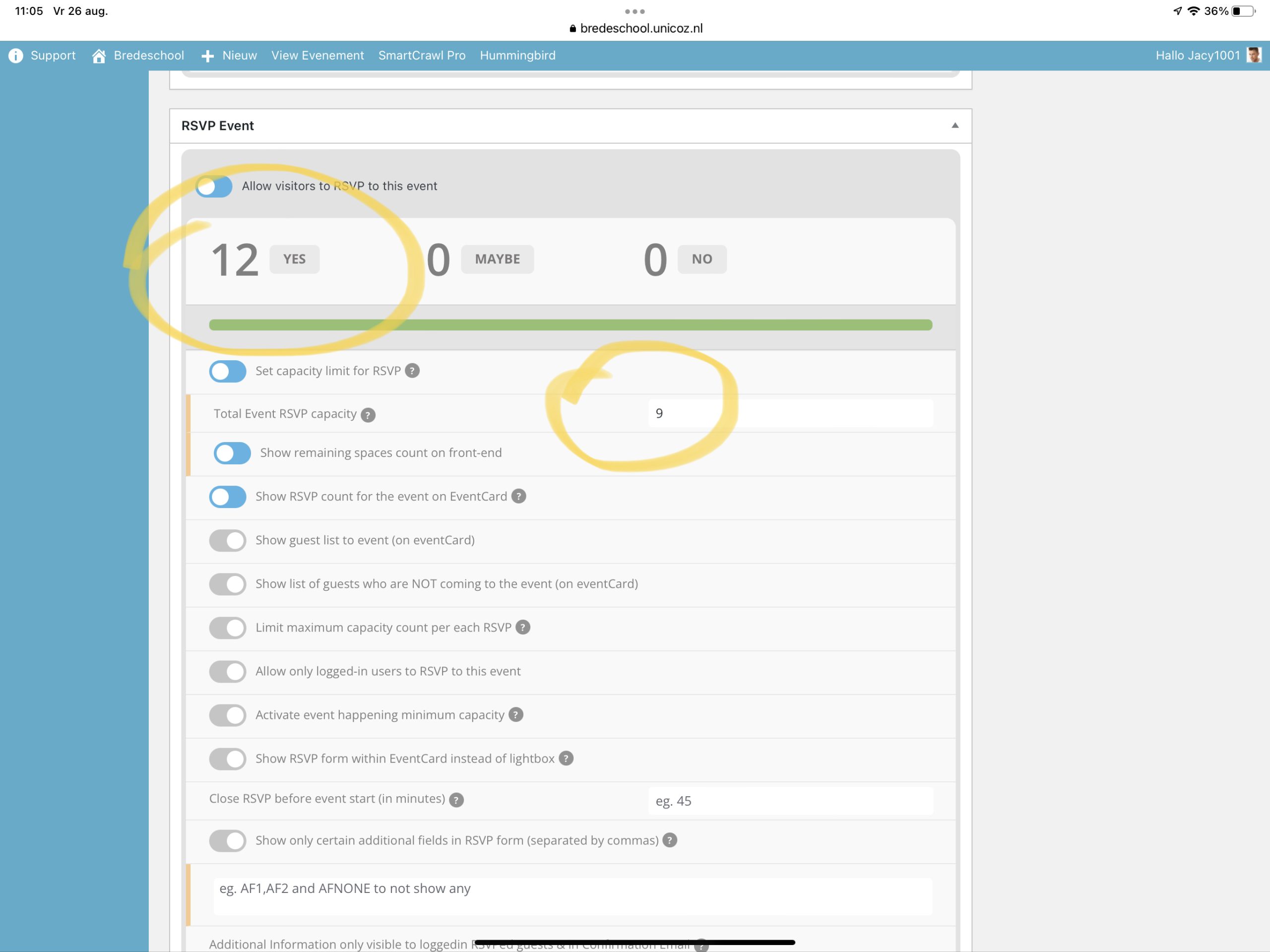
snowgames with category jacobsvlinder. 18 check-in but setup to max 12
Tekenen with the category achtsprong has 12 check-in But setup to max 10
Muziek with the category buytenkans 11 check-in But was setup to max 10
And zwemles with the category Regenboog and also the category Entree are setup to max 9, but the check-ins exceed the limit.
I have uploaded a screenshot
Thanks for helping on such a short notice, much appreciated
Hi and thanks for the response. But it was not quite what I meant.
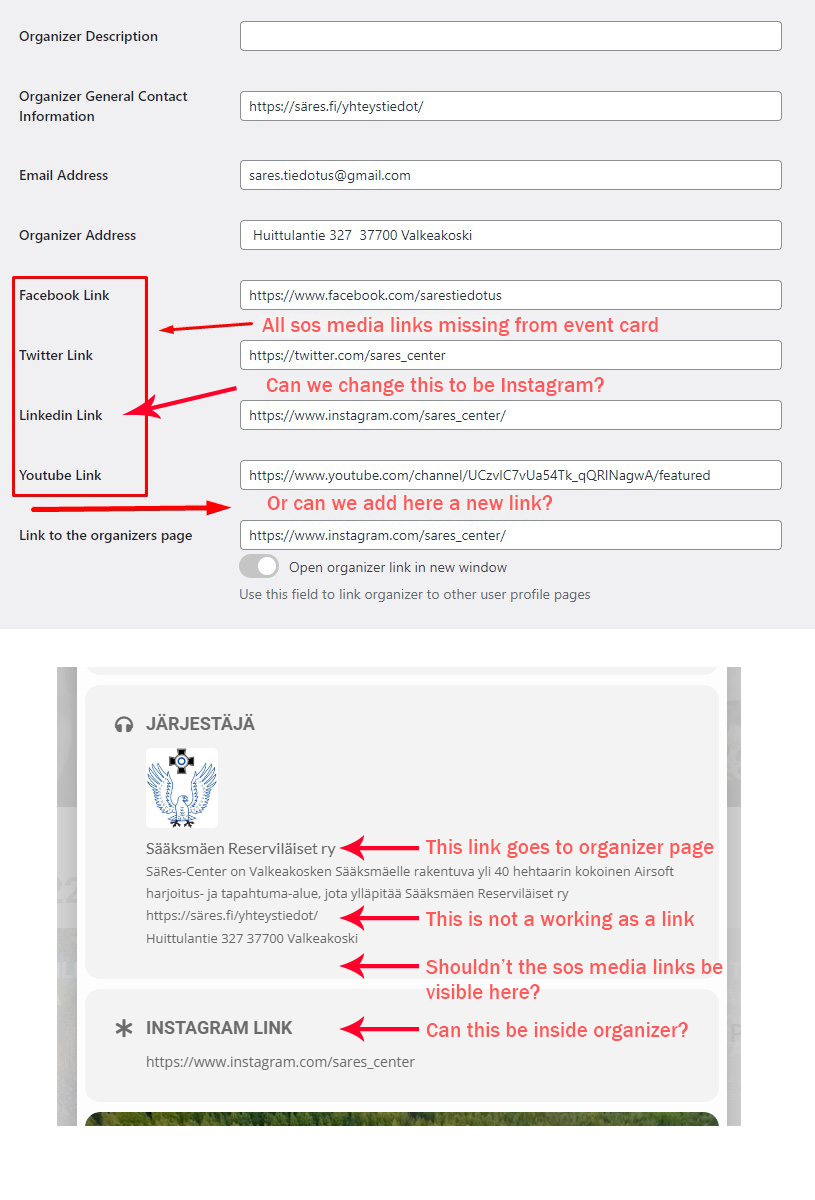
I followed your instructions, but the link goes after the organizer info on the Event card.
And you would have to add that info for every event the organizer has.
Also, the social media links are not showing up on the event card, and for some that are showing up the link is not working.
I added an image where I try to explain it.
I notice that when I embed events via shortcode, there is no schema reported via the schema validator
Is there a way to get the embedded schema to show properly on these pages?
This is my main Miami art exhibition page.
And I have my event-type pages canonicalized to this page.
Hi Stuart,
1. Below is the CSS code which controls the size of the slider box. Please feel free to adjust the margin values until you get a size which works for you.
@media only screen and (max-width:768px){
.evoslider.ajde_evcal_calendar.ss_imgtop .eventon_events_list .eventon_list_event .desc_trig, .evoslider.ajde_evcal_calendar.ss_imgleft .eventon_events_list .eventon_list_event .desc_trig {
flex-direction: row !important;
margin-top:-20px !important;
margin-bottom: -20px !important;
}
.evosliderbox.ajde_evcal_calendar .eventon_events_list .eventon_list_event .desc_trig_outter{
margin-bottom:-20px !important;
}
.evosliderbox.ajde_evcal_calendar .eventon_events_list .eventon_list_event .evcal_cblock {
padding-top:0 !important;
}
.evosliderbox.ajde_evcal_calendar .eventon_events_list .eventon_list_event .hasFtIMG .evcal_desc {
margin-top: 27px !important;
} }
After you have made the margin changes, if you do not see the new style changes, Go to “EventON Settings > Styles & Scripting > Turn off write styles to header” Click save changes – to write the styles css code direct into page header. You can turn this off once the cache is cleared. You can also clear cache on your website via wordpress and/or from server to make sure new style changes are populated into page.
2. Editing the margins as you see fit should also solve the issue of the slider being cut at the bottom. Below is the code which controls that
.evosliderbox.ajde_evcal_calendar .eventon_events_list .eventon_list_event .desc_trig_outter{
margin-bottom:-20px !important;
}
3. Regarding having the slider touch responsive, I am sorry but that option is not available.
Hi Bryan,
Please try to use the custom CSS code below
.ajde_evcal_calendar.boxy.boxstyle0 #evcal_list p.desc_trig_outter{background-size: contain !important;
background-repeat: no-repeat !important;
}
Please add the custom CSS code to “EventON Settings > Styles” and save changes. If you do not see the new style changes, Go to “EventON Settings > Styles & Scripting > Turn off write styles to header” Click save changes – to write the styles css code direct into page header. You can turn this off once the cache is cleared. You can also clear cache on your website via wordpress and/or from server to make sure new style changes are populated into page.