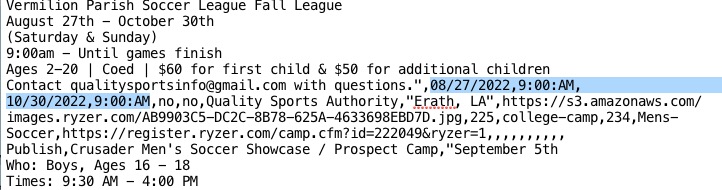
This is how date and time formats should look like in your first event:
08/27/2022,9:00:AM,10/30/2022,9:00:AM
Please try and let us know.
Replies for tickets on suppota
This is how date and time formats should look like in your first event:
08/27/2022,9:00:AM,10/30/2022,9:00:AM
Please try and let us know.
Hello,
There is no need of adding <br> after <b>:
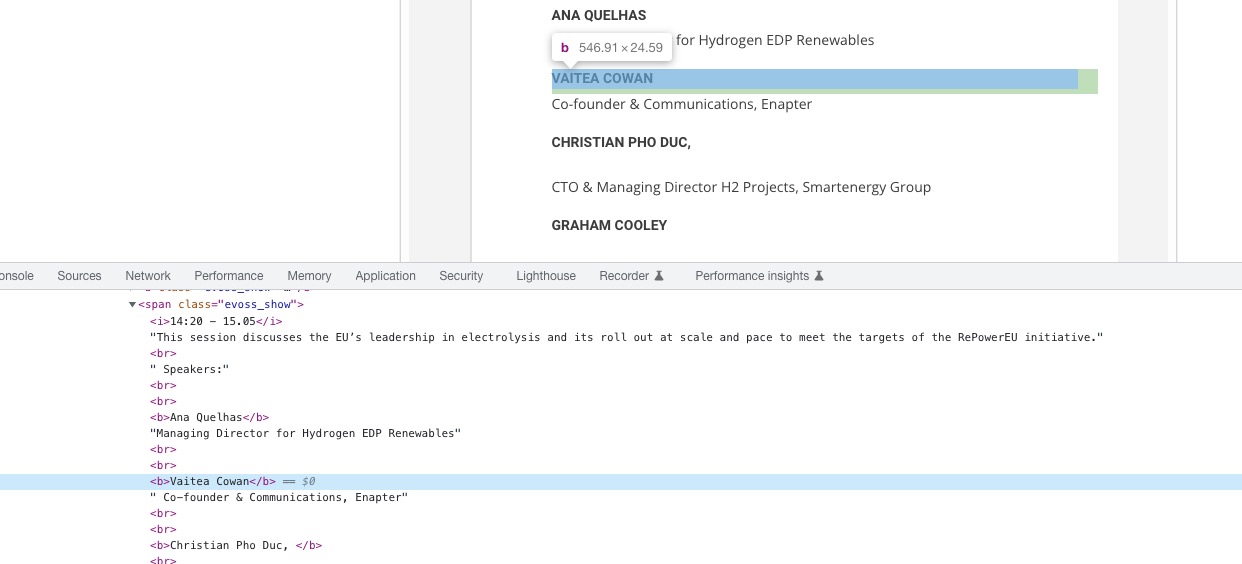
Remove remove them and only add after regular text.
Hello,
Please add mo1st=”yes” to your shortcode:
[add_eventon_dv mo1st=”yes”]
Hello,
You can either apply this patch:
https://docs.myeventon.com/patch-fixes/4-1-in_array-error/
Or go to EventON > EventTop > EventTop Main Day block fields > enable Event Day Name or any other you like.
We are going to include the fix to the next version.
I do not see booking addon for any of the mentioned emails. We need emails or order IDs used to purchase those addons to track back. Is there any other email addressed used to purchase?
answered in other ticket
order refunded and subscription cancelled.
Rene this is a very unique happening we have not seen this before. please go ahead and try now. Lets try this out for event list addon first.
To update eventon
first off ask your server hosting company to make a back up of your entire site if thats a service they do
To update eventon to latest version: If you are unable to do autoupdate, you can go to codecanyon your account > download and get the latest eventon version as zip file. Then you can go to your website, deactivate old eventon, activate (Do not delete eventon settings & data when EventON is uninstalled) from eventon settings, delete old eventon, install new one and activate. This link will further explain the process it. Also you can follow us on twitter to get real-time announcements on updates!
to update the tickets addon- you may need to buy it again as they are a yearly subscription to get the latest version (you can turn off that subscription after checkout)
To update eventon addons: You can download latest eventon addons from myeventon > my account. Then you can go to your website, deactivate old addon and install new one and activate then delete the old addon. This link will further explain the process. Also you can follow us on twitter to get real-time announcements on updates!
Yes sorry the months can be changed now it’s just that they are super light.
So about updating the plugin, what is there to be done?