Thank you for your messages, I am going to assign this ticket to Ashan and he will be able to take it from here and find you a solution. Please allow some time for him to get back to you, we greatly appreciate your patience and thank you for being a eventon customer!
Archives: Replies
Replies for tickets on suppota
Reply to: tickets(288173)
if you can add page specific CSS
that is to say css that ONLY effects the one page
then add this
.eventon_events_list .eventon_list_event .evoet_cx .evoet_cmf {
display: none;
}
it does de[end on what theme/page builder you are using
Reply to: tickets(288062)
I tried a bunch of things but they didn’t seem to work
instead try adding that event in 2023 as a single event at the top of the calerndar
see video
here the link https://www.museedutour.ch/eventon-test/
Reply to: tickets(288179)
I noticed that the problem is caused by the avada builder plugin.
The only thing I find strange is that not all activities update like this.
when I deactivate the avada builder by the way, the update works fine.
these are the errors shown in the debug.log:
Warning: Illegal string offset ‘Lobster’ in /home/thharnhem/domains/thharnhem.nl/public_html/wp-content/plugins/fusion-builder/inc/class-fusion-builder.php on line 470
Notice: Array to string conversion in /home/thharnhem/domains/thharnhem.nl/public_html/wp-content/plugins/fusion-builder/inc/class-fusion-builder.php on line 470
Warning: Illegal string offset ‘Lobster’ in /home/thharnhem/domains/thharnhem.nl/public_html/wp-content/plugins/fusion-builder/inc/class-fusion-builder.php on line 525
Notice: Array to string conversion in /home/thharnhem/domains/thharnhem.nl/public_html/wp-content/plugins/fusion-builder/inc/class-fusion-builder.php on line 525
Reply to: tickets(288179)
the issue with critical error is solved. i will take a look at the instructions you mentioned.
Reply to: tickets(288120)
Hello,
I just confirmed, that all the events in this page https://glencairn.ca/event-directory/ are all displaying with a blue background like the rest. Where do you still see the issue on your end?
Reply to: tickets(288172)
Hello,
Please navigate to Eventon > Settings > Event Top and Tags to the Event Top designer.
Let us know if this helps fix the issue.
Reply to: tickets(288176)
Hi Marika,
Thanks for writing in!
To add an event, navigate to Events > Add Event (See image below)
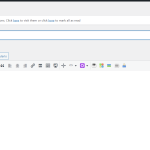
Please take a look at the tutorial below on more details to add an event
https://docs.myeventon.com/documentations/getting-started-with-eventon-adding-events/
To get the event to display on a page, you need to use a shortcode. Eventon has a shortcode generator which you can find by going to Eventon > Settings > Shortcodes. After generating the shortcode, you will be able to copy it and then paste it in the page you intend the events to show. Please take a look at the shortcode guide below.
https://docs.myeventon.com/documentations/shortcode-guide/
I hope this helps 🙂
Reply to: tickets(288062)
Hi, thanks for your swift answer.
access:
www.museedutour.ch
ident: EventOn
pass: EventOn2019helpneeded
concerned pages:
evenements and expositions passées
Best regards
Citronnelle_1
Reply to: tickets(288179)
Hi Frank,
I tried to access the link you had attached and I got a critical error.
Please solve that issue and then let us know when it is solved so that we can take a look at the event not editing issue.
Also, could you please try the instructions mentioned in this documentation to make sure your issue is indeed coming from eventon.