I see you have som epurchases of tickets as a single and then also the 25 sites
could you try (if you have not already) using
EVOTXcd16f923-34b0-4f4c-91bd-f1d34666337f
as the license key and I shall contact Ashan to see if this is an issue on his site
slight issue with the shortcode- all sorted
see video below of what to watch out for in the future
We are glad your issue is resolved, if you have any further questions or concerns please create a new ticket.
If you have a moment, we would greatly appreciate if you could kindly leave us a review at codecanyon! from your account > downloads. Cheers!
Hi Dave.. yes – it works as expected now.. There is still the ticket #279423 issue that Ashan said he would fix at some point.. Looking forward to that being implemented 🙂
Thanks again.
Sorry for the late Answer, I was on vacation.
My Screenshot is from Apple Calendar
Also, why is this happening now? https://jmp.sh/rvNUJW8
Ok, I use this plugin on dozens of sites, and I had no idea there was so many available updates. I made them all, and I see a lot of nice changes, but I ran more tests and…
The event was full so I registered 1 more person (we’ll call them #11). Their email was perfect (https://jmp.sh/ZXZv9Yp) but after changing someone else’s RSVP to No, the email #11 got just looked like the a normal confirmation email (https://jmp.sh/8DWRKPY) and this message (https://jmp.sh/DANnh2D) was no where to be seen.
How can we make it a bigger deal that they are in because someone else dropped out?
Here’s the link to the post we’d like to create as an event: https://thecitymenus.com/2022/08/23/grief-and-coping-sea-glass-strategies-at-the-carnegie/
Here are the new login credentials:
UN: eventon_support
PW: JAHUx2a2#DK6VGId0)puGRMt
.evcal_event_title {text-transform: none;!important;}
you have added a ; in between none and !important
should be
.evcal_event_title {text-transform: none !important;}
I have removed it from eventon>>>>styles and added the correct version to
appearance>>>>customize>>>>additional css
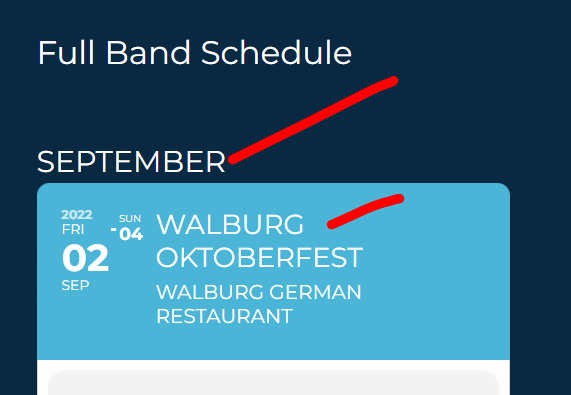
from the video you have not edited the date of the event
if you quick edit it- you will see its set to 1970
also I tweaked the font see video below on what I did so if you don’t like it you can undo it
and see screenshot we can also provide some css to lower the font weight to make it resemble the other headings on your site just let us know