admin access would help diagnose
Archives: Replies
Replies for tickets on suppota
Reply to: tickets(287275)
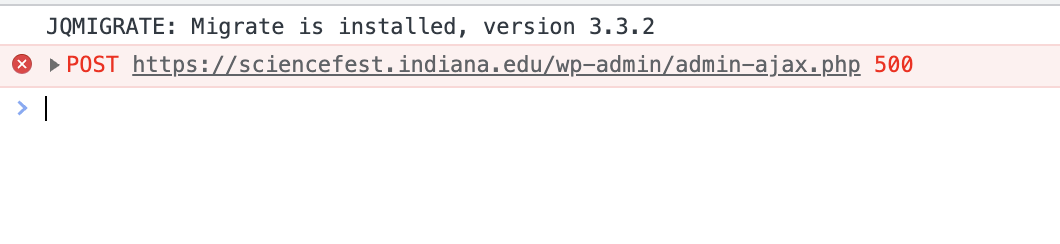
We’ve turned off all other plugins, switched themes, turned on wp_debug, and checked the console for js problems, and everything looked good except we are seeing the error in the attached screenshot. Not sure what is causing it, but we do need to either fix or roll back to 4.1.0 until they get a redesign next year (we need at least 4.1 for the paid wishlist addon to work). I wish I had saved a copy of 4.1, but our last backup was on 4.0 and that doesn’t work with the wishlist addon. Thanks for your help and let me know if you want admin login info.
Reply to: tickets(287275)
can you try this wierd trick first
if that doesn’t work let us know
(the event top has changed slightly sine the previous version and some calendars are having issue trying to load the old event top into the new )
Reply to: tickets(287276)
have a look now
Reply to: tickets(287280)
please post the correct username and password to log in you might need to turn off ip address blocking
Reply to: tickets(286836)
Your support is AWESOME !! Thanks.
Now I need to know if it is possible to FIX these 2 problems (using latest version, of course):
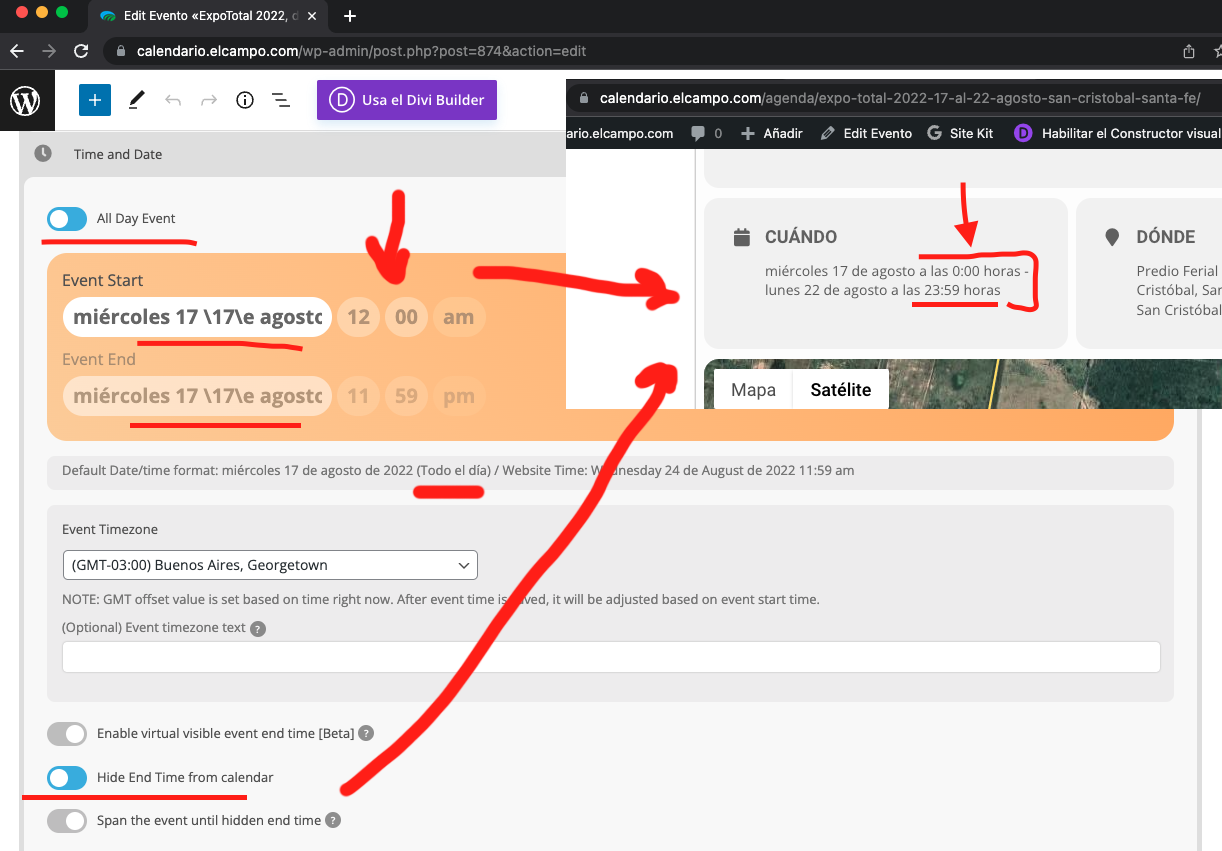
- every time I select the DATE from the calendar (time and date section), as you can see on screenshot, the DATE is WRITTEN in this way: miércoles 24 24e agosto 24e 2022 (instead of something “normal”). Then it seems it get saved fine, and edited ok, but when it is selected it displays in that way. See screenshot.
- SECOND problem is related to the ALL DAY EVENT thing, how can I HIDE the START TIME and END TIME (I just want to get published as ALL DAY event, from X day to X day, but neither displaying starting time nor ending time on such days. See screenshot too.
https://calendario.elcampo.com/agenda/expo-total-2022-17-al-22-agosto-san-cristobal-santa-fe/
You can access to the site at:
https://calendario.elcampo.com/wp-admin
user: ashanjay
pass: 9HWZDm2paWE
thanks.
Reply to: tickets(286647)
Thanks Kenneth. That looks better on desktop.
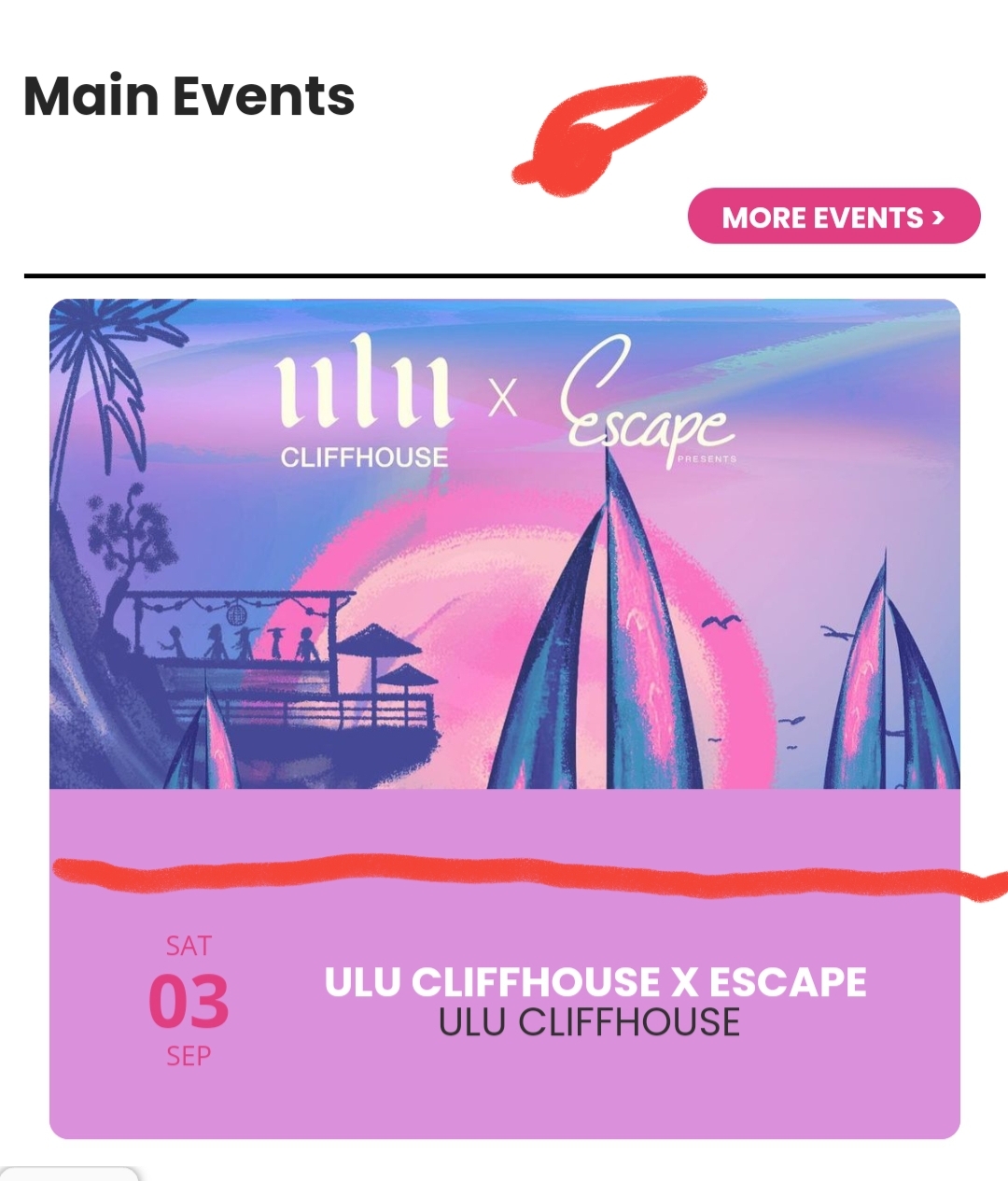
The event data box is large again tho. At the moment it is almost half the square again. Is it possible to get the size of that text box a quarter of the entire square? See attachment
Reply to: tickets(287275)
Here are two specific examples: since the update, our event page template doesn’t load at all: https://sciencefest.indiana.edu/events/build-a-neuron-2022/ and the calendar pages never load: https://sciencefest.indiana.edu/2021-activity-guide/
Reply to: tickets(287051)
Any progress in this issue? Thank you
Reply to: tickets(287209)
Yes, that works great!
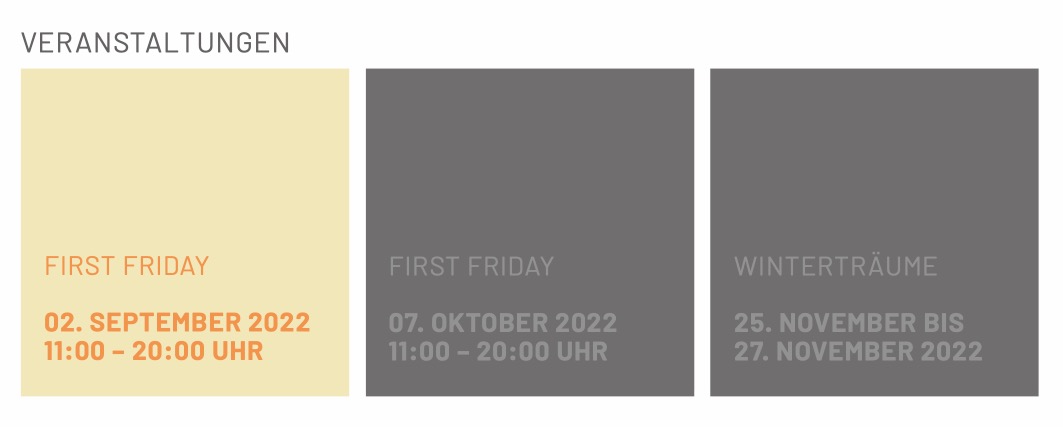
But how can we get the Date like this: DD. Month YYYY e.g. 24. August 2022 instead of the event date block?
We would like to get this design (s. Screenshot)
Thanks for your help!