Hello,
Do you see the same issue on our test site:
https://dev2.myeventon.com/events/var-3/
Is this the correct website:
https://digital-learning-leadership.com/wp-admin/plugins.php
It doesn’t have Tickets and Variations add-ons installed.
Another issue: Only Custom name for Event Type Category #1 is shown at event top. Other custom categories are ignored.
Please go to EventON > EventTop > add Custom Field 1 & Custom Field 2 & Custom Field 3.
evo_organizer_more_trig can not be translated (Organizer-Info Read more button in event card).
Thank you for your messages!
I am going to escalate this ticket to development to help in here. Please allow us some time to address this, and we truly appreciate your patience. Thank you for being a valued EventON customer!
Additionally, if your site has any IP blocking or security restrictions in place, kindly disable them temporarily to facilitate our support process.
my account doesn’t show that I have the plugin that I transfered the codecanyon over to it’s completely empty
The issue has been fixed. Please try updating it again and let us know.
Sorry for the inconvenience.
Could you try replacing the previous code with
.evcal_evdata_row.evo_metarow_ICS .evcal_evdata_cell p a { color: white !important; } .evcal_evdata_row .evcal_evdata_cell h3, h3.evo_h3 { color: white !important; } .ajde_evcal_calendar { color: white !important; }
I added !important.
Ah, perfect! Thank you for letting me know!
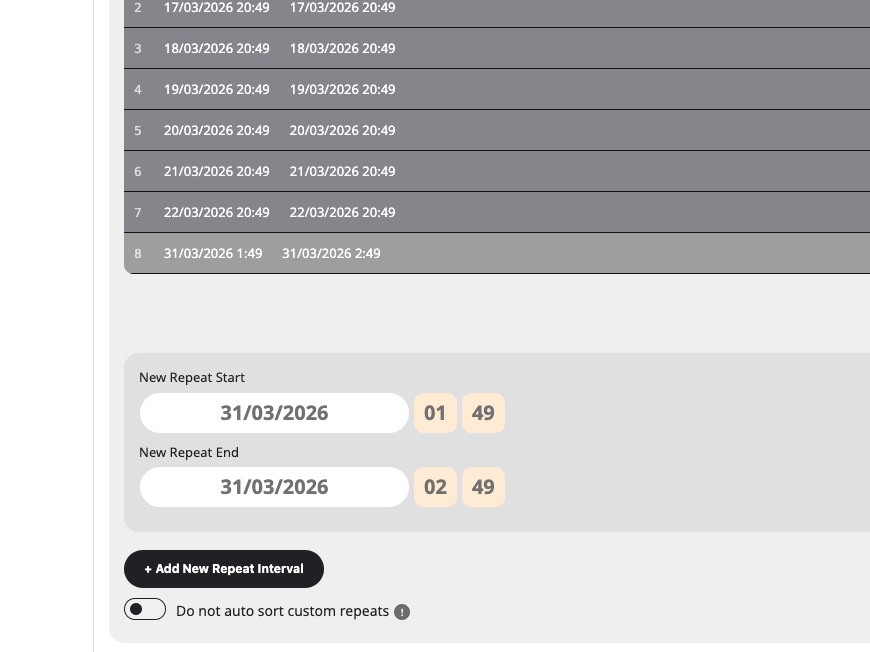
Before I couldn’t even add the custom repeat, so that’s why I asked you to try disabling the plugin.
However, now I can add it and also don’t see any issues at all:
https://www.planconpeques.com/events/test/var/ri-8.l-L1/
Could you tell us more about how to you add it with screenshots, so i can recreate the issue?
1. Please go to EventON > Time Settings > disable ”Hide past events for default calendar(s)”.
2. I went to EventON > EventTop > added Tags before Title. Now the tag is visible. Please check and let me know.
Hello,
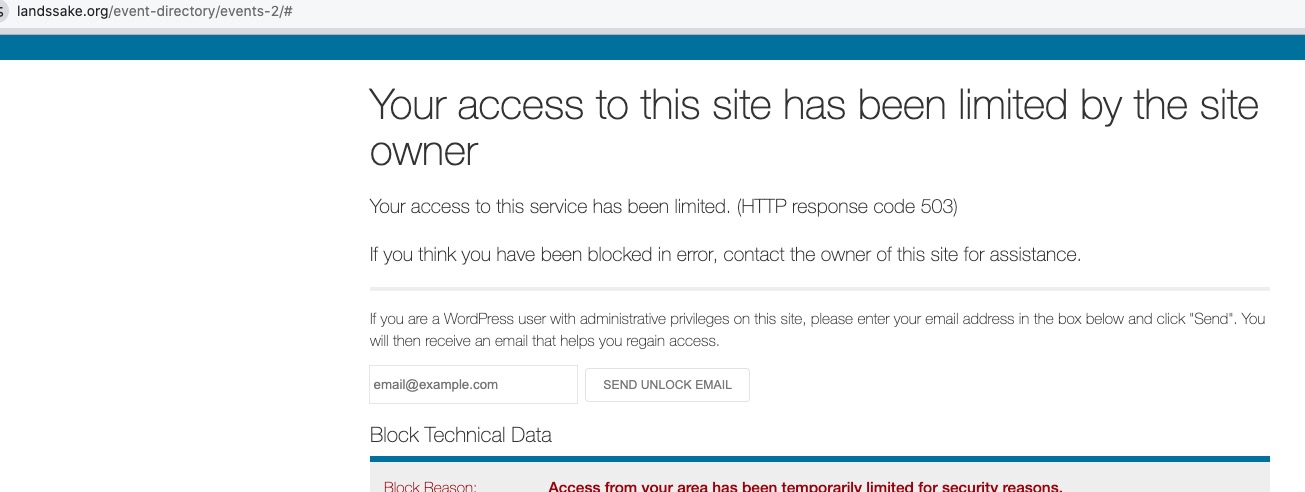
I cannot access your website:
Could you allow USA and Spain?
Please make sure to update EventON to 5.0.8.
To update eventon to latest version: (If auto update works, please try that from with your website plugins page)
1. If you purchased eventON from codecanyon > Go to EventON Full page and verify your purchase to get a free copy of eventON latest version and move your purchase over to myeventon.com.
2. If you already purchased eventON from myeventon.com go to My Account > Downloads and get the latest version copy.
Once you have the latest version zip file. Then you can go to your website > make sure ”Delete eventon settings & data when EventON is uninstalled” is De-slected from eventon settings, delete old eventon, install new one and activate. This link will further explain the process it. Follow us on X to get real-time announcements on updates!
The so-called pop-up that appears after clicking verify codecanyon purchase does nothing; it just says ”loading content,” and nothing loads. I’ve tried on 4 different browsers and disabled the pop-up blocker, and it does the same thing on all of them. Nothing to fill out. I have spent at least 2 hours.
I finally got the pop-up to appear, added the information, and then got errors. I tried again, and it told me I have an account. I tried to log in, but it didn’t let me. I tried reset my password, and then it actually sent me a link for that. Now that I’m in there is nothing in my account showing that I
purchased the product using the codecanyon code.
Hello,
Could you tell us more about where did you get the notice from?
Please update to EventON 5.0.8 and check again.
To update eventon to latest version: (If auto update works, please try that from with your website plugins page)
1. If you purchased eventON from codecanyon > Go to EventON Full page and verify your purchase to get a free copy of eventON latest version and move your purchase over to myeventon.com.
2. If you already purchased eventON from myeventon.com go to My Account > Downloads and get the latest version copy.
Once you have the latest version zip file. Then you can go to your website > make sure ”Delete eventon settings & data when EventON is uninstalled” is De-slected from eventon settings, delete old eventon, install new one and activate. This link will further explain the process it. Follow us on X to get real-time announcements on updates!