What part of eventon do you want rubik because the titles are rubic
looks the same as https://fonts.google.com/specimen/Rubik?selection.family=Caveat&preview.text=JOKER%20POWER&preview.text_type=custom
see video
On my own site with siteground I have to disable the SG optimizer to edit the pages as well- and that uses a different theme- must be a sg thing. you can activate it again
Hello,
thank you for your reply. Here is the FTP access:
server: ftp.5611379925336.hostingkunde.de
user: 561137-libadmin
pass: 8nEpv&qe7dPp
Well… Greatest Support Ever!
Thank you so much, everything is running fine now.
Regards
We are sorry for the delay. Ashan will check this ASAP.
Meanwhile, I went to https://tbcraleigh.com/wp-admin/admin.php?page=eventon#evcal_001b > changed Select minute increment for time select in event edit page to 1. It helped other customer.
Could you check if it works for you?
We are glad your issue is resolved, if you have any further questions or concerns please create a new ticket.
If you have a moment, we would greatly appreciate if you could kindly leave us a review at codecanyon! from your account > downloads. Cheers!
Hello,
Unfortunately, we unable to help with customizations, it’s against CodeCanyon’s Support Policy.
Please take a look at this available guide:
https://docs.myeventon.com/documentations/show-additional-custom-data-eventcard/
You can also follow
https://docs.myeventon.com/documentations/setup-use-custom-meta-fields-events/
Use “Multiple lines of text” and add your links as <a href> manually for each event: https://www.w3schools.com/tags/att_a_href.asp
Hello,
Thank you for your messages, I am going to assign this ticket to Ashan and he will be able to take it from here and find you a solution. Please allow some time for him to get back to you, we greatly appreciate your patience and thank you for being a eventon customer! Also please disable any IP blocking on your site if there are any.
It seems that there is an issue with EventON > Time Settings > Select minute increment for time select in event edit page. We are going to look more into it.
I also went to https://scruffycity.com/wp-admin/admin.php?page=eventon > select Hide events past today’s date.
I would like to keep this ticket open for one more day to be sure everything is working as it should.
Yes, of course. Please keep us updated.
Hello,
Could you elaborate more? Which event are you referring to?
Can you please also send us a direct link to where the actual issue is happening?
Hello,
Please go to wp-admin > Events > All Event RSVPs > Bulk actions: Delete.
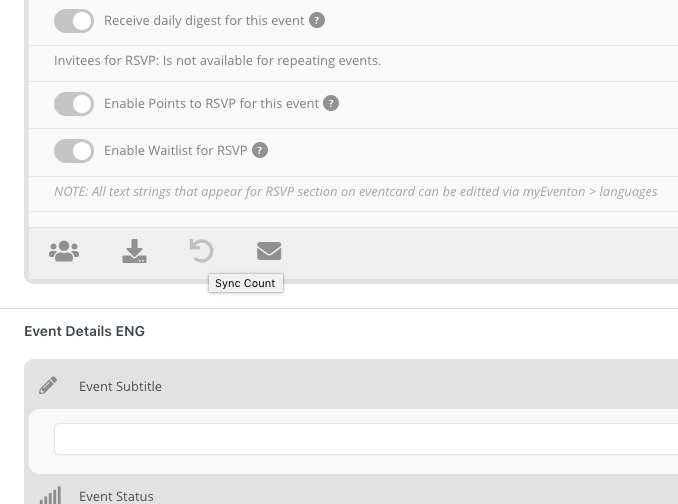
After go to the event with the fake registration and press “Sync Count”:
You can also delete from Edit Event > RSVP > View Attendees.