We unable to help with customizations of any kind, I am afraid. It’s against CodeCanyon’s Support Policy. Sorry for the inconvenience.
Archives: Replies
Replies for tickets on suppota
Reply to: tickets(285687)
Hello,
I followed this instruction:
You can either apply this patch:
https://docs.myeventon.com/patch-fixes/4-1-in_array-error/
Or go to EventON > EventTop > EventTop Main Day block fields > enable Event Day Name or any other you like.
We are going to include the fix to the next version.
Please check now and clear your cache if needed.
Reply to: tickets(285791)
Hello,
Google Map API that we use in EventON requires you to put your billing info, I am afraid.
Reply to: tickets(285793)
Hello,
Thank you for your great suggestion, at the moment it is not supported. However please create a new ticket and select Feature Request as category so others can vote on your idea and get it moved into development faster.
Maybe you can somehow add them to Event Card by following:
https://docs.myeventon.com/documentations/show-additional-custom-data-eventcard/
Unfortunately, this is the only option that is available at the moment.
Reply to: tickets(285729)
Simply add this to your shortcodes:
filter_type=”select”
Reply to: tickets(285795)
Hello,
I am sorry, the access information you have provided did not work for us. Please check them and post the correct login information as a private message, thank you!
Could you try following:
You can either apply this patch:
https://docs.myeventon.com/patch-fixes/4-1-in_array-error/
Or go to EventON > EventTop > EventTop Main Day block fields > enable Event Day Name or any other you like.
We are going to include the fix to the next version.
If the about didn’t work, please follow the instructions in this documentation to activate debug in your site to see any PHP errors recorded that can provide insight on to whats going on. Please reply with a link to debug.log file. If you are not able to do this please send us FTP access to your site so we can do this for you.
Reply to: tickets(284918)
Hello Corey Cutting,
Could you send us error messages?
Reply to: tickets(285797)
Hello,
Please look for taxonomy=event_location in wp_terms table:
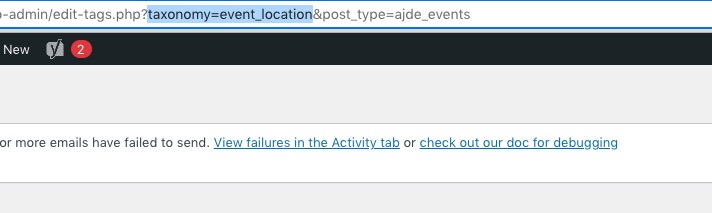
More info:
https://code.tutsplus.com/tutorials/understanding-and-working-with-taxonomies-and-terms-in-wordpress–cms-21051
Reply to: tickets(285363)
In order to regenerate existing images please follow https://kinsta.com/blog/regenerate-thumbnails/#how-to-regenerate-thumbnails-in-wordpress
Reply to: tickets(285782)
Hi Gerry,
Please ensure that you are running the latest versions of all your addons. You can check the latest versions here
https://www.myeventon.com/latest-versions-of-addons/
To update eventon addons: You can download latest eventon addons from myeventon > my account. Then you can go to your website, deactivate old addon and install new one and activate then delete the old addon. This link will further explain the process.