I tried removing that just now, however now it doesn’t open eventcards when clicked in a lightbox window – it just shows them below… I want to keep the lightbox when existing events are clicked. What is happening that I do not want is when clicking in the month jumper to a new month, it automatically selects the same number day as the previous month as highlighted and immediately opens the eventcards for that date in the lightbox without even clicking anything. If you try clicking on a Sunday in any calendar and then jumping to any month by clicking it (not using the arrows), you’ll see what I mean.
Archives: Replies
Replies for tickets on suppota
Reply to: tickets(285543)
We have a lot more than 7 events taking place in a week, though. The main reason I purchased this add-on was to have a “This Week at Real School” slider on our homepage since a regular weekly view would just be tooooo bulky and full. If this isn’t possible, I’m not sure we’ll have a need for this add-on and we may have to ask for a refund on that piece until it (perhaps) gets this as a feature request in the future.
[None of this is said with frustration 😉 as I know so many tickets often are.]
Reply to: tickets(285360)
I assume this is the default setting upon inspection? I havent changed this when creating the shortcode used here to generate Weekly View. But its not an “Events List” its a “Weekly View” with addon.
I will try the UTC offset and see if that helps.
Events are PDT. That wont be a problem?
Reply to: tickets(285131)
I hope it will be resolved as soon as possible because I have been waiting for some time
Thx
Reply to: tickets(268143)
Sure. I would like to display only time on the second line of time section :
From:
(Juillet 26) 14h00 – (Octobre 24) 18h30
To:
14h – 18h30
This line correspond to Event Time field into the drag&drop from EventTop (screenshot-3.png)
Thanks
Reply to: tickets(282677)
While doing another test – importing from and ics file instead of a link actually works. Why is that? Problem is that I need the link to work so it updates daily for any changes.
Reply to: tickets(282677)
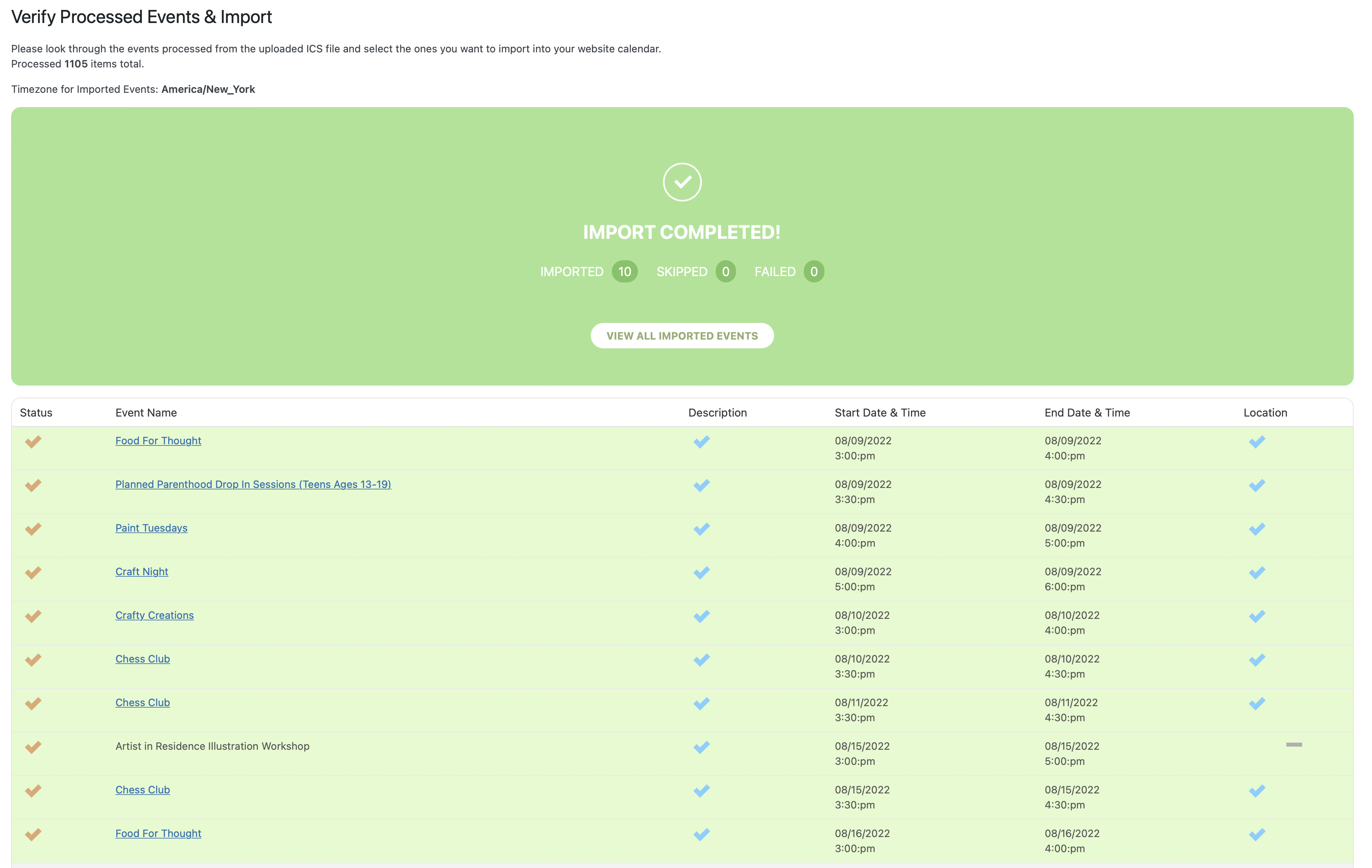
Since I have not received a response in the past 2 weeks – which is extremely frustrating for a plugin I’ve paid for, I have done some more digging with no luck. I have created an entirely new calendar in Google and added some events. Tried to import again with no error and none skipped, but no events show up.
I am really hoping someone can provide me with a fix ASAP.
Reply to: tickets(285517)
Finally, everything is ok.
Reply to: tickets(282236)
what is update for coming up block?
Reply to: tickets(284773)
ok. Thank for information atrem