Hello,
The only available option is to go to EventON > Tickets > Upon add to cart redirect customer to.
If you want to add something new or change the current, you need to customize the source code.
Unfortunately, we unable to help with customizations.
We are glad your issue is resolved, if you have any further questions or concerns please create a new ticket.
If you have a moment, we would greatly appreciate if you could kindly leave us a review at codecanyon! from your account > downloads. Cheers!
Hello,
1. Please go to EventON > Action User > Form Settings > Event Location Fields > enable Allow creating new.
2. Please go to EventON > Action User > enable Allow event image upload to non logged-in visitors (Not recommended).
Hello,
You can either apply this patch:
https://docs.myeventon.com/patch-fixes/4-1-in_array-error/
Or go to EventON > EventTop > EventTop Main Day block fields > enable Event Day Name or any other you like.
We are going to include the fix to the next version.
Please make this a highest priority!
Ok, now it’s all good. Thanks
I solved it by my own. I manipulated following function:
add_filter(‘evo_eventtop_dates’,’fnc_002′, 10,3)
No I uncommented it and its now visible again.
Sorry for the inconviniences.
Sorry, didnt save the user changes:
PW: LWi9yz8ghQph01M!tYXFnuiN
Thx for your help!
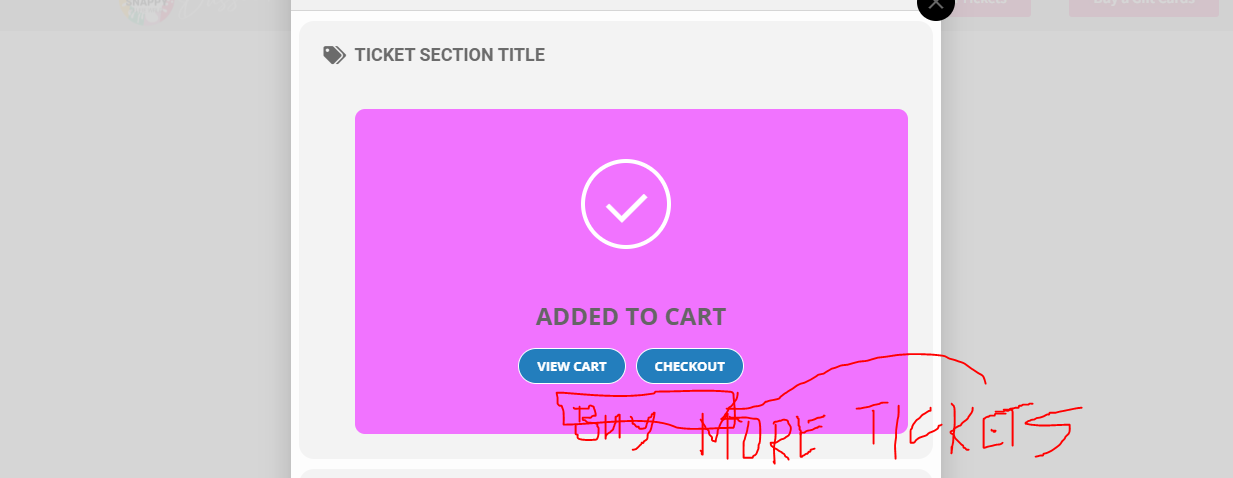
Instructions:
Go to: https://dusseldorf.happysnappy.app/
- Choose any tickets to buy
- choose any date
- choose any timeslot
- click add to ” add to cart”
- you will see “view cart “and checkout” in this section we want to add another button ” buy more tickets”
How to do it? Thank you. Please see also attached screenshot.
I also have a problem with php versions
It is stable only with version 7.4