Thank you for your messages, I am going to assign this ticket to Ashan and he will be able to take it from here and find you a solution. Please allow some time for him to get back to you, we greatly appreciate your patience and thank you for being a eventon customer! Also please disable any IP blocking on your site if there are any.
Archives: Replies
Replies for tickets on suppota
Reply to: tickets(282843)
NL and DE pages seem to be working: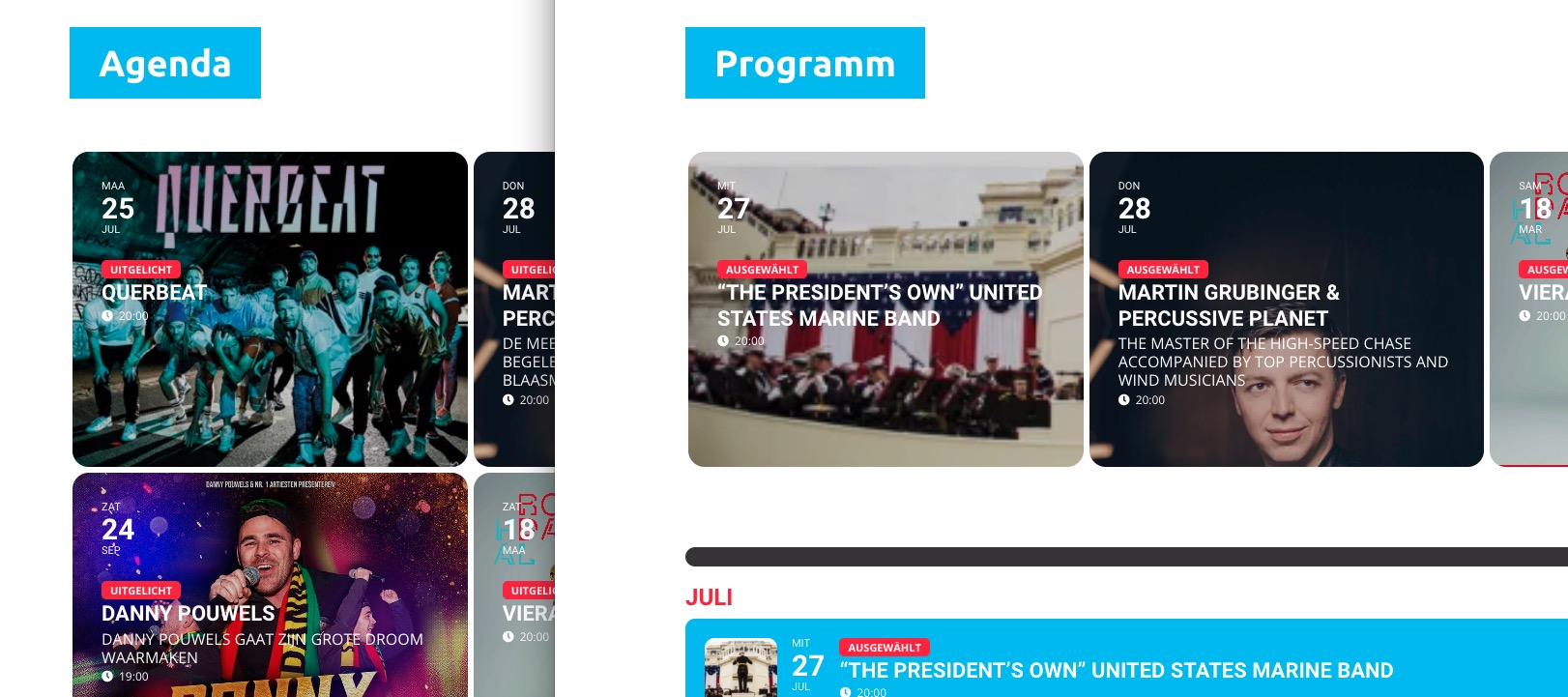
Some parts of L3 aren’t translated yet:
https://www.rodahal.nl/wp-admin/?page=eventon&tab=evcal_2&lang=L3
For example, “Event Details”.
I can access Edit Page of NL and DE:
https://www.rodahal.nl/wp-admin/post.php?post=57&action=edit
https://www.rodahal.nl/wp-admin/post.php?post=170&action=edit
But cannot access EN page. Could you send us a link to a page with added shortcode?
Reply to: tickets(282832)
Hello,
We need to recreate this on our test site.
Could you send us screenshots of Edit Event (Time and Date part) pages of events you have problems with?
Reply to: tickets(282608)
Hello,
1. Please check now: https://www.frankiesjazzclub.ca/eventon-testing/
2. Go to EventON > disable Hide past events for default calendar(s).
Add event_past_future=”future” to a shortcode.
3.
hopefully new update will get resolved to not break css?
Could you elaborate? Do you have a custom CSS code that no longer works?
Reply to: tickets(283315)
Hello,
You can add a similar item to an order:
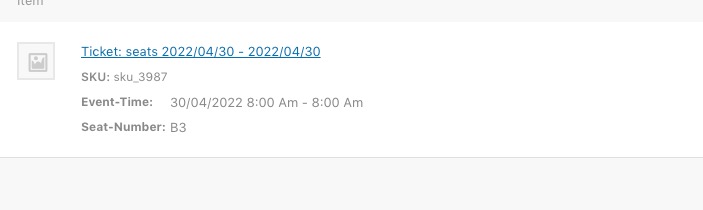
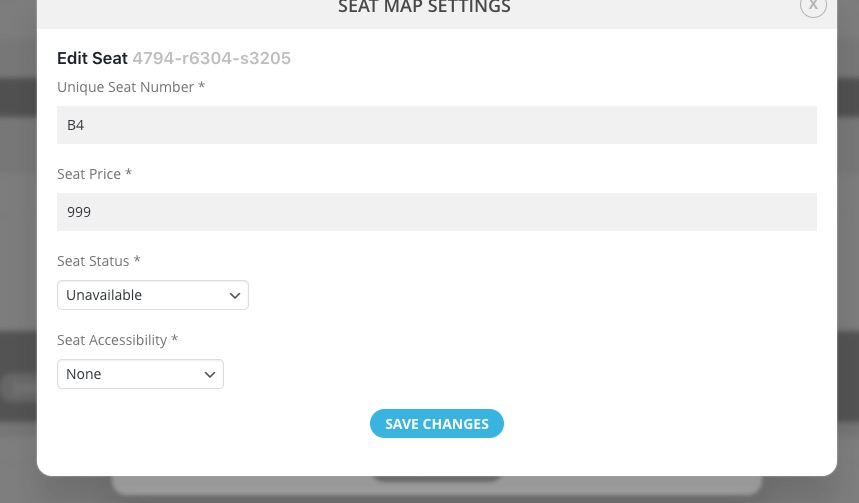
Then go to Edit Event > Seats Editor > make that particular seat unavailable:
Reply to: tickets(281188)
Let’s test it first. Please take one event, fix all warnings, make sure Google updates all information correctly, check if Google Event page is fixed for that particular event.
Reply to: tickets(283307)
There is a new version 1.4.8 of Event Map add-on available. Could you make sure to update?
To update eventon addons: You can download latest eventon addons from myeventon > my account. Then you can go to your website, deactivate old addon and install new one and activate then delete the old addon. This link will further explain the process. Also you can follow us on twitter to get real-time announcements on updates!
Reply to: tickets(281740)
Hello John Hernandez,
The fix is for EventON 4.1. If you are using 4.1.1 then you don’t need to add anything.
Could you create a new ticket with included link?
Reply to: tickets(283391)
Hello,
Are you referring to this part?
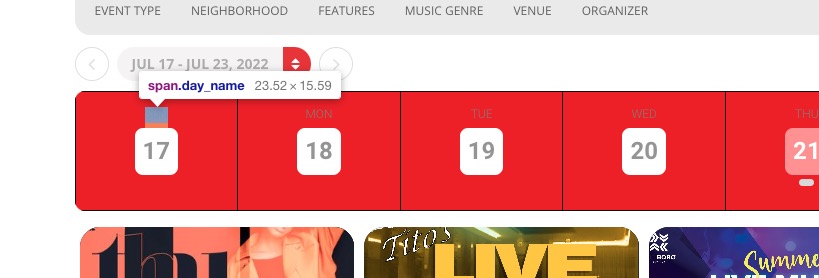
If so please add this CSS code to EventON > Styles (If you don’t see any change, EventON > Scripts & Styling > turn off Write styles to header > save settings > turn on Write styles to header):
.EVOWV_grid .evo_wv_day span.day_name { color: white !important; }
Reply to: tickets(283395)
Hello,
If you add these options to a shortcode:
show_limit=”yes” show_limit_redir=”https://test.com”
They’ll create “Redirect load more events button”. http:// URL the load more events button will redirect to instead of loading more events on the same calendar.