Hello, I found the problem, it came from the caching of the element in Elementor which was set to 1 day. I deactivated it and the modifications are taken into account directly. I hope this can be useful for other people. Thank you for helping me.
Archives: Replies
Replies for tickets on suppota
Reply to: tickets(392329)
Hi Ashan,
Thanks for the patch. I have done that, but I still get a similar error from further down the code:

Reply to: tickets(394857)
Words should be separated by commas. Could you go to EventON > Language and try to download the file again and check?
Reply to: tickets(394834)
[add_eventon_list number_of_months=”12″ hide_empty_months=”yes” ux_val=”3a” show_et_ft_img=”yes” add_eventon_list eventtop_style=”0″ event_type=”10,”]
https://kultur-am-kapellenplatz.de/orgelplus/
I can't see past events.
Can you set the code correctly for me?
Reply to: tickets(393543)
Reply to: tickets(393543)
How do you open this event as a new tab?
https://www.scalefree.com/events/data-vault-2-1-boot-camp-and-certification-german-september-2025-hamburg-3-days/
I am going to contact Ashan about this issue as I cannot recreate it on my side.
Reply to: tickets(394912)
Hello,
Please send us wp-admin access to your site from “Access Info” box on right side menu, to further assist your situation.
Reply to: tickets(390451)
We are going to include this fix in the next version.
We are glad your issue is resolved, if you have any further questions or concerns please create a new ticket.
If you have a moment, we would greatly appreciate if you could kindly leave us a review at EventON WordPress Page OR Codecanyon. Your review helps us a lot in continuing EventON improvements!
Reply to: tickets(394709)
Could you tell us more about how do you copy an event?
I go to wp-admin > Events > click Duplicate:
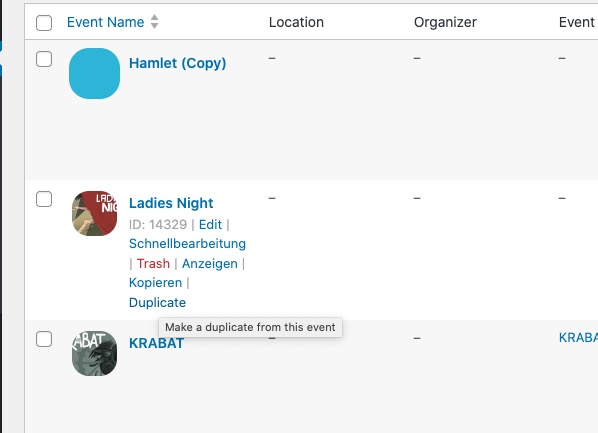
In the copy I enable Tickets and then enable Seats. After I import the seat layout.
Do you see any issues on this event:
http://web.feuer.work/dienaturbuehne-shop/wp-admin/post.php?post=14390&action=edit
Reply to: tickets(394709)
After the import, this is how it looks.
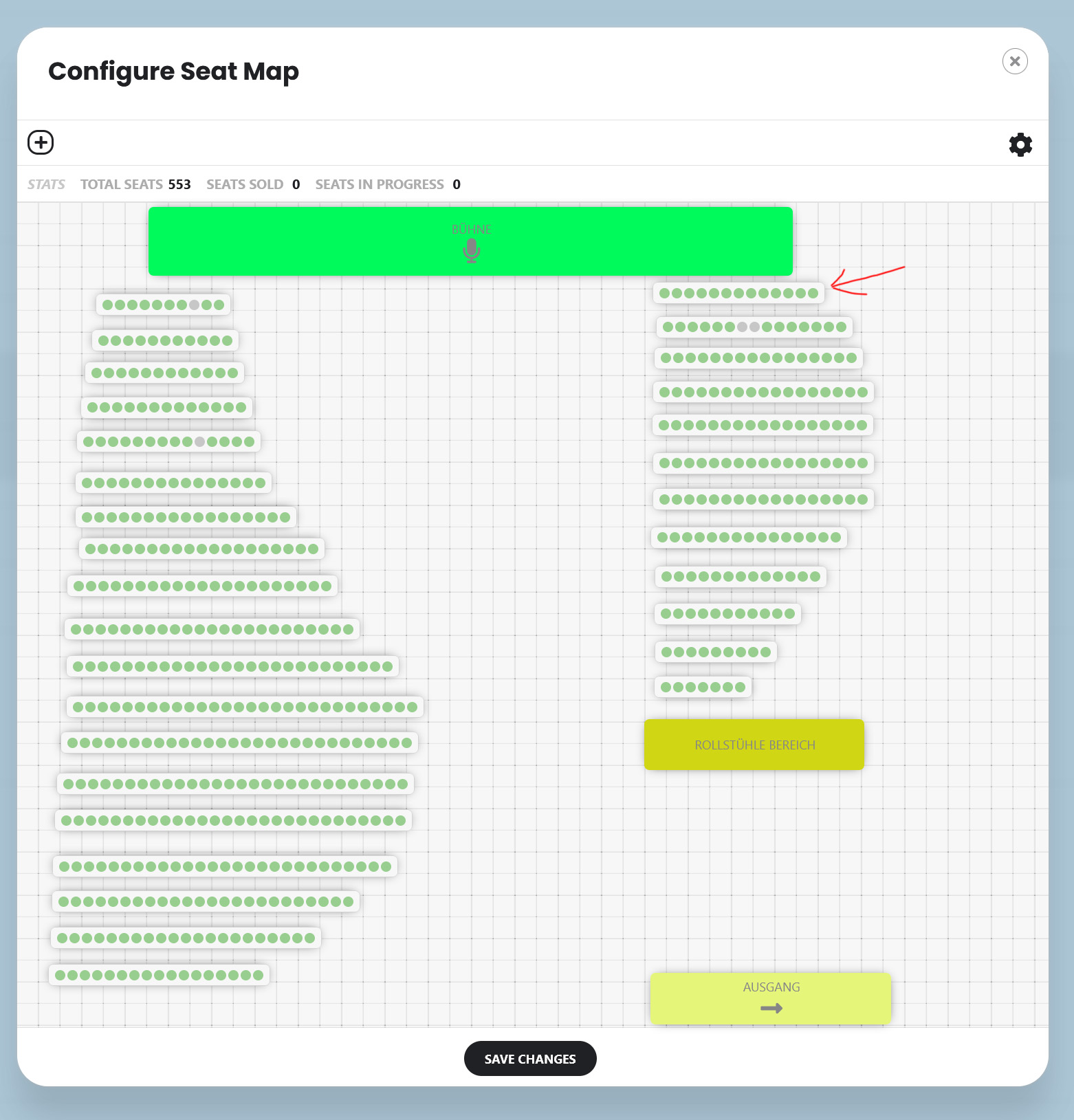
But some fields are empty.
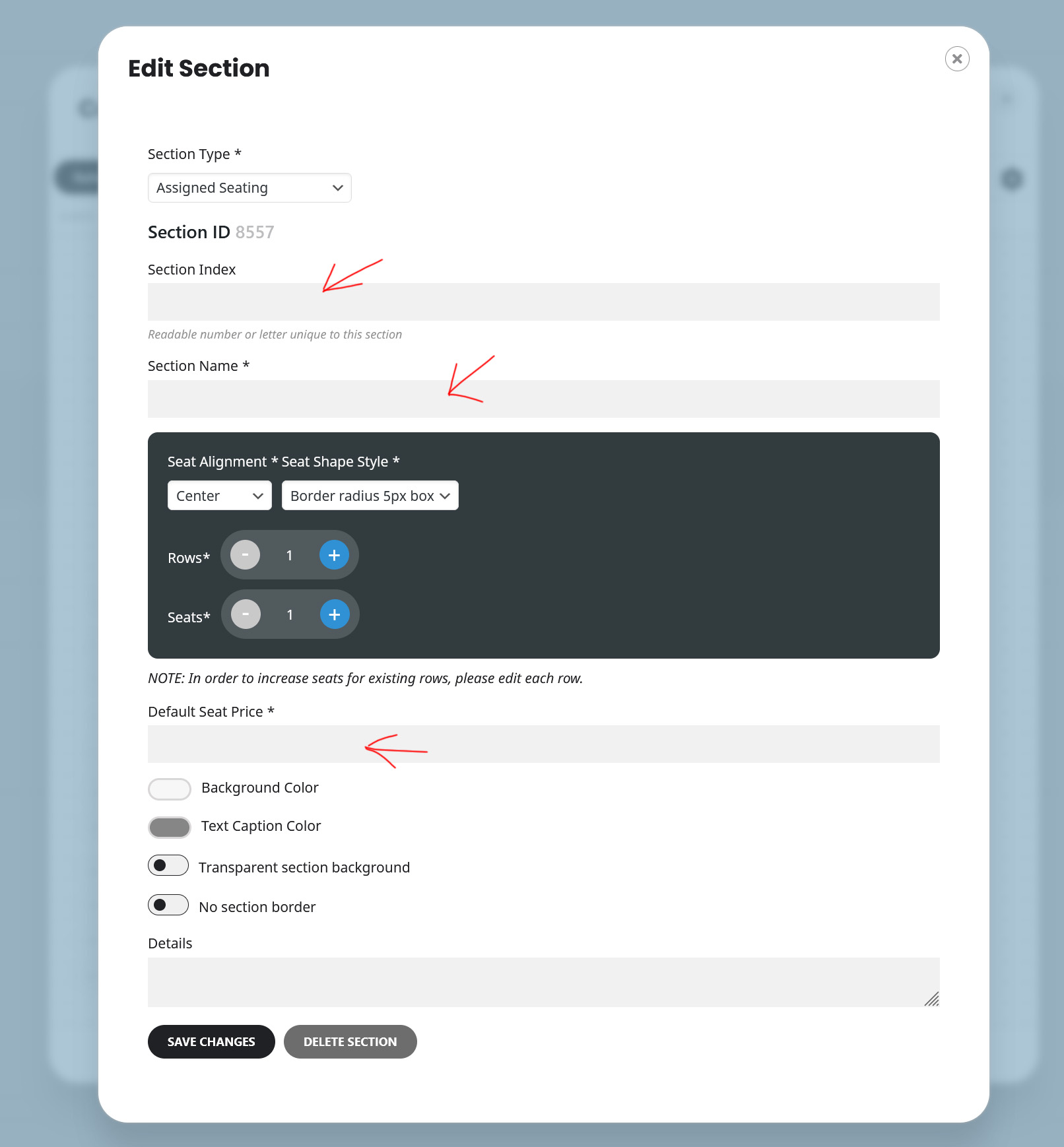
This is how it looks when I open the editor again.
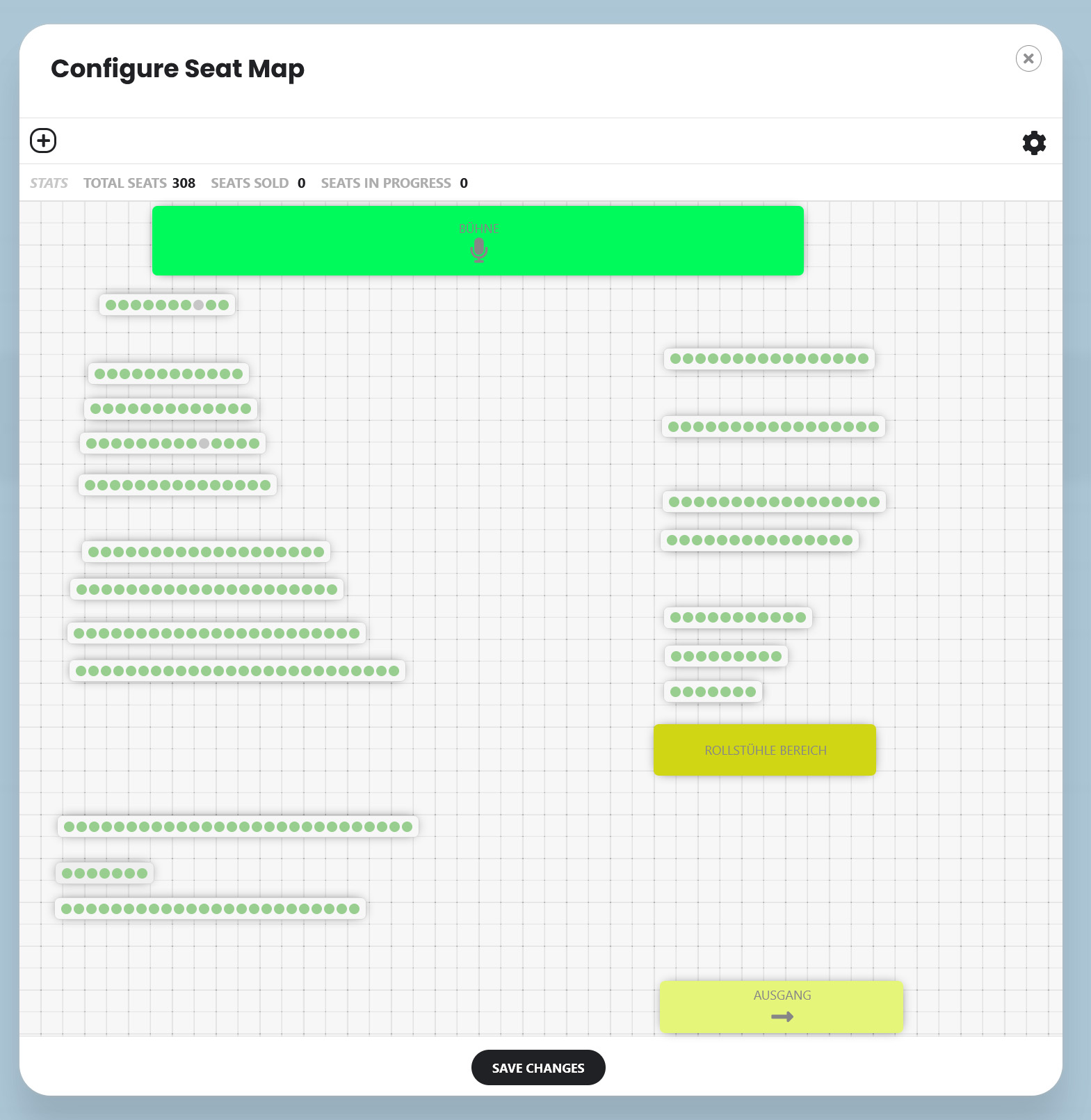
After the import, some sections lose data — such as the section name or price. Because of this, the entire seating plan gets messed up.