Reply to: tickets(284391)
Replies for tickets on suppota
You would need the events list extended addon IF
those upcoming 4 events are from different months
doing the next 8 (2 lines of 4 across) events regardless of the month would also require events list extended addon https://www.myeventon.com/addons/event-lists-extended/
if thats not something you want to buy you could try one of these 2 shortcodes with what you currently have bought
[add_eventon_list number_of_months=”1″ event_count=”4″ event_past_future=”future” hide_so=”yes” tiles=”yes” tile_count=”4″ hide_month_headers=”yes” hide_empty_months=”yes”]
or
[add_eventon event_count=”4″ hide_arrows=”yes” hide_so=”yes” tiles=”yes” tile_count=”4″ tile_height=”200″]
they should work but towards the end of the month it will start to show less and less
Thanks.
Could you please tell me what shortcode I need to display tiles (4) without the month showing and arrow links to next month. I just want the 4 tiles of the next events.
For reference https://capture.dropbox.com/JPce5XlY15lbA2R7
Shortcode I am using is
[add_eventon tiles=’yes’ tile_count=’4′ event_count=’4′ hide_so=’yes’ hide_month_headers=’yes’ tile_height=’200′]
Page is https://www.portnow.com.au/
I would also like to have the option of displaying 8 events – 4 in each row
Thanks, Mike
Here is a csv help file – you can import and tell it to open in a new window I am unclear which import addon you are using
evcal_lmlink – Learn more link (http)
evcal_lmlink_target – Learn more link open in new window yes | no
CSV is a tabular format that consists of rows and columns. Each row in a CSV file represents an event post; each column identifies a piece of information that comprises an event data. It is VERY Important to built your CSV file correctly to successfully import events.
publish_status – Publish status of the event: publish | draft
event_id (int) – Event post ID, if passed, event with this id will be updated with meta data
featured – Feature an event or no eg yes | no
color – Hex color for the event without # sign
event_name – Name of the event
event_description – Event main description
event_start_date & event_end_date – Start/End date in format mm/dd/YYYY
event_start_time & event_end_time – Start/End time in format h:mm:AM/PM
Location Fields:location_name => Event location Nameevent_location => Event location complete addressevcal_location_link => Location Link (http://)evo_location_id => Location taxonomy term ID
Organizer Fields:event_organizer => Organizer Nameevcal_org_contact => Organizer contact information eg. emailevcal_org_address => Organizer location addressevcal_org_exlink => Organizer external link (http://)evo_organizer_id => Organizer taxonomy term ID
event_gmap – Generate google maps from address. eg yes | no
evcal_subtitle – Event Subtitle
all_day – All day event eg. yes | no
hide end time -Hide end time for event eg. yes | no
event_type categories – Event type category term IDs seperated by commas eg. 4,19. You can add upto 5 event type categories in seperate columns with column headers in format event_type, event_type_2 etc.
Custom Meta Fields:cmd_{x} => Custom meta data values. You can add upto 10 custom meta field values with sepeate columns with column headers in format cmd_{x}cmd_{x}L => can be used for custom field button url data
image_url – Complete http:// url to an image from external source
image_id – (integer) existing attachment ID from wordpress site you are importing events to
evcal_lmlink – Learn more link (http)
evcal_lmlink_target – Learn more link open in new window yes | no
User Interaction Fields:_evcal_exlink_option => UX_val from 1-4 (integer)evcal_exlink => UX_VAL link to event URL (http://)_evcal_exlink_target => UX_val link open in new window yes | no
ActionUser Compatible Fields: evoau_assignu => User IDs seperated by comma to assign users to events
NOTE Please check the “sample.csv” file that came with the addon for more instruction guidance. If you are importing a large CSV file, make sure to set max_input_vars=10000 and max_execution_time=0 in php.ini file in your webhost.
You can also add additional field support using this guide
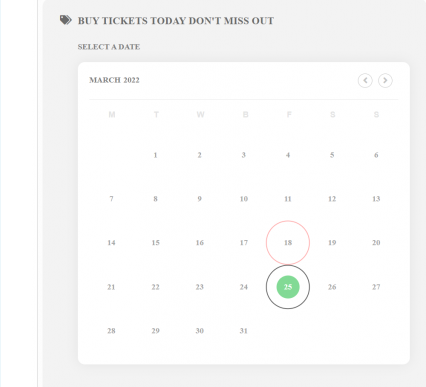
And this calendar always disappearing after hours only
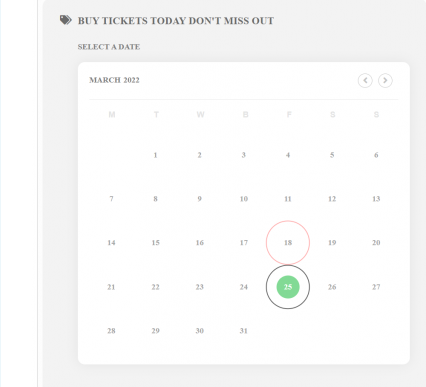
Please refer to the image below. This calendar where users can click a date its not appearing
Ashan
the bookings addon is activated however when creating the event saving tickets then trying to open up the bookings pop up it still says the addon needs activation
all up to date
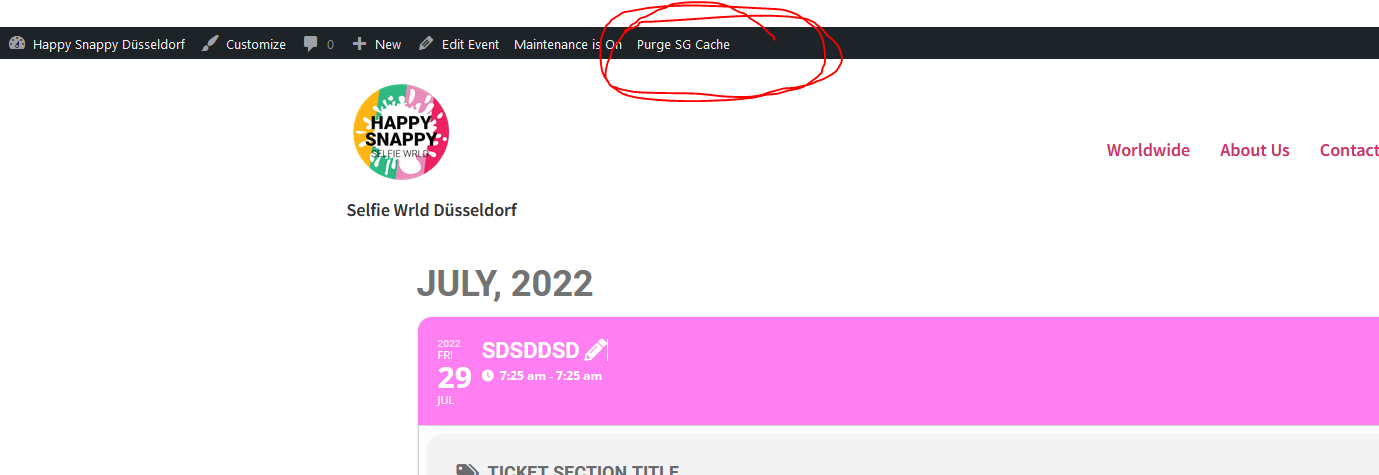
There is a cache cleaner in siteground
it depends on your sites cache- basically switching between loading style in the header or not can trigger a cache clear (but then sometimes not all caches clear the styles
so normally when you make a color change you toggle that option off or on save and see if that works then if it doesn’t toggle again and re save. its weird i know
so to make it weirder sometimes your styles change if its on and sometimes only when its off- so after a change if you don’t see it on the front end just keep toggling that and saving normally fixes the issue but it does detend on your set up- I’m with siteground who have introduced some caches that I can’t control within wordpress (I have to log into siteground which is a hassle) so we added this toggle back and forth to cater for more websites- sorry a bit annoying sometimes
HI I saw your video still no calendar where I can book time slot