Hello,
Please add this CSS code to EventON > Styles (If you don’t see any change, EventON > Scripts & Styling > turn off Write styles to header > save settings > turn on Write styles to header):
.evo_page_body .evo_page_sidebar, .evo_page_content.evo_se_sidarbar article { width: 100%; float: none; }
Hello,
I am sorry, the access information you have provided did not work for us. Please check them and post the correct login information as a private message, thank you!
Could you also send us a link to the .ics file?
Ashan,
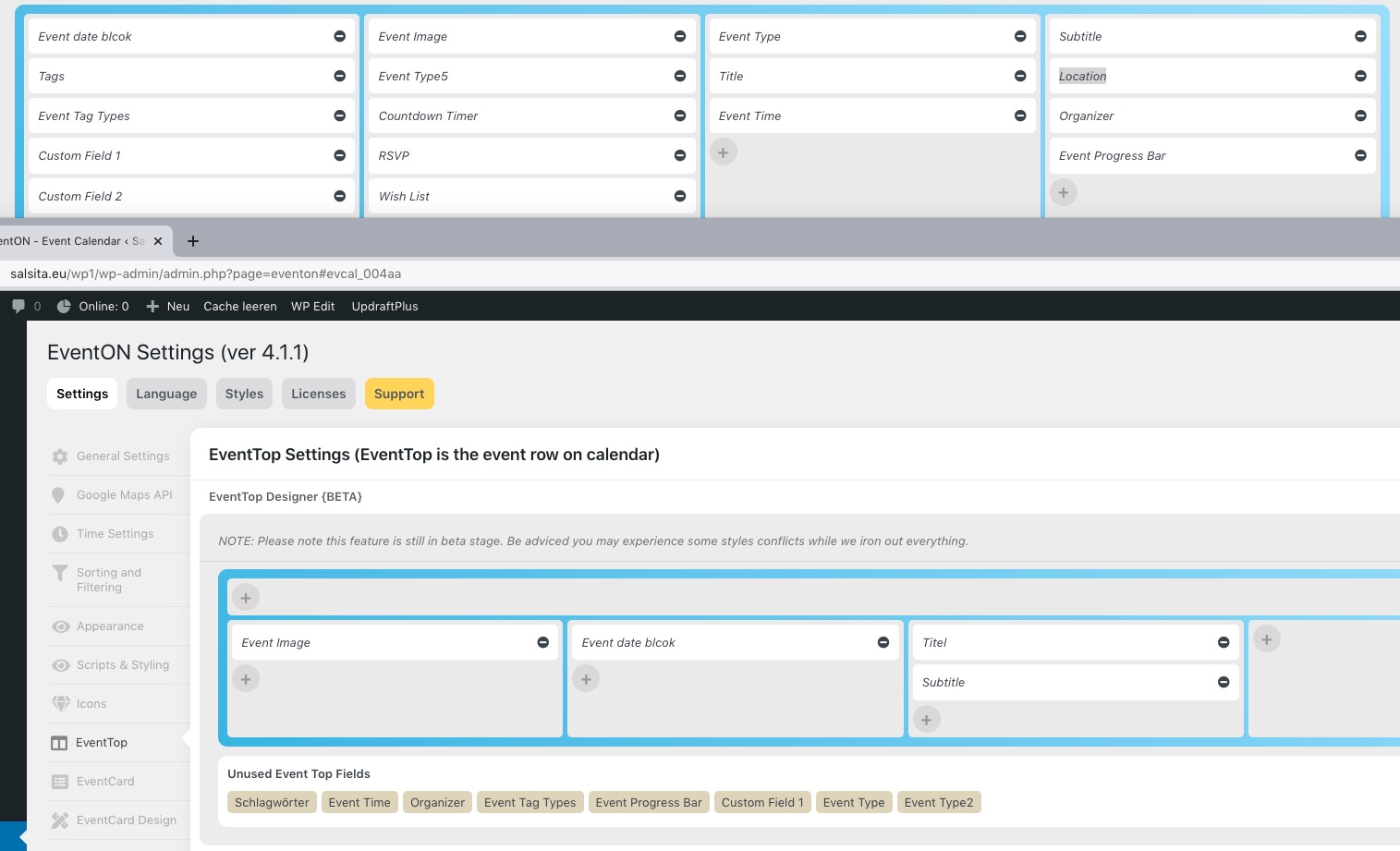
Customer’s website doesn’t have “Location” to add to EventTop:
https://dev2.myeventon.com/wp-admin/admin.php?page=eventon#evcal_004aa
Hello,
Thank you for your messages, I am going to assign this ticket to Ashan and he will be able to take it from here and find you a solution. Please allow some time for him to get back to you, we greatly appreciate your patience and thank you for being a eventon customer! Also please disable any IP blocking on your site if there are any.
Hello,
I am sorry, the access information you have provided did not work for us. Please check them and post the correct login information as a private message, thank you!
Please go to EventON > EventTop > make sure that “Event Tag Types” is added.
Hello,
Please go to EventON > EventTop > EventTop Main Day block fields > enable Event Day Name or any other you like.
If that doesn’t help please send us wp-admin access to your site as a private message for us to further assist your situation.
Do you want your events to be available until End Time or Start Time?
the event totally disappeared from the site?
At what time did this happen?
I’m wondering if this issue I just had is related.
I had a class Saturday called Plant Based Mediterranean Bowls
an hour before the class at 1. the event totally disappeared from the site?
https://www.chef-julia.com/events/plant-based-mediterranean-bowl/
We had people who wanted to sign up, but the class disappeared from the site for purchasing.
Thank you for your help.
Becky
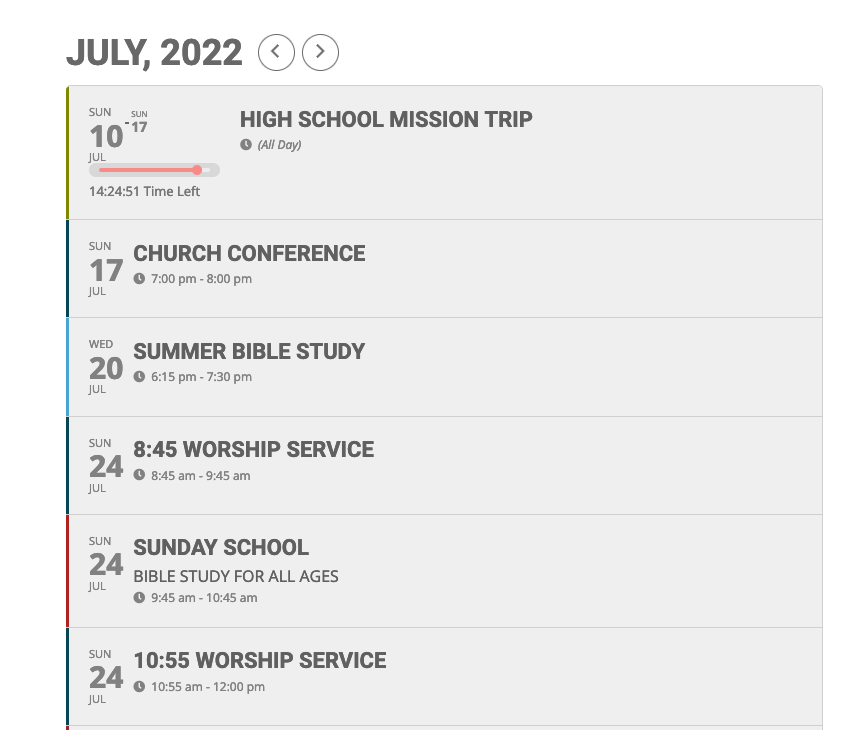
On the calendar page: https://tbcraleigh.com/calendar/. If we have an event that begins at 8:45am and ends anytime before Noon (so still am) the “future” event display is removed prior to the event beginning. If we change the end of the event to not display (Hide end time) the event displays normally.
The attached screenshot was taken at 8:35AM on Sunday July 17. There are three items missing on the calendar display that have not begun. The calendar is sorted to display only future events. The missing elements for July 17 are:
8:45 Worship Service, Sunday School, 10:55 Worship Service.
You can see the July 24 versions of these events, however, if unchanged, those will not appear on the morning of July 24.
Hi Ashan,
the old version was in the first download on Envato after the Update from 4.0.6 to 4.1 but now it is the right version and an new potfile.
Thanks! But we have more problems in our 8 licenses.
Since version 4.1.1, Custom Meta Data fields are always display:block instead of inline. A large number of style names have been changed in 4.1.1 so that your own styles that are entered in the child theme in styles.css are no longer active. For example… the style .evoet is new since 4.1. It is for the time and the location. The old style name was .evcal … It is no longer possible to hide an event after the end (time). We have set GMT +2 Amsterdam, Berlin, Rome, Stockholm. Berlin is also set in the WP settings. Hide End Time from calendar and Span the event until hidden end time are set in the event. For example, an event starts at 08:00 am and ends at 09:00 am, but it only fades out at 11:00 am. when we activate the event progress bar, the event is always 2 hours too long! What could be the cause?
Regards