How I can request it for a possible request update?
Archives: Replies
Replies for tickets on suppota
Reply to: tickets(283301)
Here is the access codes for the modal sign-in :
User : support
Password : adminsite
I’ve created also an admin code (login page : http://lulu.d2bconsulting.fr/wp-admin/)
User : lulutest
Password : L^HrzvNR56&0BsUc$P^SYe)B
I’ve tried all content filter options but the EventOn filter is working well the for the list view.
See the problem on page : http://lulu.d2bconsulting.fr/test-2/ (2nd event on the page planned for tomorrow July 22nd)
And module working fine on http://lulu.d2bconsulting.fr/agenda/
Thanks again
Reply to: tickets(282047)
Hi Ashan, what is update for events title ?
Reply to: tickets(282236)

Hi Ashan, Event happening now woking fine but some of UI/UX glitch and near by event happening now date is missing. I share the video please refer.
Password for video: 21@july22
Video Link: Events Happening Now UI&UX Glitch.mov
Reply to: tickets(283204)
Okay – so I’ve started to get the test page to load finally, but it still will occasionally throw the error message. I think it might be running out of memory either in this plugin or another that causes it to throw the error and stop loading the files it needs to run. I’m seeing this error now pretty consistently:
PHP Fatal error:  Allowed memory size of 536870912 bytes exhausted (tried to allocate 20480 bytes) in /home/southfloridafam/public_html/wp-includes/meta.php on line 1189

Do you know if something in your plugins settings could help reduce the amount of memory used on page load?

Thanks!
Reply to: tickets(282661)
Ok, thanks
Reply to: tickets(283306)
No, these are not postponed events, they are scheduled events for certain days in which tickets are being sold for the event but the exact times are not yet set. I’d like to be able to add these events to the calendar with a “to be determined” time and then update it when the times are announced. Is there perhaps an action or filter we can use in the themes function file or similar?
Reply to: tickets(281740)
Im still confused, my file looks the same, what should we edit/replace
Reply to: tickets(283307)
ok its not showing the google error
but I have no events coming up:
No Events Available
Reply to: tickets(283204)
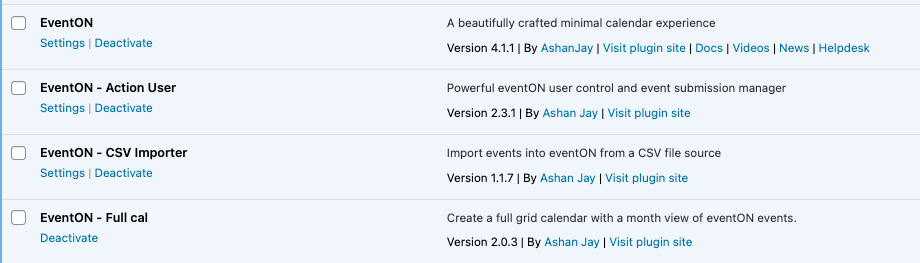
See attached image with all plugin info…
Also checked login credentials and they worked for me.
User Name = myEventON
PW = MyEventOn@2019!