Hi!
I’ve tried using that version: [add_eventon_now event_type=”1082″ show_et_ft_img=”yes” etc_override=”yes” ux_val=”4a”], removing everything you had set to bold, and the problem persists.
Replies for tickets on suppota
Hi!
I’ve tried using that version: [add_eventon_now event_type=”1082″ show_et_ft_img=”yes” etc_override=”yes” ux_val=”4a”], removing everything you had set to bold, and the problem persists.
all the colors basically for the Day view, I can only change the text color for the large current day.
Hello,
thank you very much 🙂 goes now. I had a second question:
We have series appointments, if from the series now one appointment is cancelled, can you cancel only the one appointment? Or do you have to cancel all and make the whole series again?
Here is an example:
The appointment “juz open” is every week on Tuesdays, next week the appointment is cancelled, can I now only cancel the appointment next week or do I have to end the series make a new appointment, cancel that and start the series again afterwards?
Translated with www.DeepL.com/Translator (free version)
I only see “Show load more events button” but it is not the option I am finding.
I created ticked because I don’t see the option to have it like this https://aytoconsuegra.es/wp-content/uploads/2022/07/what-i-request.jpg
Please can you help me?
Great help, thanks a lot!
Hi,
I did not add, lang=”L1″, beacuse that is the default language. Id did add lang=”L2″ on the English page and lang=”L3″ on the German page.
I just added the lang-attribute with value “L1” on the Dutch event calendar page, but it doesn’t help. I cannot swith languages while on the calendar overview page.
Please help. I provided the login credentials with this ticket.
Kind regards,
Rick
The color can be changed in EventON > Appearance > Event Top Styles.
Size cannot be changed. The difference in text is because one calendar is inside of EventON ESE widget: https://bowerbirdyacademy.events/schedule/
Please move the shortcode on this page https://watson.events/schedule/ into https://docs.myeventon.com/documentations/use-eventon-shortcode-executor-widget/
I can see that the page is different: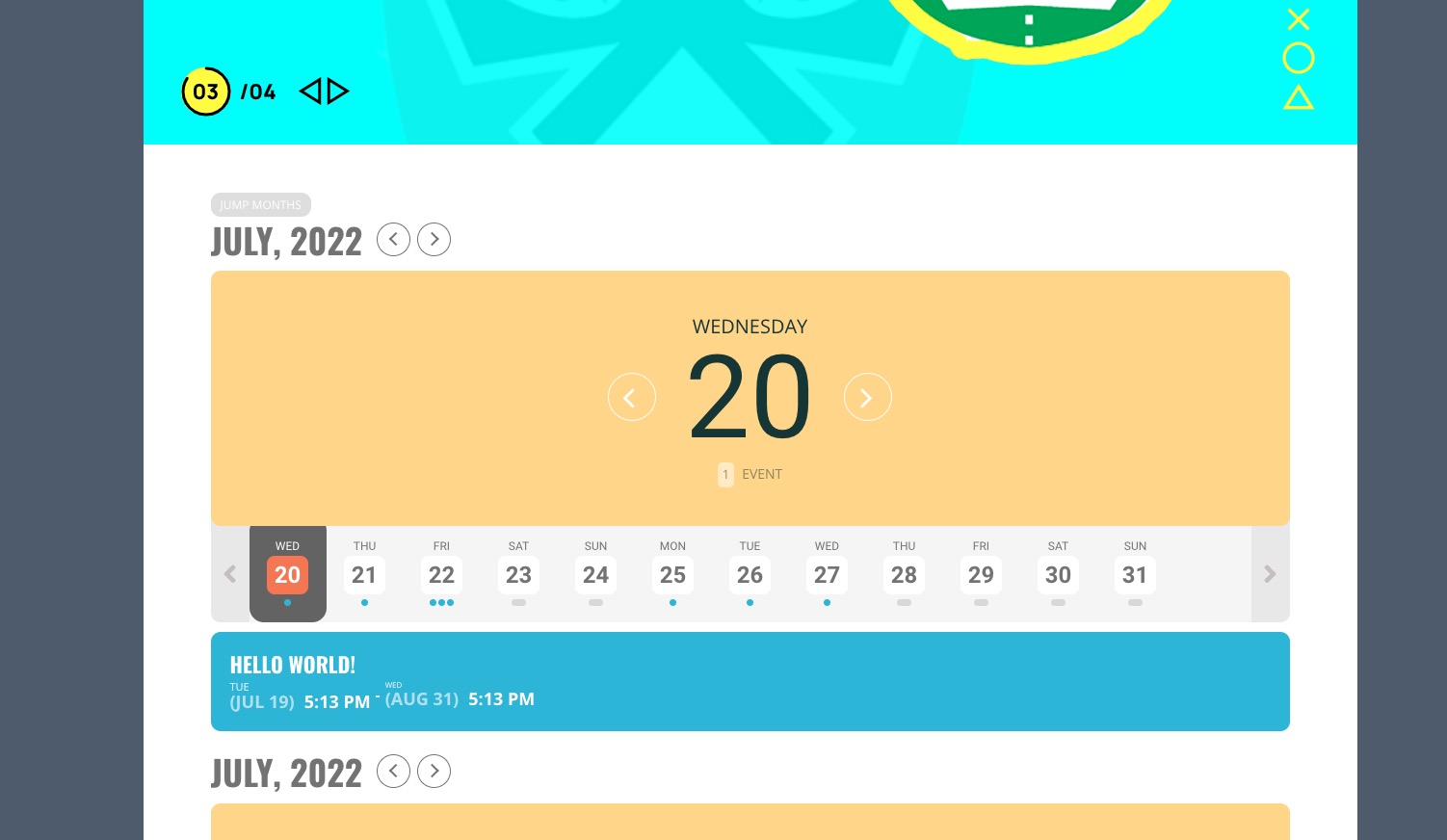
The thing is that I don’t really understand what “…the background for that page.” means. Could you elaborate?
Hello,
Could you go to https://juzplaidt.de/wp-admin/admin.php?page=eventon#evcal_001b > enable Use UTC offset time globally on calendars?
We are glad your issue is resolved, if you have any further questions or concerns please create a new ticket.
If you have a moment, we would greatly appreciate if you could kindly leave us a review at codecanyon! from your account > downloads. Cheers!