Perfect! Please keep us updated.
Archives: Replies
Replies for tickets on suppota
Reply to: tickets(283065)
Hello,
Is seems that NOT-all doesn’t work, however NOT-68,NOT-69, does. Please take a look at:
https://www.foodsorcery.co.uk/wp-admin/post.php?post=85955&action=edit
https://www.foodsorcery.co.uk/wp-admin/post.php?post=85947&action=edit
https://www.foodsorcery.co.uk/85949-2/ (make sure to publish previous events first)
However, it seems that NOT-all does work on our test site:
https://dev2.myeventon.com/30956-2/
Example event: https://dev2.myeventon.com/events/test-4-2/
Could you or can we please try the instructions mentioned in this documentation to make sure your issue is indeed coming from eventon.
Reply to: tickets(282924)
This is the website with the unformatted text
https://bowerbirdyacademy.events/schedule/
But where in EventOn do I actual edit the size and colour of the text?
Reply to: tickets(283085)
Hello,
Please use Slide Display Style to show an image:
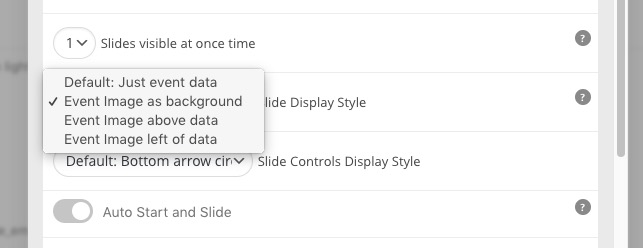
You can find it in the shortcode generator:
https://docs.myeventon.com/documentations/shortcode-generator/
Reply to: tickets(283063)
Please go to wp-admin > Events > Event Type 1 > Edit > Color.
Reply to: tickets(283094)
Similar with Gutenberg: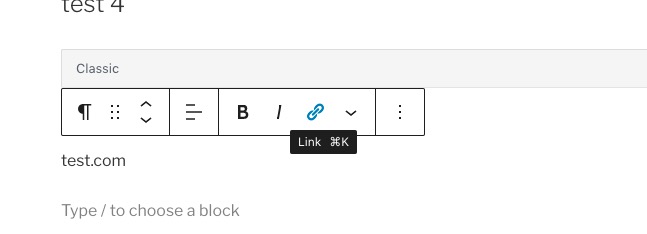
Reply to: tickets(283094)
Hello,
Please use Insert/edit link:
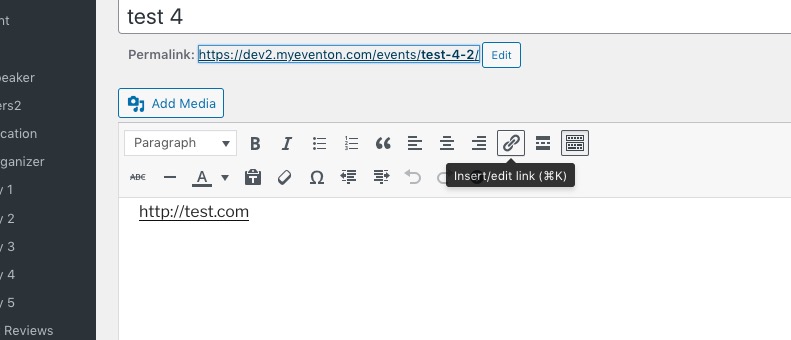
You can see how it looks like here https://dev2.myeventon.com/events/test-4-2/ and here https://dev2.myeventon.com/30949-2/
Reply to: tickets(281863)
Hello,
For maps to be visible please go to Edit Event > Location > enable Generate Google Map from the address. You can also go to https://www.portnow.com.au/wp-admin/admin.php?page=eventon#evcal_005 > Google Maps API > enable Enable generate google maps from address for all newly created events, by default.
You will see that as well as this the background is transparent.
Could you send us a screenshot of this part?
Location pages aren’t appearing properly….
They have different styling from your theme, so please take a look at this guide:
https://docs.myeventon.com/documentations/customize-location-organizer-archive-page/
You can also fix them with CSS. Follow the css customization guide to further edit style changes.
Reply to: tickets(282958)
Thank you for sharing this — I will check it out now. Also thanks for your help getting the cal back in order. Appears to be working as it should.
Reply to: tickets(282863)
Hi Artem,
I really appreciate your help, however it’s not working quite how I’d like to see it, so I really need some more help
These pages looks great – https://www.foodsorcery.co.uk/bookonline/ and https://www.foodsorcery.co.uk/ and also the calendar page is working well with the exception of the search https://www.foodsorcery.co.uk/calendar/
However this page is still showing the day date month above the class info, this happens when I click the event and also when I use the new search function that I have just added. https://www.foodsorcery.co.uk/event/ I’d prefer not to have the image on this view as it’ for internal use.
Thanks
Helen