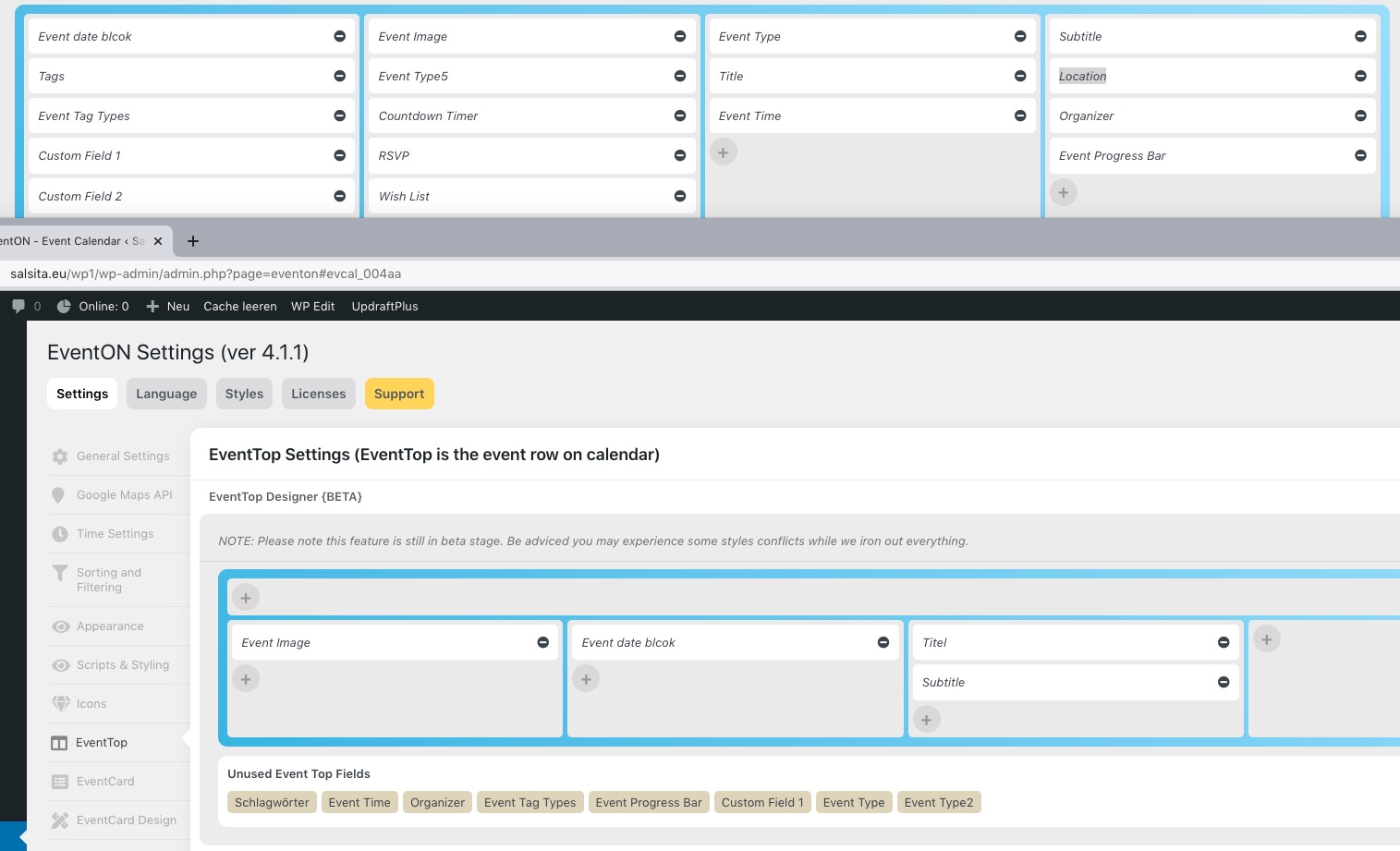
“Etiquetas” is the right one http://web2014.camarahuesca.com/wp-admin/admin.php?page=eventon#evcal_004aa. Could you check now?
Archives: Replies
Replies for tickets on suppota
Reply to: tickets(281638)
Please add this CSS code to EventON > Styles (If you don’t see any change, EventON > Scripts & Styling > turn off Write styles to header > save settings > turn on Write styles to header):
.ajde_evcal_calendar.boxy .evcal_list_a span.evcal_event_types.ett2, .ajde_evcal_calendar.boxy .evcal_list_a span.evcal_event_types.ett3, .ajde_evcal_calendar.boxy .evcal_list_a span.evcal_event_types.ett4, .ajde_evcal_calendar.boxy .evcal_list_a span.evcal_event_types.ett5 { display: block; }
Reply to: tickets(282050)
I am sorry, the access information you have provided did not work for us. Please check them and post the correct login information, thank you!
What we need to do is to connect to the server with FTP, disable EventON, check if add-ons are updated.
Reply to: tickets(282110)
Could you check now? Make sure that the cache is cleared.
Reply to: tickets(282653)
Hello,
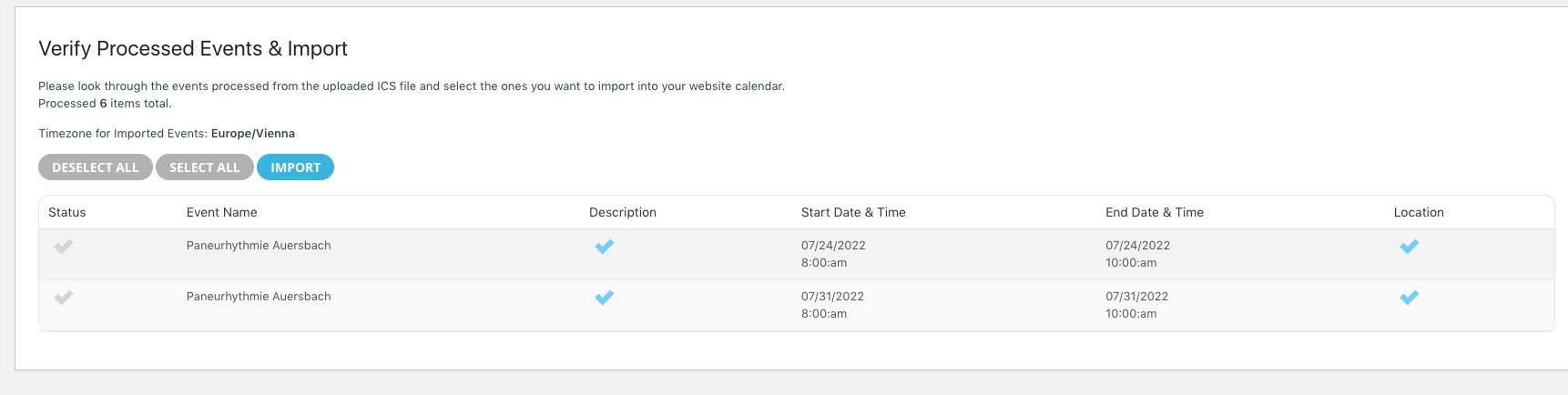
When you import events manually, it shows that there are only 2 events, but they have already been imported:
Reply to: tickets(282661)
Hello,
Could you send us a link to the .ics file?
Please send us wp-admin access to your site as a private message for us to further assist your situation.
Please also try going to EventON Settings > Time Settings > enable Use UTC offset time globally on calendars.
Reply to: tickets(282669)
Hello,
Please fix this error:
Google Maps JavaScript API error: RefererNotAllowedMapError
https://developers.google.com/maps/documentation/javascript/error-messages#referer-not-allowed-map-error
Your site URL to be authorized: http://hoshidemo.com/governance-calendar/
More info on Google Map API: https://elfsight.com/blog/2018/06/how-to-get-google-maps-api-key-guide/
As you can see both of these aren’t correct:
*.hoshidemo.com/*
*.hoshidemo.com
Try
http://hoshidemo.com/*
Also I noticed that I can’t generate the map with the option “Enable generate google maps from address for all newly created events, by defaul” nothing happen or is not displayed
This option enables http://hoshidemo.com/wp-admin/post.php?post=8316&action=edit > Generate Google Map from the address, so Google Map section will be visible. Please fix the main issue to see the map.
Reply to: tickets(282675)
Hello,
Please add this CSS code to EventON > Styles (If you don’t see any change, EventON > Scripts & Styling > turn off Write styles to header > save settings > turn on Write styles to header):
.evo_page_body .evo_page_sidebar, .evo_page_content.evo_se_sidarbar article { width: 100%; float: none; }
Reply to: tickets(282677)
Hello,
I am sorry, the access information you have provided did not work for us. Please check them and post the correct login information as a private message, thank you!
Could you also send us a link to the .ics file?
Reply to: tickets(282684)
Ashan,
Customer’s website doesn’t have “Location” to add to EventTop:
https://dev2.myeventon.com/wp-admin/admin.php?page=eventon#evcal_004aa