Hi Rita,
Could you please try the instructions mentioned in this documentation to make sure your issue is indeed coming from eventon.
Replies for tickets on suppota
Hi Rita,
Could you please try the instructions mentioned in this documentation to make sure your issue is indeed coming from eventon.
That worked! Thank you
Amber
Perfect!
We are glad your issue is resolved, if you have any further questions or concerns please create a new ticket.
If you have a moment, we would greatly appreciate if you could kindly leave us a review at codecanyon! from your account > downloads. Cheers!
Hello,
1. WooCommerce handles the checkout process (as well as payments). Please take a look at this or similar guide on how to customize the checkout page:
https://hollerwp.com/customize-woocommerce-checkout-page/
2. Take a look at this:
https://woocommerce.com/document/cash-on-delivery/
Unfortunately, EventON doesn’t have any control over there, so you need to check WooCommerce’s documentation to achieve what you need.
Hello,
Thank you for your great suggestion, at the moment it is not supported. However please create a new ticket and select Feature Request as category so others can vote on your idea and get it moved into development faster.
Hello,
Please add this CSS code to EventON > Styles (If you don’t see any change, EventON > Scripts & Styling > turn off Write styles to header > save settings > turn on Write styles to header):
.evo_metarow_socialmedia a.evo_ss i { font-family: ‘evo_FontAwesomeS’,’evo_FontAwesome’,’evo_FontAwesomeB’ !important; }
You can also get the code from here:
https://pastebin.com/4XxYRH71
The ‘Weekend event’ is split in to five time slots, so there could be several hundred attendees over the two days. The tickets for these weekly events are available up to three months in advance for the public, so it’s easy to see where how the hundreds of attendees adds up to thousands in a short space of time in the one event. This becomes a burden on the server after a few months, and so being able to remove the used tickets has been useful in solving this problem.
Artem, you my friend are a legend!
The issue has been resolved by changing the setting under wp-admin>settings>general
Thank you!
Please disregard the comment about the map. I identified that the client didn’t have the address listed in their Location.
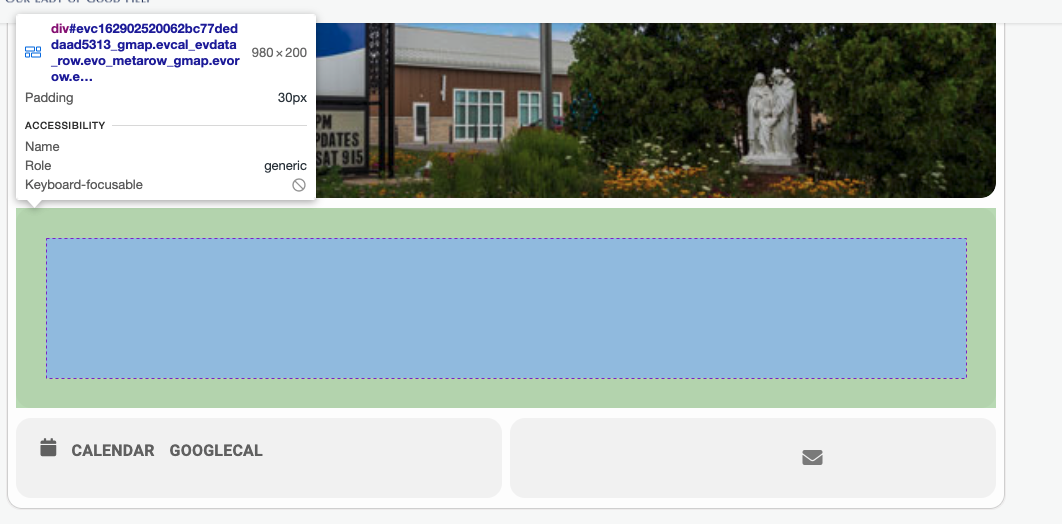
I have the google API entered, not sure what else I need to do for this to function.