i update the plugin Eventon and Eventon user.
Great ! it’s ok, form have been sent.
Best regards
Emmanuel
Replies for tickets on suppota
i update the plugin Eventon and Eventon user.
Great ! it’s ok, form have been sent.
Best regards
Emmanuel
I can see tickets on this page:
https://rtbd.by/events/drug-moj/
Please send us wp-admin access to your site as a private message for us to further assist your situation.
couldn’t find your calendar
but on this event https://intheluuup.com/events/active-adult-senior-social-at-wildwood-park/
things seem to show as you have set them
see video on the change I have made:
does this solve the issue?
Having the same problem with my installation as well.
https://www.lakecountybloom.com/wp-admin/admin.php?page=eventon#evcal_001b > Use UTC offset time globally on calendars (BETA) is still disabled. Could you enable it?
Please also update EventOn to 4.1.
To update eventon to latest version: If you are unable to do autoupdate, you can go to codecanyon your account > download and get the latest eventon version as zip file. Then you can go to your website, deactivate old eventon, activate (Do not delete eventon settings & data when EventON is uninstalled) from eventon settings, delete old eventon, install new one and activate. This link will further explain the process it. Also you can follow us on twitter to get real-time announcements on updates!
Hello,
Countdown add-on shows numbers only and doesn’t have an option of showing a progress bar.
The live bar is only visible when the event is in progress.
I double checked the settings and unfortunately when the event lasts for several months you can’t hide the date.
The only way is to customize the source code.
Hello,
HTML tags seems to be correct
target=”_blank”
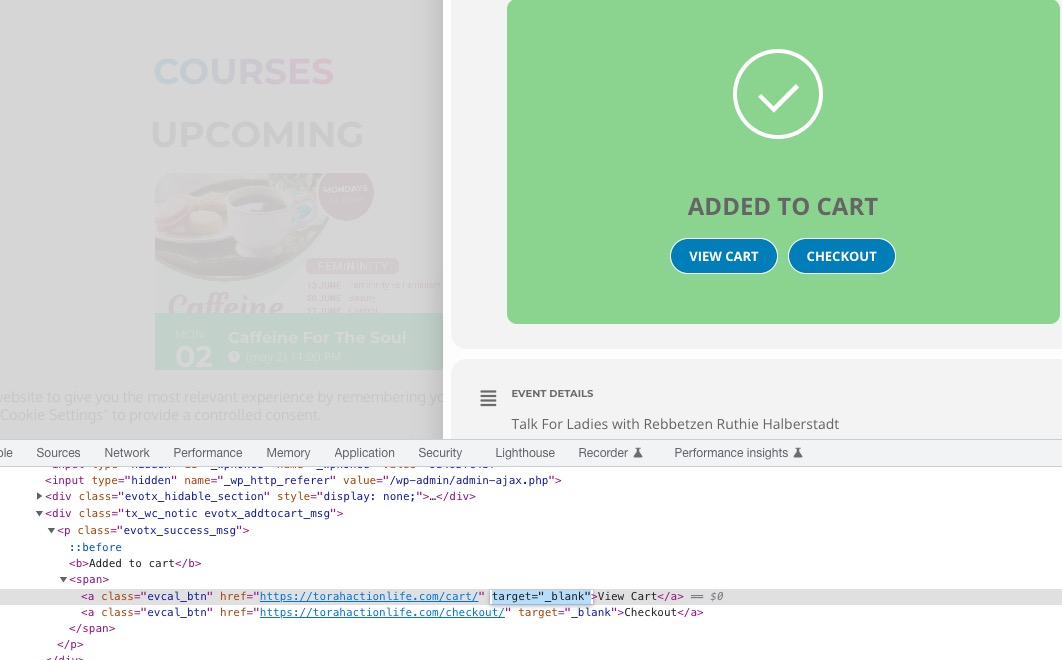
If possible, could you open developer console https://developer.chrome.com/docs/devtools/open/ and send us a screenshot of the HTML code from your side?
Could you also try clearing your cache?
Just to confirm, also not working in Firefox & Edge. Thank you