Hello,
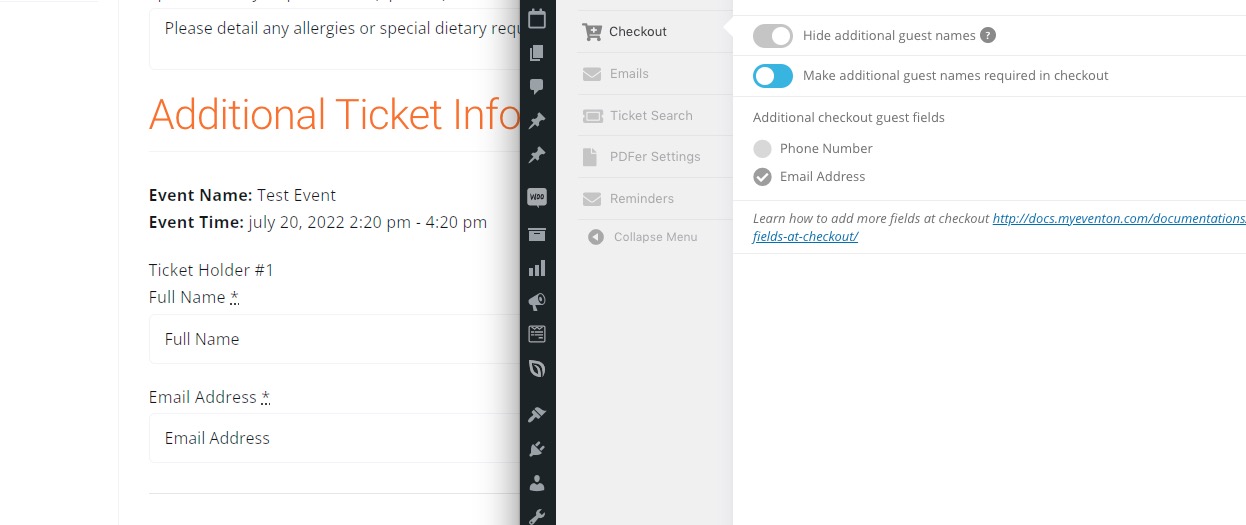
The link (https://docs.myeventon.com/documentations/how-to-add-additional-fields-at-checkout/) is exactly what you need to add additional fields at Checkout.
Will the date export to CSV with the other ticket fields?
Please follow:
https://docs.myeventon.com/documentations/how-to-add-additional-fields-to-download-attendees-csv-file/
The booking license is showing as activated (but that was to the dummy domain) they can not use the booking module that I paid for because the license is associated with this website
www.highcliffecommunityassociation.co.uk/
I just need instructions as to how I add this license to this website, the license was renewed but I cant use it.
Where on the website can I add the license? Do I de activate it and then put it back in again?
Please advise
Thanks
Niki
Hi!
I just want to tidy up the export CSV as this will be used by my clients to track ticket sales and to make it easier for them. Is there a way to edit the column titles?
Hello,
We are very sorry for the delay.
That is added in the code to support for UTF-8 special characters where we had issues in the past with customers special characters not converting correctly.
Do you have any issues with it we can fix?
Hello,
That is added in the code to support for UTF-8 special characters where we had issues in the past with customers special characters not converting correctly. Do you have any issues with it?
From here: https://stephm6.sg-host.com/wp-admin/admin.php?page=checkout_form_designer&tab=fields§ion=additional
Hi all. Here we are, please don’t forgive us.
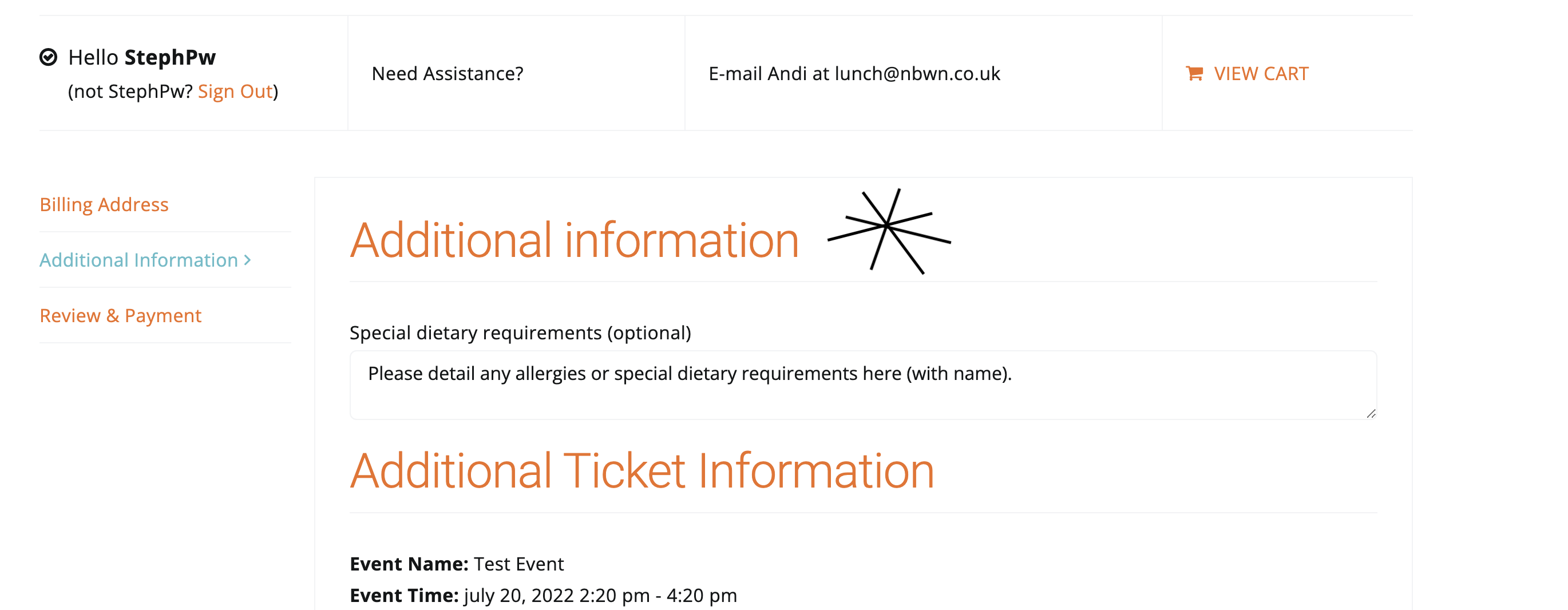
Then where is this field coming from please? (See checkout page): https://stephm6.sg-host.com/checkout/
There are only two fields enabled: Full Name (enabled by default) and Email Address (enabled from the settings):
There is no additional code within your WP installation that somehow affects Checkout. That’s why functions.php is empty.
That link takes me to the additional data settings page in EventON settings but I can’t see anything added here. I think I must have edited a file but I can’t see which one?