ok is there no other way?
and could only the address be visible ?
Replies for tickets on suppota
ok is there no other way?
and could only the address be visible ?
yes I put it but month are visible again
is it possible to remove ?
could they be smaller?
thx
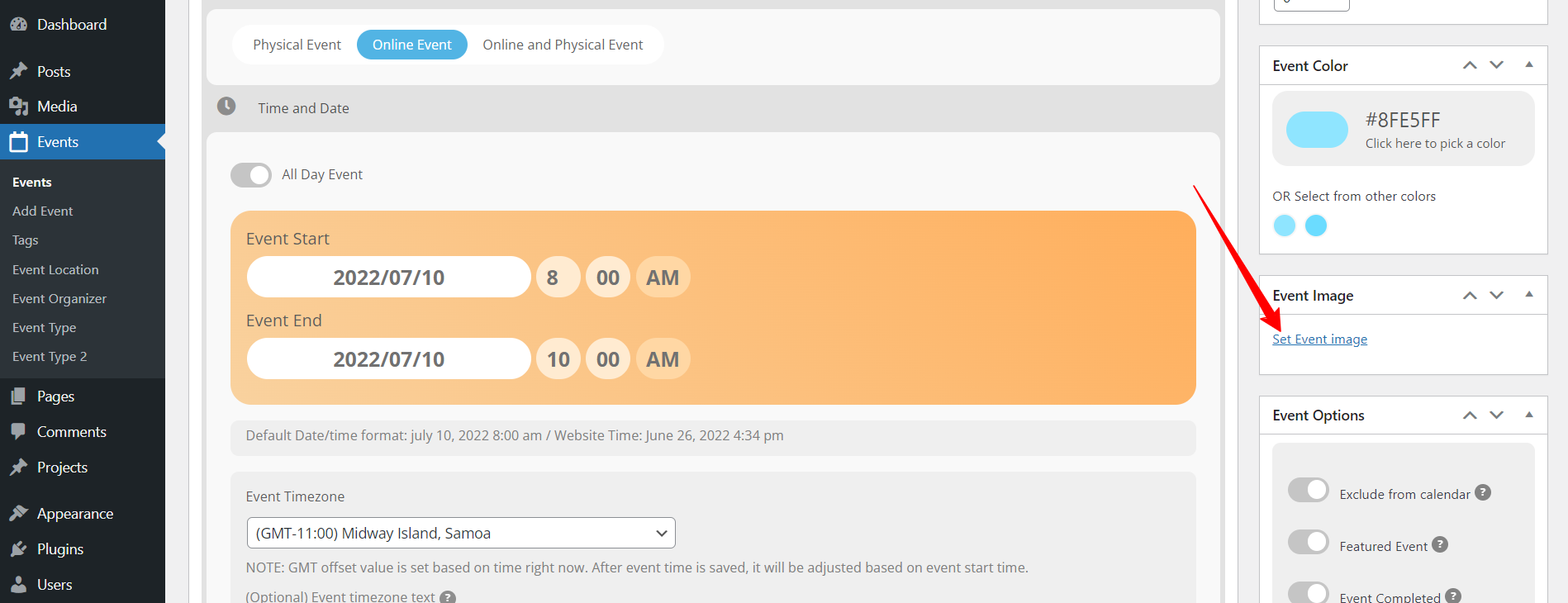
yes I have add this image, but it is not visible
https://paneurhythmy.dance/wp-admin/post.php?post=46&action=edit
Hello,
I am not sure what you mean by “Reset”, but Codecanyon deals with Eventon main plugin license related issues. Please feel free to reach out to them.
Hi Peter,
Please ensure that you also set the event image in the single event settings (See image below)
Hi Peter,
It seems that you do not have the Event maps addon installed on your site
https://www.myeventon.com/addons/events-map/
You need to install and activate it on your site for the code to show.
Hi Peter,
Your ticket is already private, so feel free to just respond with the credentials here.
Hi Peter,
Try using the code below instead. It’s the same but with the apostrophe’s changed to look like below
[add_eventon_list number_of_months=”12″ hide_empty_months=”yes” hide_month_headers=”yes”]
Thank you! If you have any other questions please feel free to create a new ticket. We are happy to help 🙂
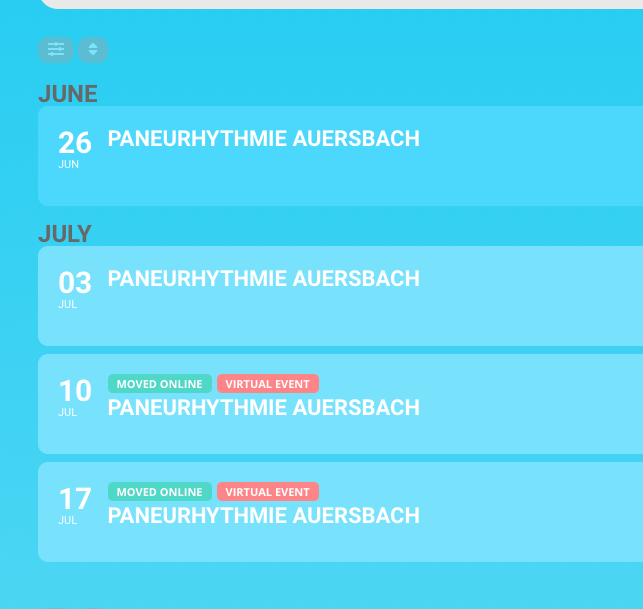
I updated this
[add_eventon_list number_of_months=”12″ hide_empty_months=”yes” hide_month_headers=”yes”]
but it is not removed, what else can I do?
thx