Hi Peter,
Please take a look at the tutorial below:
https://docs.myeventon.com/documentations/how-to-use-event-types-to-do-more/
Replies for tickets on suppota
Hi Peter,
Please take a look at the tutorial below:
https://docs.myeventon.com/documentations/how-to-use-event-types-to-do-more/
Hello,
Please send us wp-admin access to your site as a private message for us to further assist your situation.
Great, thank you very much @Basilis! 👍
Can we take a look at wp-admin, so we can recreate this situation on our test server?
Hello,
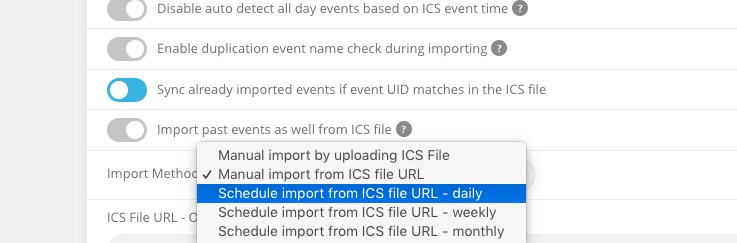
Only ICS Import is available at the moment to import events from Google Calendar.
Hourly sync isn’t available, unfortunately.
Sorting by location isn’t available. However, please take a look at Event Map add-on:
https://www.myeventon.com/addons/events-map/
Try on https://dev.myeventon.com/wp-admin/
Please follow this guide:
https://docs.myeventon.com/documentations/single-events-page-not-working-404-error/
if there are Changes in an event is there a overwrite action if it will be import new? or a 2-way-sync?
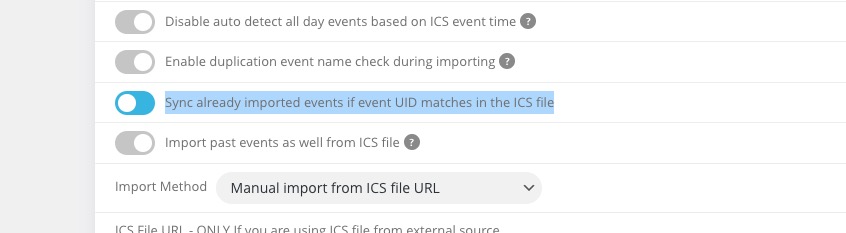
With enabled “Sync already imported events if event UID matches in the ICS file” the add-on rewrites import events:
Please follow the instructions in this documentation to activate debug in your site to see any PHP errors recorded that can provide insight on to whats going on. Please reply with a link to debug.log file. If you are not able to do this please send us FTP access to your site so we can do this for you.
Maybe there is some kind of fatal error on the server.
I think the problem is with Elementor. When I try the shortcode without elementor editor, the Event On displays correctly.
Hi Orca,
What timezone is your application ( WordPress ) and what timezone your calendar?
Maybe they are different?
Hi Sam.
We are still looking into it, we understand some patience still is required, we will be asking Ashan again to look into it.
Hi,
I see the idea, I understand it.
Can you please help us identify how it should be? Because if the events are linked then all should be removed, no?