Thanks for the reply Artem,
I probably didnt explain very well but I am looking for the meta data variable name for the cancelled status, this is for something I am doing in Elementor/JetEngine.
I found this page which tells me the variable names, but _cancel doesnt seem to hold the cancelled status https://docs.myeventon.com/documentations/event-post-meta-variables/
I just wanted to check this was the right meta variable name for cancelled.
Hi,
After the website was migrated, I was able to update the PHP like you suggested.
The plugin has been updated now to the latest version. Thank you for your help and service.
Have a good day!
not sure why you are including the google maps link in there- theres a map on the event with directions if you turn it on and add your free google maps API
no it doesn’t appear on the single event page- it might appear on the event location achieve page dependent on your theme
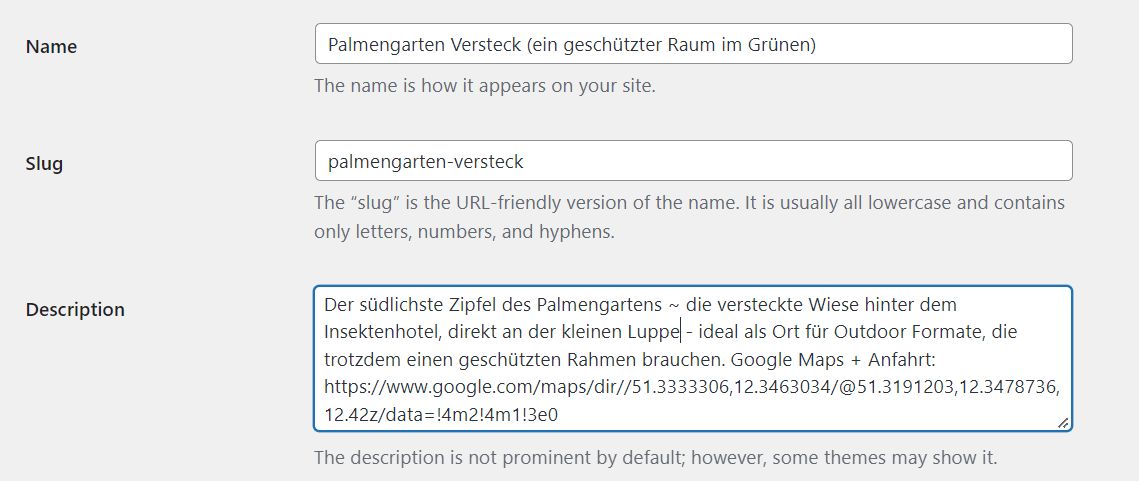
Backend part of this location / description
You can also checkout this
https://www.myeventon.com/addons/csv-event-importer/
You can test it on https://dev0.myeventon.com/wp-admin
Login with: tester / pass
check wpsitesync with bulk and cpt addon, just abandoned by the makers, on github, but still works fine for me
from the wordpress dashboard
go to settings>>>>general
under time format
choose custom and insert
H:i
you have added
@media (max-width: 960px)
.ev_ftImg {
display: block;
}
somewhere on your site that will hide the image on mobiles on the calendar on the home page
can you remove ALL custom eventon css from wherever you have placed it
becasue I can’t see any custom css in myeventon>>>>styles
and the appearance>>>customize>>>additional css is super full of custom css
copy it all to a notepad file for back up
theres already custom css playing with it, but I don’t know where that is stored on your site in order to edit it
but that custom css is having an impact which is why its taking along time to fix something this simple
Hello,
Please follow the instructions in this documentation to activate debug in your site to see any PHP errors recorded that can provide insight on to whats going on. Please reply with a link to debug.log file. If you are not able to do this please send us FTP access to your site so we can do this for you.