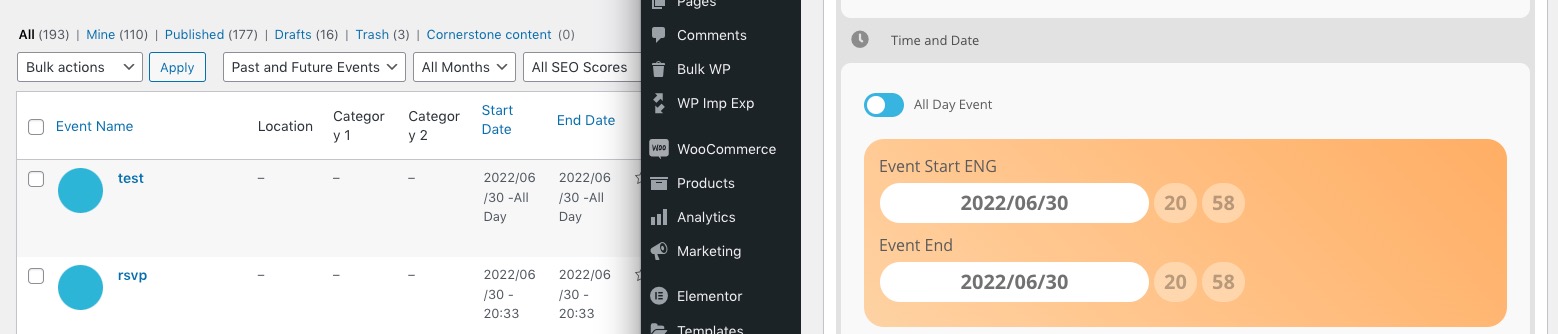
we would need 1p-admin access to disgnose we can’t do it from the front end
from what I can see you are describing an issue that was in 4.0.2 could you update to 4.0.6
To update eventon to latest version: If you are unable to do autoupdate, you can go to codecanyon your account > download and get the latest eventon version as zip file. Then you can go to your website, deactivate old eventon, activate (Do not delete eventon settings & data when EventON is uninstalled) from eventon settings, delete old eventon, install new one and activate. This link will further explain the process it. Also you can follow us on twitter to get real-time announcements on updates!
Newly created event, updated multiple times:
https://dev2.myeventon.com/events/test-9/
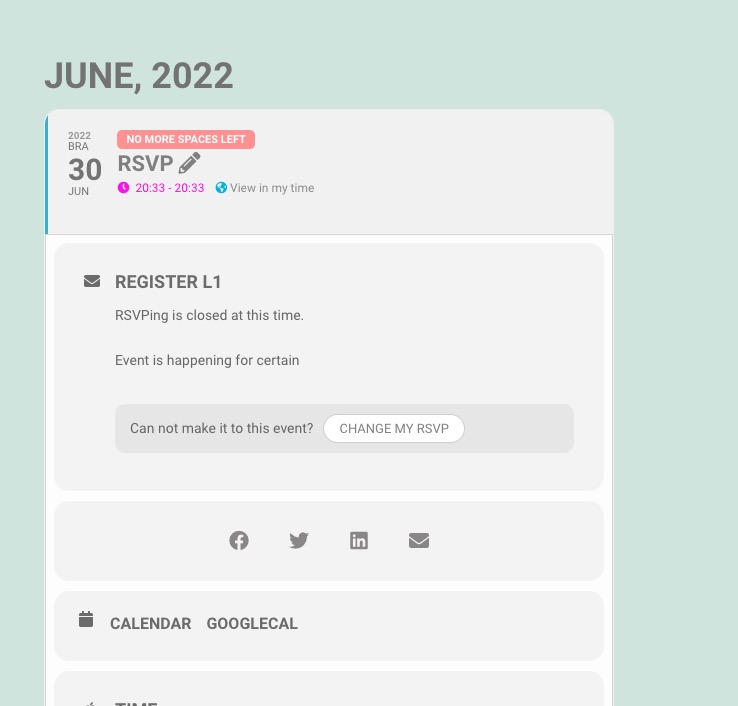
The time is correct.
Lets try to fix this without access.
Could you go to EventON Settings > EventCard Design > make sure that “Event Details” exists and added? After save settings and check. Make sure to save them even if you didn’t change anything.
but then you have access to my whole wp installation ???????
It’s a regular practice for us to check wp-admin with admin access. Just create a new user with admin access, you can delete later.
Documentation can be found here:
https://docs.myeventon.com/
we need to diagnose from within wp-admin – we can’t do it from the front end of your site
so if you post access to your wp-admin then we can diagnose and get this sorted- theres no other way
see video below
i’ll assign ashan to see why the edit events section is stuck on the side and not under the event description
Hello,
These events are EventON’s:
https://stpeterscheshire.org/wp-admin/edit.php?post_type=ajde_events
Please disable “The Events Calendar”, as well as “Events Shortcodes – The Events Calendar Addon“.
Even so all plugins should work. Just make sure that they use different URL Slugs.
You can change EventON’s by following:
https://docs.myeventon.com/documentations/change-events-slug/
Not sure where this is coming from:
https://stpeterscheshire.org/wp-admin/edit.php?post_type=tribe_events
Cannot find Tribe Events plugin. Try disabling your theme.
Hello,
Could you try updating RSVP to 2.7.8?
To update eventon addons: You can download latest eventon addons from myeventon > my account. Then you can go to your website, deactivate old addon and install new one and activate then delete the old addon. This link will further explain the process. Also you can follow us on twitter to get real-time announcements on updates!
Our test server’s event doesn’t have such issue:
Hello,
The only thing that can be changed is Time Format. Go to Settings > General > Time Zone > change it to 12H or 24H format.
hey Dave,
Im having an issue with the shortcode below. on this PAGE
I cant get it to show a month june. Despite adding the codes.
Also, It seems to have stopped opening the event page, despite have “4” specified. Instead, it is doing the drop down on this
______
[add_eventon event_type=”3656″ event_count=”90″ ux_val=”4″ show_et_ft_img=”yes” tile_height=“200″ hide_so=’yes’ show_limit=”yes” show_upcoming=”1″ number_of_months=”5″ ]
Hello,
First go to https://rollerstop.co.uk/wp-admin/edit.php?post_type=shop_order and delete associated orders. After, go to https://rollerstop.co.uk/wp-admin/edit.php?post_type=evo-tix and delete tickets.
Make sure to test this beforehand.