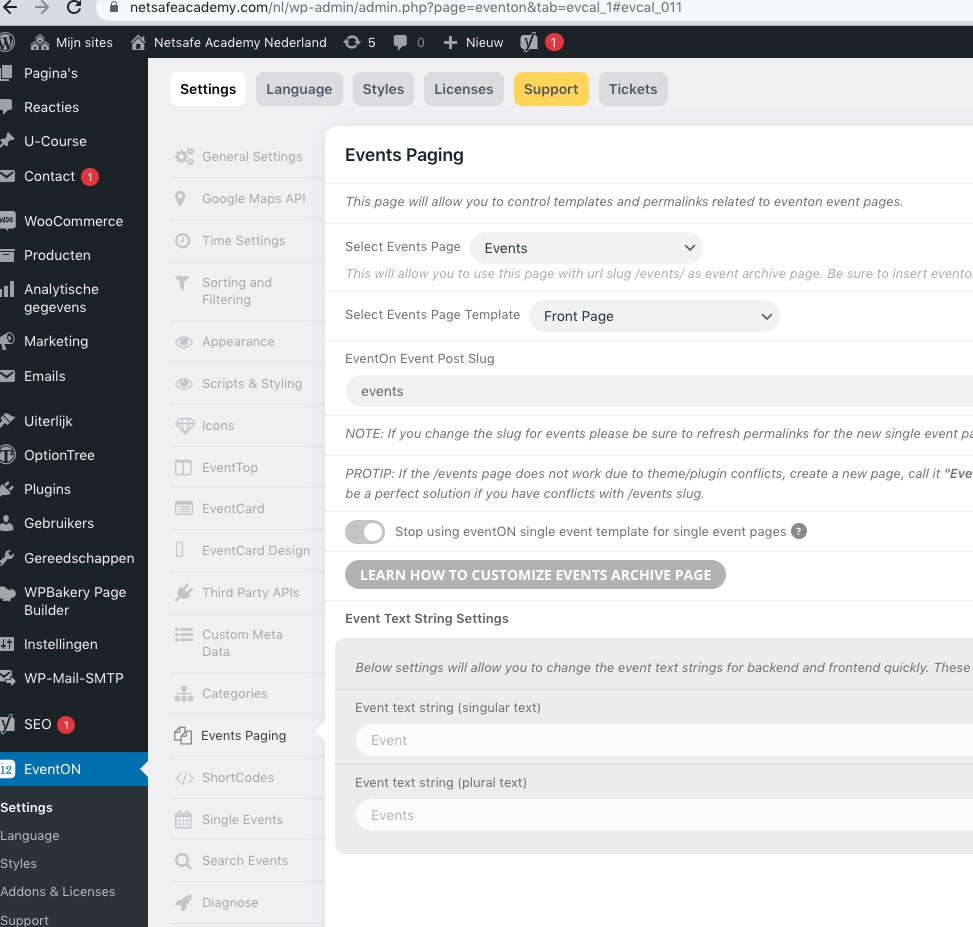
In eventon settings > language > ADDON: Event Tickets there are other strings that I must translate, but it doesn’t resolve the non translation of the rest. Or I don’t understand you enough.
For example:
– ‘Los asientos seleccionados se cancelarán tras 10 minutos de inactividad.’ (L1), instead ‘Les sièges sélectionnés seront annulés après 10 minutes d’inactivité.’ (L2)
– ‘VISTA COMPLETA’ (L1), instead ‘VUE GÉNÉRALE’ (L2)
Thank you for your help, it is vital for us.
Hi,
Here is the link to the new event that you requested.
https://rollerstop.co.uk/wp-admin/post.php?post=22884&action=edit
https://rollerstop.co.uk/events/test-event-on/
Few things.
Creating variations in events can be quite inconsistent.
When I created the variations in the Enable ticket variations & options section they are not displayed.
But they are available in the event block booking manager.
When added to the block booking manager they either show a duplicate or disappear. I finally got it work.
This can be quite a challenge when there are a lot of events to add.
I did notice with this event that when the tickets are oversold, the user is presented with a warning message. This is the first time that I have seen this.
I tried to replicate the same warning message on another event, but could not.
https://rollerstop.co.uk/wp-admin/post.php?post=863&action=edit
https://rollerstop.co.uk/friday-fun/
I would appreciate any help that you can give us in resolving these issues.
Kind regards
Iain
Hello,
Please follow:
https://docs.myeventon.com/documentations/how-to-cancel-addon-subscription-before-auto-renew/
Please try replacing evcal_subtitle with evColor in the code from the guide.
SUBTITLE needs to be replaced with the color variable name from Google’s calendar. Try finding here:
https://developers.google.com/calendar/api/v3/reference/events
Please add this CSS code to EventON > Styles (If you don’t see any change, EventON > Scripts & Styling > turn off Write styles to header > save settings > turn on Write styles to header):
@media (max-width: 480px){ .evcal_desc .evcal_desc3 em {font-size: 15px;} #evcal_list .eventon_list_event .event_description p, #evcal_list .eventon_list_event .event_description li, .evo_pop_body .evcal_evdata_row .evcal_evdata_cell p { font-size: 15px; }}
Replace 15px with any font size you like.
The event isn’t full size, because there is still space for two of them. Take a look how it looks like on a smaller screen:
This code will make it 100% width:
@media (min-width: 640px){ .ajde_evcal_calendar.boxy.box_3 .eventon_list_event, .ajde_evcal_calendar.boxy.box_4 .eventon_list_event, .ajde_evcal_calendar.boxy.box_5 .eventon_list_event, .ajde_evcal_calendar.boxy.box_6 .eventon_list_event, .ajde_evcal_calendar.boxy.box_7 .eventon_list_event { width: 100%; }}
Seems to be working:
Have you managed to fix this?
the password has changed if you send us the right password I can have a look at the padding
something like this pasted in appearance>>>>customize>>>>additional css
@media (max-width: 500px) {
.evo_location_card .evo_location_tax, .evotax_term_card .evotax_term_details {
margin: 50px;
}
.evotax_term_card .ajde_evcal_calendar {
padding-top: 30px;
margin: 50px;
}
.ajde_evcal_calendar {
width: 92%;
}
}
would need some tweaking once on your site
Please send us wp-admin access to your site as a private message for us to further assist your situation.
yes myeventon>>>>settings>>>>event top controls the tiles as well although the tiles doesn’t always contain all the same as regular eventon top but location is one of them