you are using the main calendar shortcode so that shows one month at a time
the events list shortcode will show future months
however there appears to be a few errors on that page
Please send us wp-admin access to your site as a private message for us to further assist your situation.
Sorry this is not letting me in
https://dev.artsixmic.fr/wp-admin/
kindly update to the latest version of rsvp 2.7.8
https://docs.myeventon.com/documentations/changelog-rsvp-events/
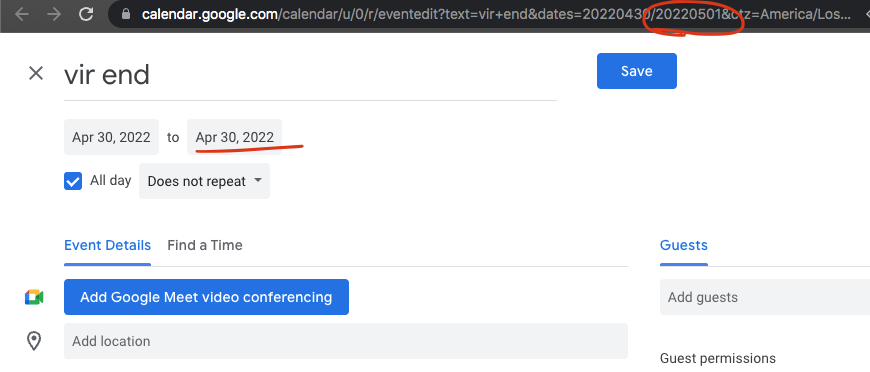
If you look at the add to google calendar link. we are passing the correct date information. Looks like google calendar is not intepretting the dates correct.. hmm we will need to look into see what else we can do.. sorry.
looks like the issue is when you include in
settings>>>>general hours and minutes section
can you try to put a : instead of
those location pages are archive pages
better to create your own page and under the event types section you can choose a location set a page for each location (of course that only works if you have a few locations, if you have 100 then thats going to be a chore to do
that way you can control the exact shortcode that is displayed
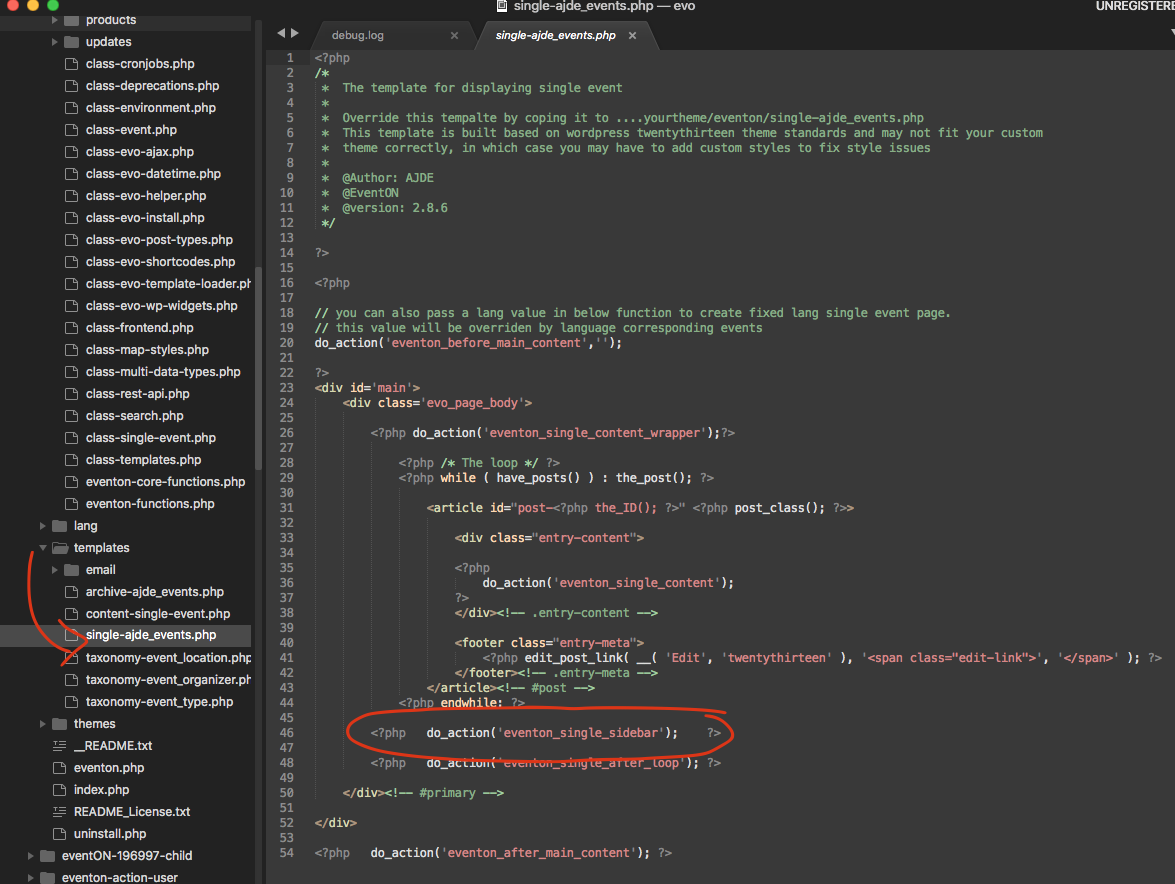
I am glad removing the sidebar code helped.
the error code you shared does not point to single event page so I am not sure if there is another underlying issue.
Alternatively you can comment out the sidebar code in the single event page.