Please also add State in similar format to this one (with commas):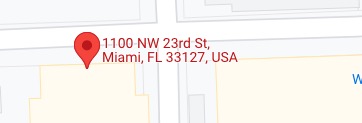
…1000 listings on 1 map…
You need to test this, I am afraid. It all depends on your server.
Replies for tickets on suppota
Please also add State in similar format to this one (with commas):
…1000 listings on 1 map…
You need to test this, I am afraid. It all depends on your server.
Hello,
Please go to EventON > Event Card > select Feature image display style: Direct Image.
Hello,
Please go to Edit Event > Time and Date > enable Hide live event progress bar.
Please take a look at
https://docs.myeventon.com/documentations/event-post-meta-variables/
List of available variables with all necessary information about the event.
Thank you Kenneth.
Thank you very much for this fix Ashan.
Hello,
The only solution is to use Past/Future Events Filter:
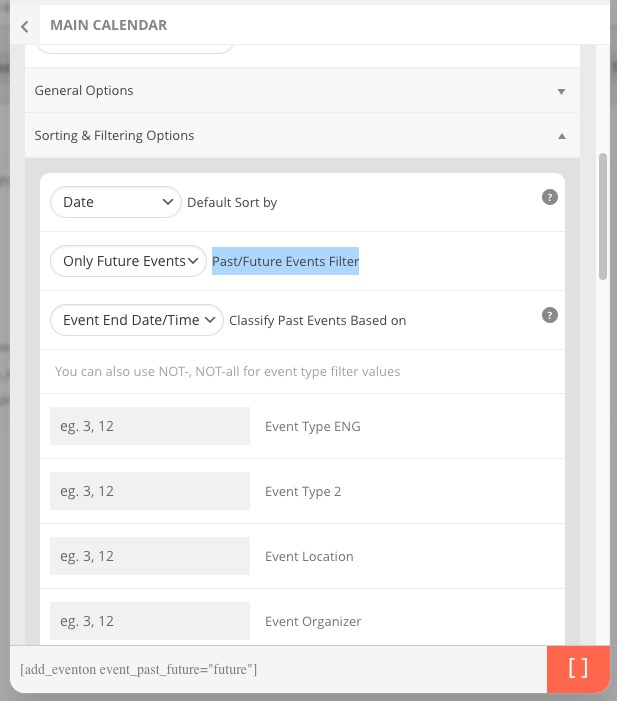
You can hide past events globally by going to EventON Settings > enable Hide past events for default calendar(s).
Please check my suggestions and let me know.
Could you also update EventON to 4.0.6?
To update eventon to latest version: If you are unable to do autoupdate, you can go to codecanyon your account > download and get the latest eventon version as zip file. Then you can go to your website, deactivate old eventon, activate (Do not delete eventon settings & data when EventON is uninstalled) from eventon settings, delete old eventon, install new one and activate. This link will further explain the process it. Also you can follow us on twitter to get real-time announcements on updates!
Thank you very much Artem and Ashan.
This message to report that the fatal error occurred again today when changing the status of a few orders to “Completed”.
I just received the error by e-mail but I do not communicate it to you because it is the same error as the one already specified on my 1st message above.
This would be a problem with the QR Code extension. Do you think a fix is possible, or do you want me to do some manipulation?
Thank you.
Sorry for the french title, I meant: Progress bar displayed on postponed events?