Please send us wp-admin access to your site from “Access Info” box on right side menu, to further assist your situation.
Archives: Replies
Replies for tickets on suppota
Reply to: tickets(394036)
We use WooCommerce Smart Coupons to power the coupons.
Reply to: tickets(393801)
I made the change on this page, https://regenttheatre.com/list, but this is how it looks:
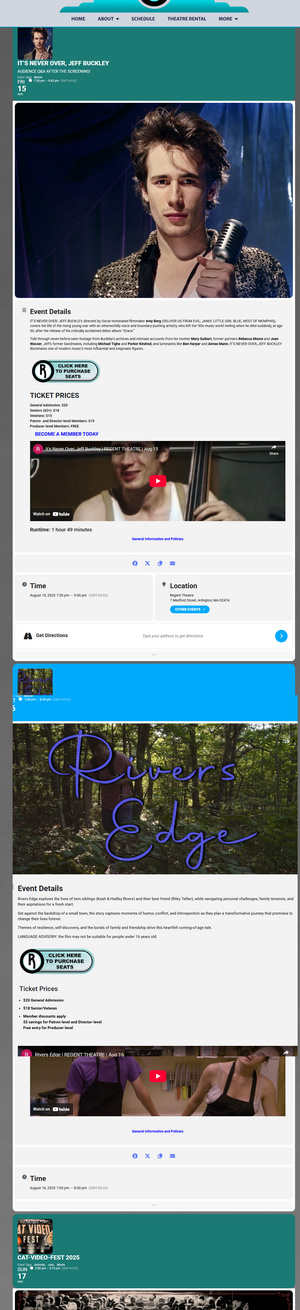
but I need it to look like this layout below. Event on top of event and then when you click on each event, it opens up in a lightbox.
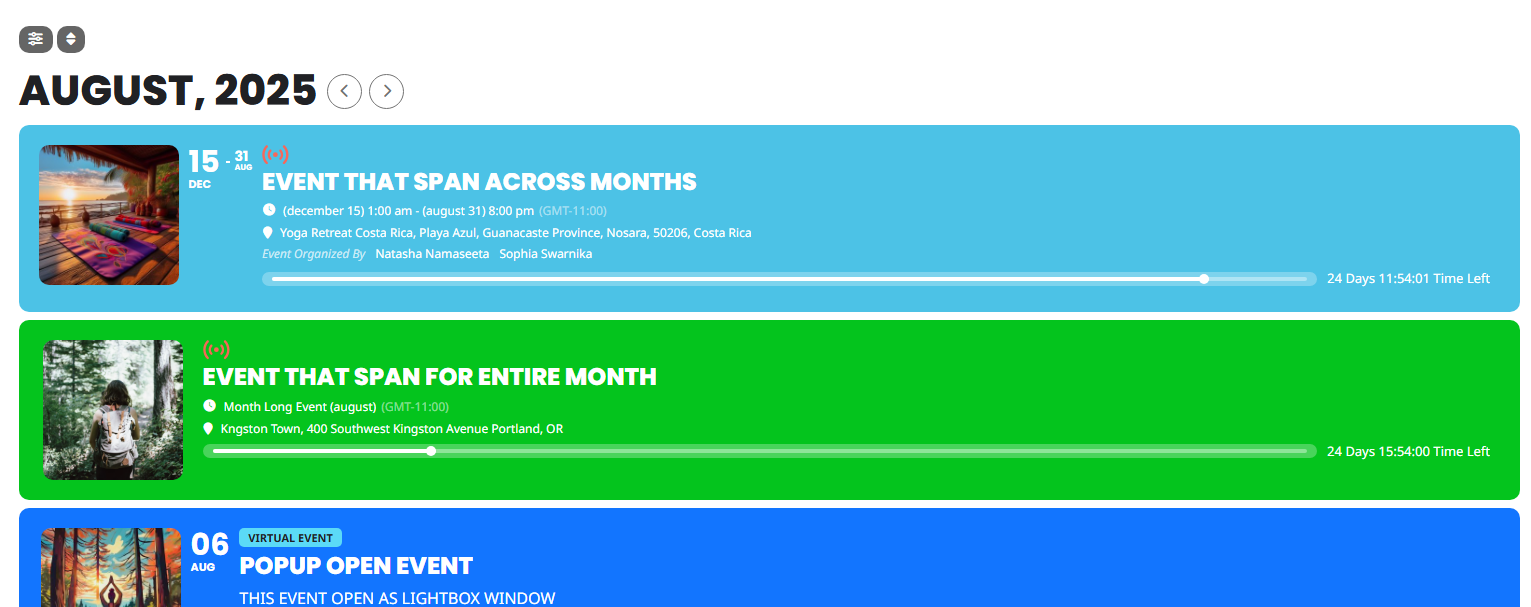
You noted this: But make sure to arrange fields on EventTop the same way as on the screenshot. How do I arrange the fields to achieve this. Is it easier just to pay you to do it?
Reply to: tickets(394126)
Hello,
Please add this CSS code to EventON > Styles (If you don’t see any change, EventON > Scripts & Styling > turn off Write dynamic styles to header > save settings > turn on Write dynamic styles to header). You can also add this code to wp-admin > Appearance > Customize > Additional CSS.
.ajde_evcal_calendar.boxy.boxstyle1 #evcal_list .eventon_list_event .desc_trig, .ajde_evcal_calendar.boxy.boxstyle1 .evo_boxtop, .ajde_evcal_calendar.boxy.boxstyle2 .evo_boxtop { border-radius: 0 !important; }
Reply to: tickets(393801)
Please use this shortcode:
[add_eventon_list number_of_months=”3″ show_et_ft_img=”yes” hide_empty_months=”yes”]
But make sure to arrange fields on EventTop the same way as on the screenshot.
Reply to: tickets(394077)
Please take a look at this
https://www.torreviejaplus.es/events/test/
I also went to EventON > Maps API > enabled “Enable generate google maps from address for all newly created events, by default”.
So now you will be able to see the map, but only if it has the correct location address.
Reply to: tickets(394132)
Ashan,
The same issue:
https://helpdesk.ashanjay.com/ticket/how-to-export-the-translation-file-and-to-import/
Reply to: tickets(394132)
Hello,
Thank you for your messages, I am going to assign this ticket to Ashan and he will be able to take it from here and find you a solution. Please allow some time for him to get back to you, we greatly appreciate your patience and thank you for being a eventon customer! Also please disable any IP blocking on your site if there are any.
Reply to: tickets(394135)
Hello,
Your theme adds padding to all buttons. So please add this CSS code to EventON > Styles (If you don’t see any change, EventON > Scripts & Styling > turn off Write dynamic styles to header > save settings > turn on Write dynamic styles to header). You can also add this code to wp-admin > Appearance > Customize > Additional CSS.
.ajde_evcal_calendar .calendar_header .evcal_arrows, .evo_footer_nav .evcal_arrows { padding: 0 !important; }
Reply to: tickets(391993)
Hello Shervin, just checking to see if you have any update on the seats after that code changes?