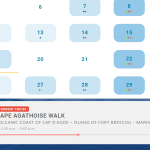
the progress bar seems to be showing for me
Replies for tickets on suppota
the progress bar seems to be showing for me
Hi!
I don’t know how, but the reminder options are showing up now.
Thanks!
Hi Manuel,
You can display them using this code
[add_eventon_list tiles=”yes” tile_count=”3″ number_of_months=”20″ show_year=”yes”]
Hi Scott,
Thank you for your message, I am going to assign this ticket to Ashan and he will be able to take it from here. Please allow some time for him to get back to you, we greatly appreciate your patience and thank you for being a eventon customer!
Hello Artem,
Thank you for your clear answer on this.
Have a nice end of the day.
Hello,
Thank you for your reply.
I haven’t used the tool you mentioned to me yet, but better than a screenshot I can show you the problem live via this link: https://lesbateauxagathois.com/grau-d-agde/calendrier/
The problem is that today the problem got worse, can you please select the April 25th cruise, this time the “In progress” label is no longer displayed ?!
Whereas if you click on this cruise event the page displays the bar + label “In progress” correctly.
I don’t understand looking in the code there is no display: none CSS or things like that.
How fix this please?
Thank you in advance.
In this CSV does not appear the checkin info… I need to download date and time of checkin
Login : eventonadamin
eventonadamin
Mdp : WemczdclNI1Q#E6@24EtkMCR
Hello,
Google only supports event status. There are no fields to define old/new date for Google to check.
So change the status, then change Event Time/Date Start/End. You can also put the old date to “More details about postpone“.