Hello,
Please send us wp-admin access to your site as a private message for us to further assist your situation.
Replies for tickets on suppota
Hello,
Please send us wp-admin access to your site as a private message for us to further assist your situation.
Would the following help with that at all just in terms of screen real estate?
Unfortunately, the guide is for Single Event Page customization only. You cannot change event’s sections with it.
Separately (and maybe this should go on a new ticket) do you guys have any information on required bandwidth for the seats plugin? I’m trying to plan ahead and figure out approximates for how powerful of a server I should upgrade to. Thanks for all your help
Unfortunately, it’s really hard to tell. It all depends on how many seats are available, how many events there are and so on. The only solution is to test this with real people and then try to increase the overall server performance, install a cache plugin that allows you to cache PHP and DB requests.
Could you try going to EventON > Time Settings > enable Use UTC offset time globally on calendars (BETA)?
hide_past_by=”ee” does work and is selected by default, so you don’t need to add it specifically. Please also make sure that you added event_past_future=”past” to the shortcode.
Hello,
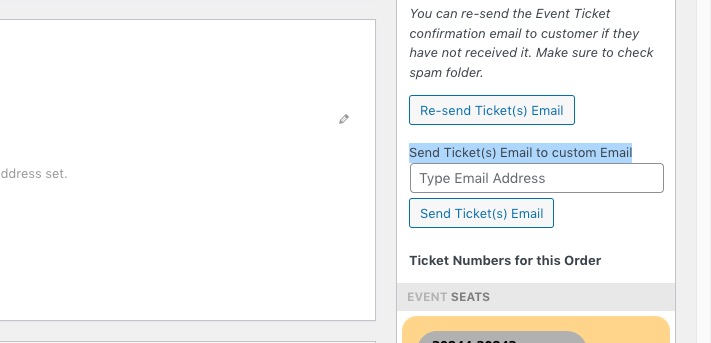
1. Unfortunately, this behaviour cannot be changed at the moment. The customer who purchased tickets receives them by email.
The only way of sending them to their companions is to go to WooCommerce > Orders > use:
2.
…they are off because the wrong time-zone is recognized.
Are you importing them into your Google Calendar showing the wrong time? Could you elaborate?
Please also try going to EventON Settings > Time > enable Use UTC offset time globally on calendars (BETA).
Hello,
You can fix these issues with Google by going to Edit Event > SEO Additions for Event.
For “description” fill in Event Details.
For #4 try different “Event Attendance Mode”.
and also the color selector within include anything is not working
Hello,
Unfortunately, myeventon.com is the only place. Are you having any issues with your current version? Could you please wait, we will fix this ASAP.
Hello,
Please take a look at these guides:
https://docs.myeventon.com/documentation/addons/qr-code/
Paid Feature Events add-on installed:
https://dev.myeventon.com/wp-admin/admin.php?page=action_user#evoAU7
Please try it out and let us know.
Hello,
Can we take a look at wp-admin?
Please send us wp-admin access to your site as a private message for us to further assist your situation.