Thank you, the problem is that only one of them shows the URL where the license is activated, here are screenshots of the other two:
https://nimb.ws/nS3Dxo
https://nimb.ws/SnRCYA
The only one I can see is this one: https://nimb.ws/HbLeyx
Replies for tickets on suppota
Thank you, the problem is that only one of them shows the URL where the license is activated, here are screenshots of the other two:
https://nimb.ws/nS3Dxo
https://nimb.ws/SnRCYA
The only one I can see is this one: https://nimb.ws/HbLeyx
Sounds good, I am figuring out which ones make sense for me.
I am just thinking with so many add-ons (and counting), EventOn and customers will both benefit from a mix and match packages. Different tier levels can be based on the individual price of each add-on. It could be pick 3 and/or pick 5.
Just thinking out loud! Please pass along to Ashan.
Thanks for constantly improving EventOn!
Please take a look at https://www.php.net/manual/en/datetime.format.php:
l (lowercase ‘L’)
Hello,
I went to https://dev.festivalacadien.ca/wp-admin/admin.php?page=eventon#evcal_001b > enabled “Allow universal event time format on eventCard” and added a new date format.
Please take a look now and let me know.
Hi Dave,
Thank you for this, very cool update!
Carlos
Hello,
I am sorry, the access information you have provided did not work for us. Please check them and post the correct login information as a private message, thank you!
Could you try going to EventON > Time Settings > enable “Use UTC offset time globally on calendars (BETA)”?
I need to update the tickets plugin but wanted to wait until this weekend as we are still in the midst of selling tickets.
mslgabriel@gmail.com
t1sD5G#NS&?
Oops, I forgot to specify that in the list of missing fields that I quoted in my previous message, there are also “Assigned Users” which are not imported/exported either. This is also an operation that I have to do manually…
Thank you again for your help.
Best Regards.
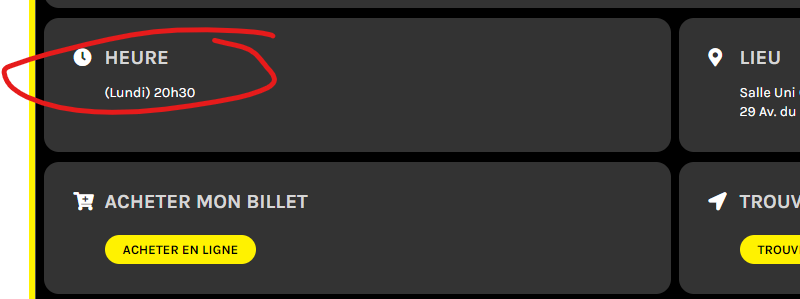
Here’s a screenshot of our Time on event card and it doesn’t show date.