Hi again Dave,
this looks so good!! We will for sure use this tile style 1 since it’s now really convincing!
It would be really nice to have the date in the upper left corner if that’s ok? It does not have to be larger.
Is it at all possible to make the lower coloured field a little bit lower (30% or so)? The distance between the base and the time is a tiny bit disturbing.
Finally, is it possible to hide the parentheses and clock icon on the coloured tiles that represent the individual days (Torsdag, Fredag, Lördag, Söndag x juli, etc)? Do we maybe need to hide the clock icon on all tiles to achieve that?
Many thanks!
Peter
There are multiple views to the full cal and you can edit events by activating
in myeventon>>>>settings>>>>>event top – show edit button which will alllow you to quickly edit any event from the event top.
Theres 3 views
straight out grid calendar
events on the right hand side of the grid calendar
and putting the event names on the date tiles (restricted to displaying 2 events in this mode)
if you can provide us your calendar page and wp-admin access we can create a video showing you how to use it
please list all the issues you have with it
in myeventon>>>>settings>>>>icons I can see all the icons and the size see video
what section are you refering to?
Thats sounds very annoying- hard to guess at whats causing it
for me it works fine see video below
so if the payment isn’t sending if you bought on the event or the product page this is outside the scope of eventon tickets – this is an angel eye issue and we just don’t know enough about that plugin.
if you edit the triggers to send to a different person you should test that.
Sorry I’d love to help the angeleye plugin creator could run you through if you have missed settings or commissions levels – I just don’t know enough about angel eye plugin to solve the problem on your site- if you deactivate eventon and tickets – does it work with an ordinary product?
we could put the date in the upper left corner- and make the month a little larger (and the number larger if you really wanted.
but please note the css makes the tile view with the image as the only background a little screwed up I was working the css based on the top calendar
have a look now- I can remove the css in an instant if you down’t like it
I was looking at option 2 you had in the initial ticket
but I have moved the title and date above into the image and
then made it full width so you can write up more in the event sub title
not sure if you still wanted that. I can move the date up to the upper left corner if you wanted
see video below
theres a few options-
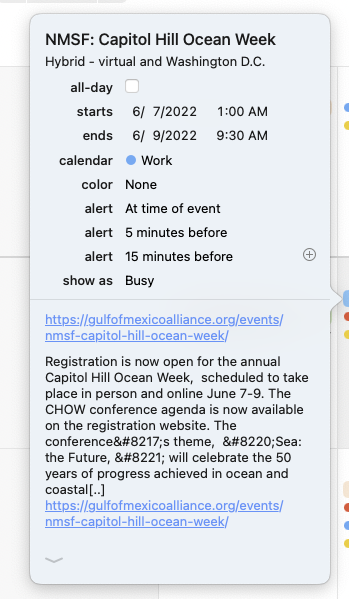
That appears to be showing up in UTC again? (See attached)
Which calendar application are you using? I’m testing with the Apple Calendar one (on MacOS) and Fantastical. Should I be testing with a different one?
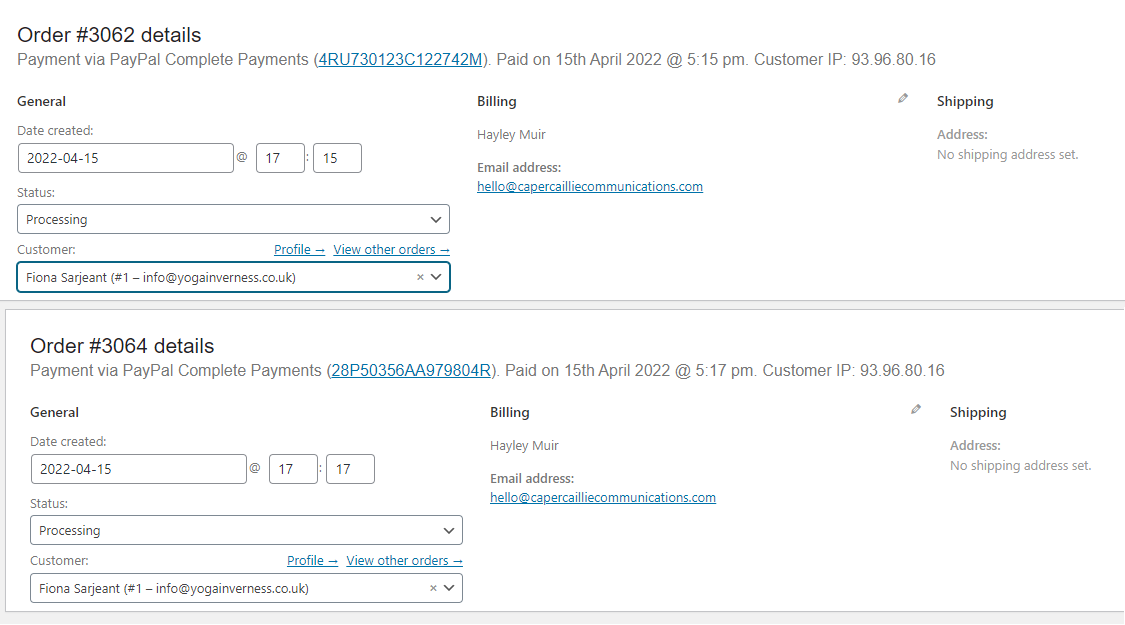
Ok I tried the test event both ways (after I edited the cost to £0.99 to save me some cash!) and in both cases the payment went to the default paypal account but that it what you set it to – the test event is added on the list of product triggers for Fiona Sarjeant. The test event needs to be added as a product trigger for Yoga Events to see if the paypal account receives the payments – currently the test event listed on the product triggers for that account is not sending payments to the right account.