possibly place the gravity form inside a custom meta data field
go to myeventon>>>settings>>>custom meta data
activate one of them- make it an editor then give it a name and save
then in myeventon>>>settings>>>>event card design
add it to the calendar and drag and drop it to where you want
now when creating an event there is a new field at the bottom- place the shortcode in there and see if that works
Hello Peter,
Could you please try the instructions mentioned in this documentation to make sure your issue is indeed coming from eventon. Maybe the addon is clashing with one of your plugins or even theme.
Hello,
Thank you for your great suggestion, at the moment it is not supported. However please create a new ticket and select Feature Request as category so others can vote on your idea and get it moved into development faster.
Hi Christina,
I just want to confirm, do you want to reduce the width on this page https://socialcrowdmedia.com/calendar-of-events/ or on a single events page? The single events page already seems to have the desired width.
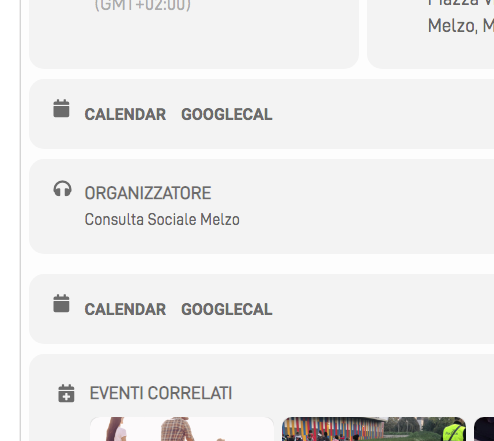
Eventon > Settings > EventCard design i can choose calendar OR googlecalendar…. but on my evernt page i see that twice.
please see attachment
Thank you!
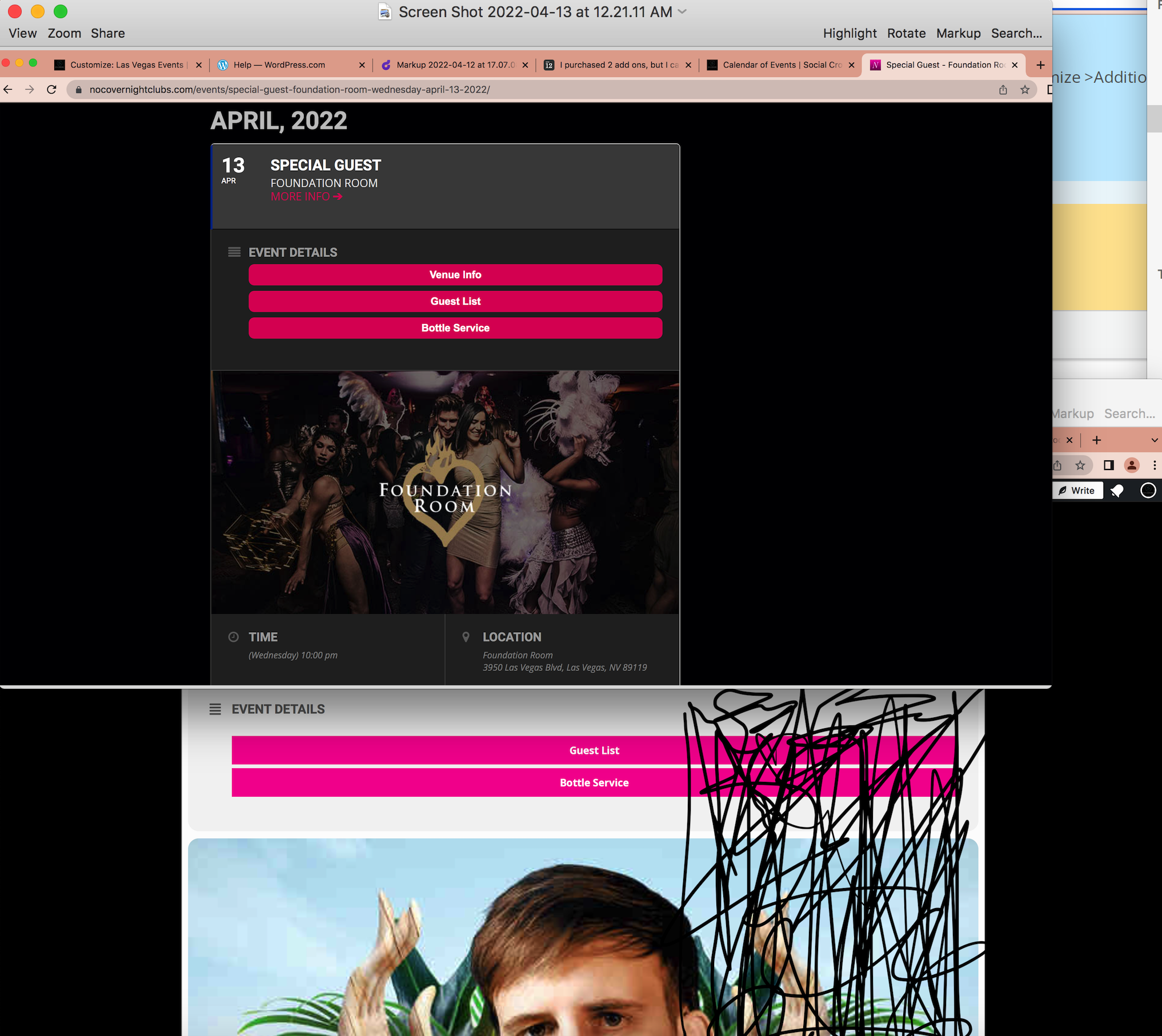
One other question. Now that I added in the CSS, the image of course is quite large.
The image on the top is the sizing i’m looking for. The image on the bottom is mine. I scratched out the area that i’m hoping to limit the size to be about the width of the top option. Not sure if that makes sense.
If its impossible to do that, could I at least center the image but keep at 50%?
Hello,
Please navigate to Eventon > Settings > EventCard design and remove one of the sections
Could you please delete the dropbox link? Because everyone can see it. Thanks!
It’s Version 4.0.5
So do we have to format it in excel? Or use another excel sheet?
Also find out what your server time is? This is the time on your server not the wordpress timezone. there might be a correlation between the server time and this 4-5 hour gap