Hello Basilis,
I’m a little confused?
Artem wrote: “You need to customize the source code for this.”
Replies for tickets on suppota
Hello Basilis,
I’m a little confused?
Artem wrote: “You need to customize the source code for this.”
Ok thanks – will do!
Hello,
I just edited the address and applied it to all active subscriptions but the invoice doesn’t change.
Hello,
Glad to hear it worked. Yes, you can your custom CSS to Appearance > Customize > Additional CSS
Hello,
You can do that using the Repeat Customizer addon.
https://www.myeventon.com/addons/repeat-customizer/
Please feel free to test it on:
https://dev.myeventon.com/wp-admin
Hello,
Please send us wp-admin access to your site as a private message so that we can test out the correct custom CSS to give you.
So it worked!
the font is displayed at 16px on both Chrome and Firefox although some differences remain.
So if I want to make adjustments in the event list view I have to work on the css utility of the template and not from the Style area of eventon right?
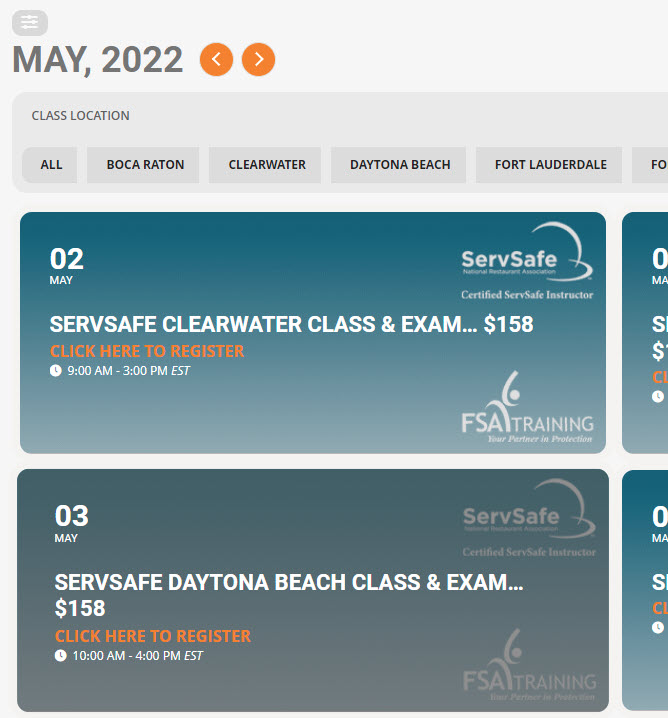
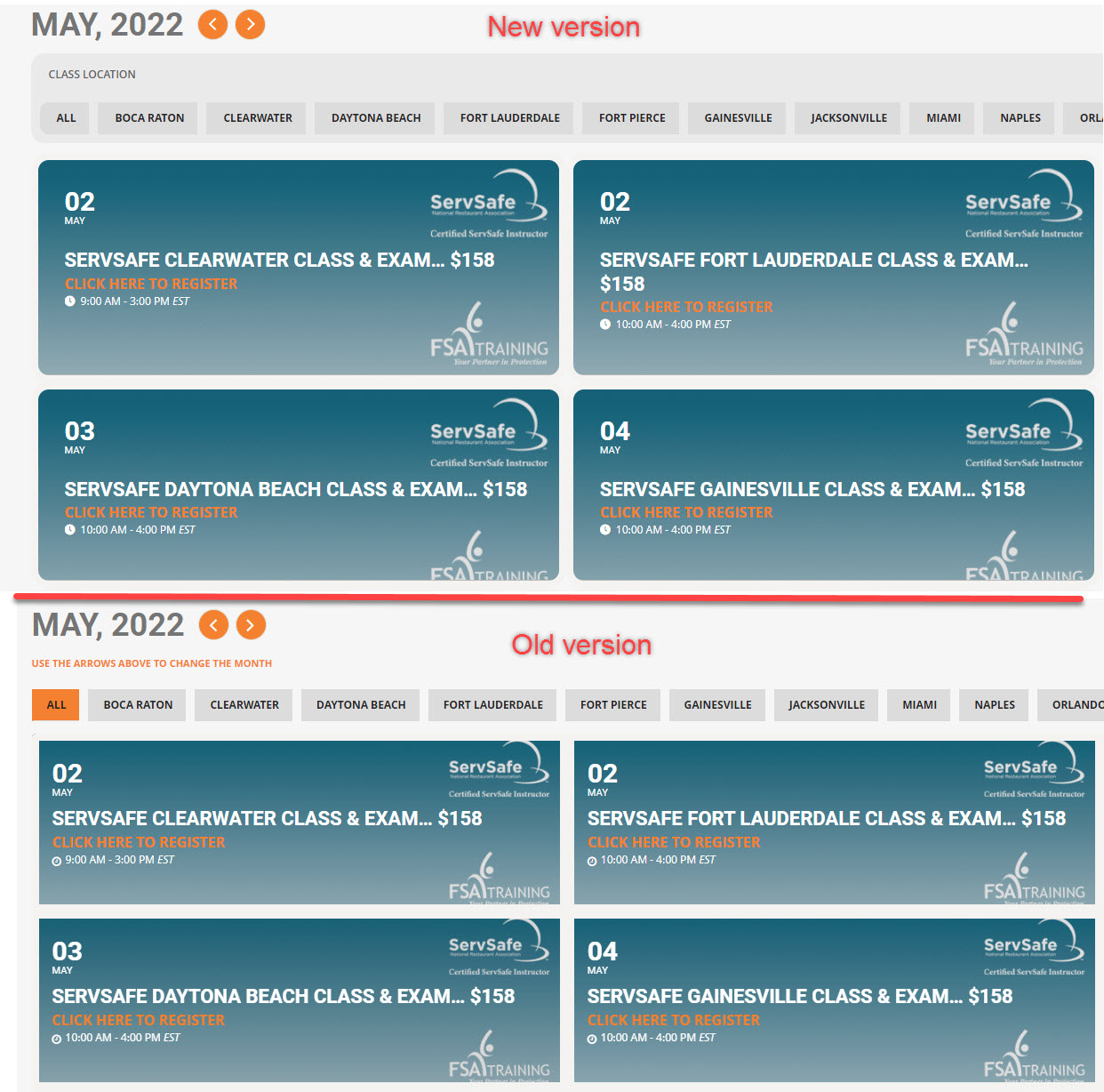
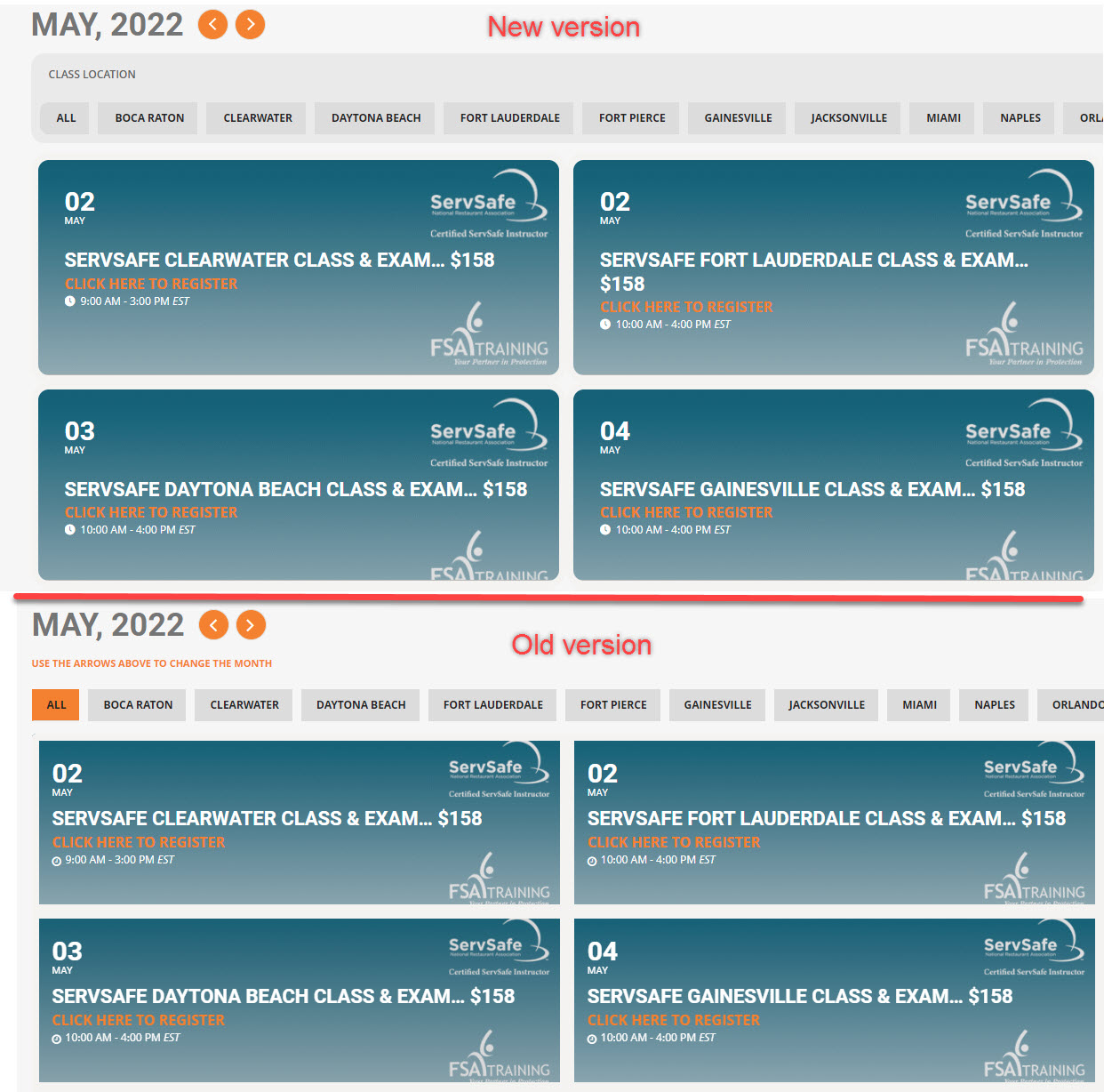
thanks that worked, also have two other issues, if you can please assist.
The event type 2 that im using for Class location, in previous version i had the background color of the button change when it was selected but with new version it seems to be not working.
Also, the events are showing in different sizes on alternating rows, you can see from image the first row is larger than the second row?
+ the tiles seems to change size during mouse hover, older version had just the tile background color changing. how to stop it from adjusting text or moving, i just want the background color to change to indicate the tile that is hovered over. example , if you hover over May 3rd tile (screenshot2), it expands the tile a bit as the text in title turns into 2 rows.