Please follow this guide:
https://docs.myeventon.com/documentations/translating-eventon-backend/
Make sure to follow
https://localise.biz/wordpress/plugin/custom-translations#step2
You need to use Loco Translate to translate the back-end.
Replies for tickets on suppota
Please follow this guide:
https://docs.myeventon.com/documentations/translating-eventon-backend/
Make sure to follow
https://localise.biz/wordpress/plugin/custom-translations#step2
You need to use Loco Translate to translate the back-end.
Seems to be working on my side:
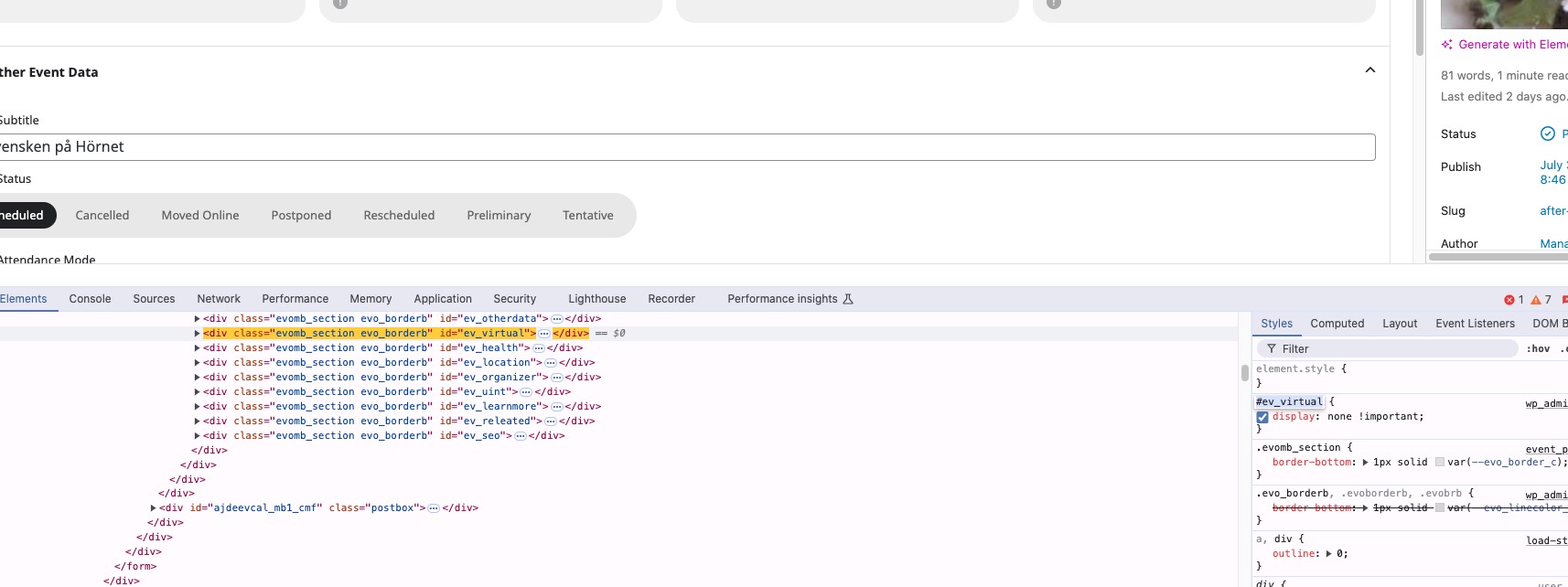
Are you still having the issue on your website? Could you try manually clearing the browser cache?
thankyou, these updates have fixed the margins overlaying onto the map AND given options on displaying a light box… sort of
the plugin USED to do a display of the little white info box on hover, and then display a lightbox on click
now theres an extra click, the whole page goes dark to display an awkward looking light box with less info, requiring another click to enter into that. its just very strange that the map has lost it’s previous functionality without any noticable gain?
URL: https://www.torreviejaplus.es/wp-admin
USER: Developer
PASS: #WzawDPlLLJ7B0EX@%cEDhZp
The event works as I want now so all ok, its just this “hide fields” I need to fix before I am 100% satisfied.
Note: I’ve got this far and don’t want to wreck it!
Code Snippets > Header
Appearance > Customise > CSS
Hi there – thanks so much for your help & nearly there!
The more I use it the better I’ll understand it – I really like it so far! It will be great for Client SEO for sports events!!
Can you please help me – I think this has something to do with EventOn H2, H3 or Titles not matching with below code?
As I can see many have updated on the front end (important – needs to work on chrome)
I’m not sure how to change Title Sizes, Subtitle Sizes on EventOn
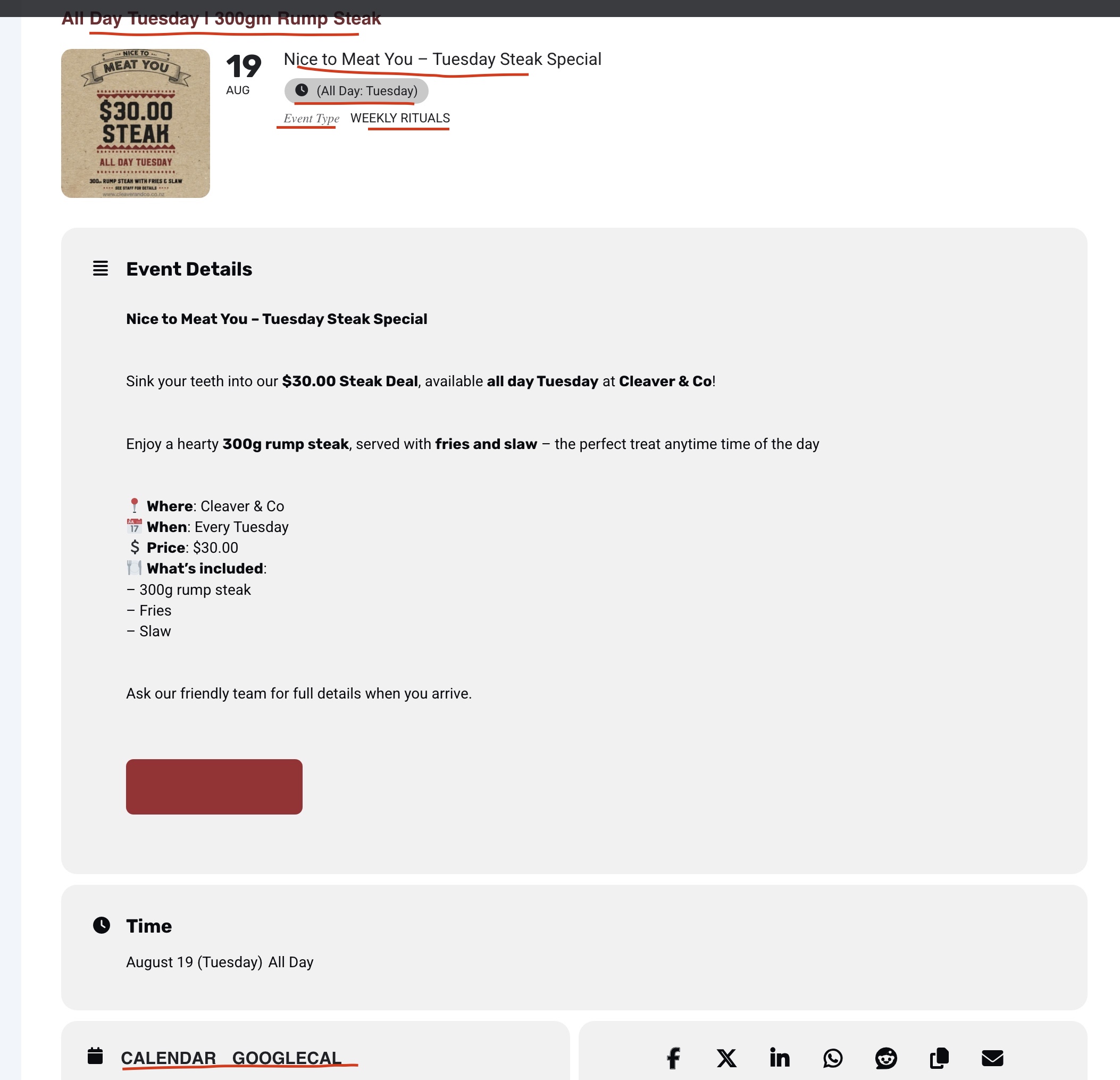
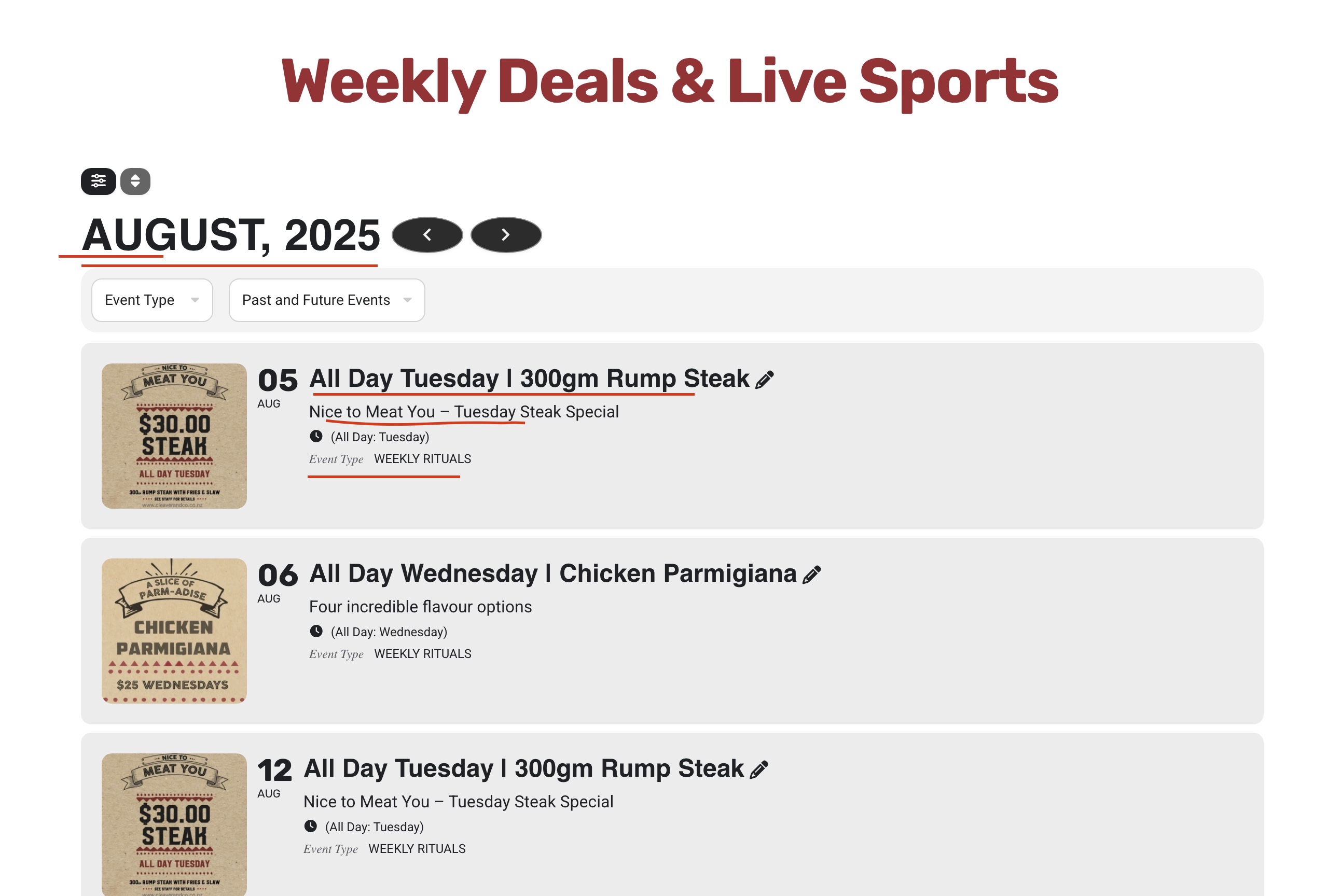
See screenshot
TITLES
SUBTITLES
REMOVE USE OF ITALICS ‘Event Type” – make this bold
CALENDAR GOOGLE
BUTTONS
HEADER
<!–  Load Rubik and Roboto with required weights –>
<link rel=”preconnect” href=”https://fonts.googleapis.com”>
<link rel=”preconnect” href=”https://fonts.gstatic.com” crossorigin>
<link href=”https://fonts.googleapis.com/css2?family=Rubik:wght@300;400;500;700&family=Roboto:wght@300;400;500;700&display=swap” rel=”stylesheet”>
Appearance // CSS
/* Rubik for All Headings */
h1, h2, h3, h4, h5, h6,
.elementor-heading-title,
.evcal_event_title,
.evcal_desc2 .evcal_event_subtitle,
#evcal_list .desc_trig,
#evcal_list .event_description p strong {
font-family: ‘Rubik’, sans-serif !important;
}
/* Roboto for Body Text (excluding headings + icons) */
body,
body p,
body span,
body li,
body a,
body div:not(.elementor-heading-title):not(.evcal_event_title):not(.desc_trig):not(.evcal_event_subtitle):not(.elementor-icon) {
font-family: ‘Roboto’, sans-serif;
}
Hi Artem and Ashan. Any updates on this refund request please?
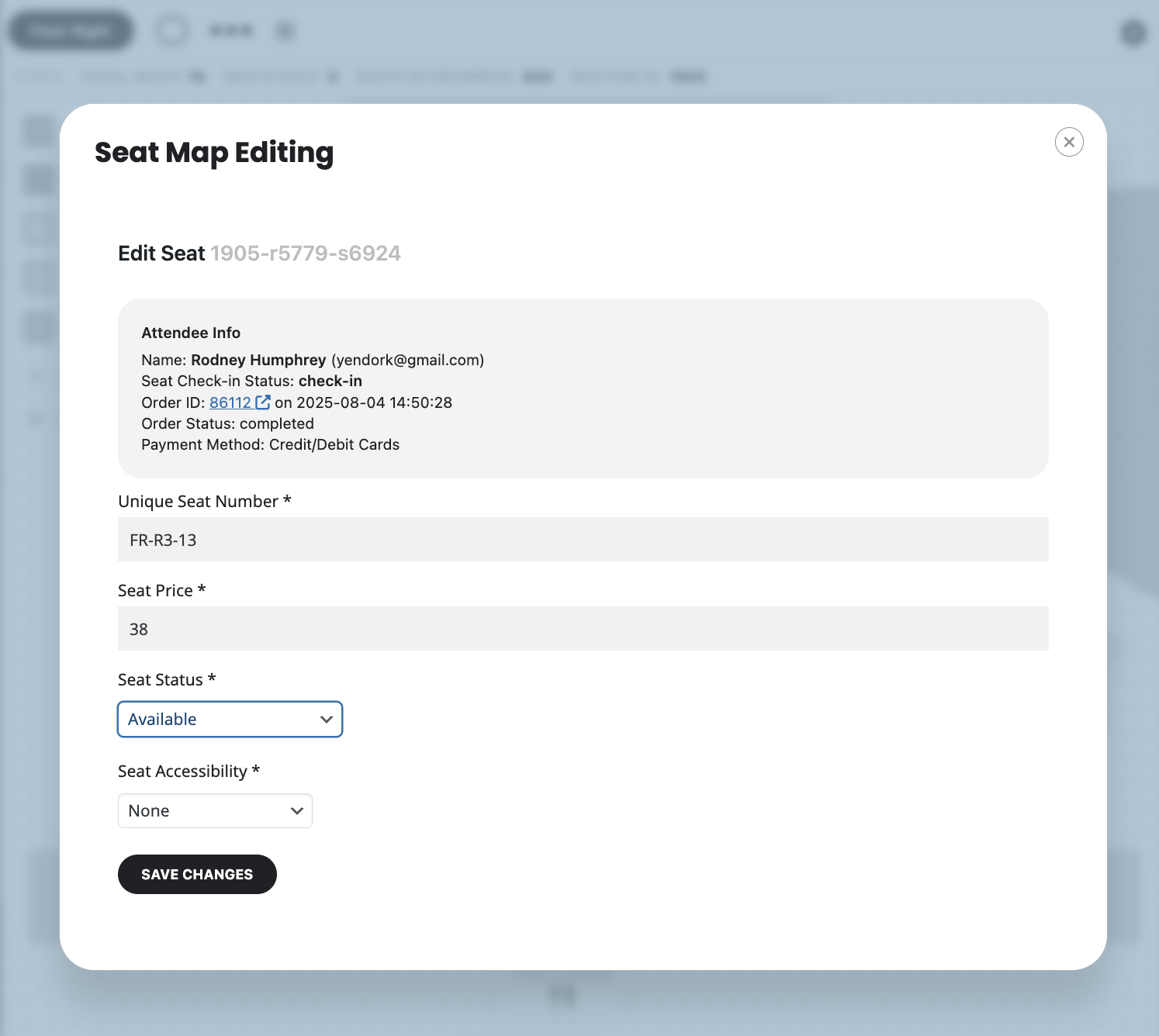
order #82279 already sold seat (But left it available on map)
Order #86489 (08/05/2025) I purchased seat even though it was already sold
I saw another one that happened order #82279. I tried to purchase the available seat even though it was already purchased an registered to someone else but still marked available. The order went through allowing me to book a seat that was sold already to someone else.
They boughtFR-R3-12 & FR-R3-13.
But FR-R3-13 was still available however his information was there when you click the seats please look at attached.