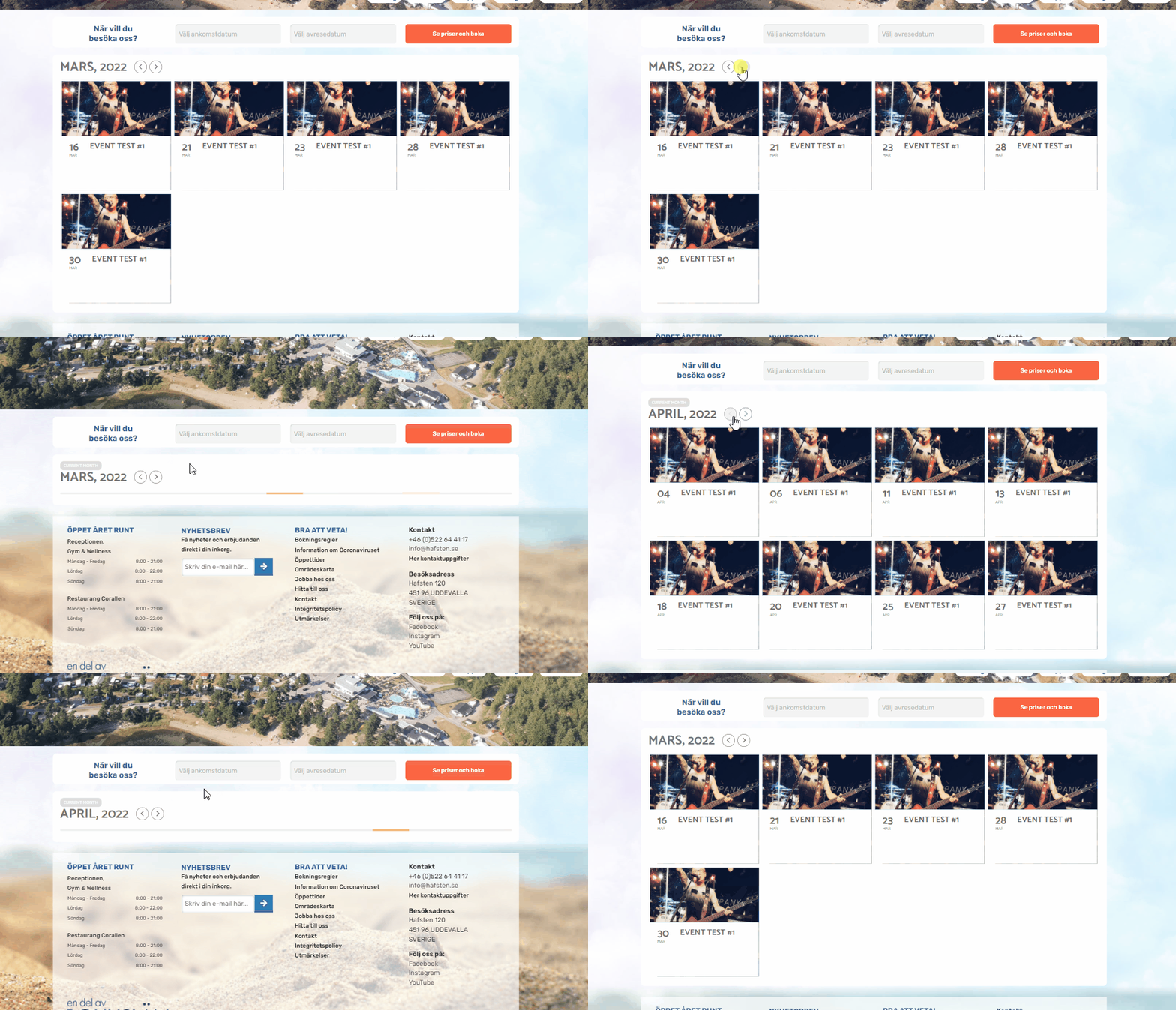
Thank you! This works perfectly. I know this might be a lot to ask but do you think that it might be possible to make the container not collapse in height when loading the next month? I feel its a little jarring when loading the next month and the whole page keeps moving up and down like that. See the GIF to see what I mean.
It’s okey if the container expands in size when there are more events next month but maybe its possible to keep the container from shrinking in size?
Hello Ashan, i updated all Eventon Plugins, Pdfer to 0,7, Eventon Full Cal, Eventon Tickets and seats and i continue with the problem the QR in the PDF is missing.
Thanks a lot
https://www.alexandriaprofessional.com/wp-admin/
eventon
leQecgo&2GCv!srV!UP$KBci
Hey there,
We have updated EventON and the RSVP Events – Single Site on our staging site instead: https://stage.meltonlearning.com.au/
This staging site is a clone of our live site… we prefer to run tests/updates on the staging first before we update the live site in case anything breaks.
Anyway, after updating the plugin, the ‘View Attendees’ list is still not matching the CSV. You can see for this event: https://stage.meltonlearning.com.au/events/functional-fitness-for-beginners-term-1-2022/
Login details:
https://stage.meltonlearning.com.au/wp-admin
username: eventon
pw: fiWQ^Zr2lnHHPyD6c7I)&qAH
If you could please view the CSV and compare it with the attendees list we would really appreciate it. This does not seem to appear in other events that we have seen.
Thanks
I have alerted Ashan to the fact his fix doesn’t actually fix it and set you to the top of the ladder to get it fixed.
I too have tried a bunch of things to get it working the ONLY thing I can think of where the video is embeded on the page (that actually works right now)
is using jitsi at this point in time and probably a program called OBS (which is essentially a virtual camera on steroids).
not sure if you are familiar with those 2 things or not. OBS has a slight learning curve-(but I can give you a quick video tutorial on how to set it up depending on what type of video your are playing on brightcove
the video you are playing on brightcove is this like a pre made video or is it live?
but Ashan should be on soon and I’ll work with him to get the html code working
wp-admin access would help failing that
can we see the shortcode for the calendar
and also a screenshot of your myeventon>>>>>settings
see https://developers.google.com/maps/get-started#enable-api-sdk
this error appears when you have created your api number but not added your credit card details to google (they don’t charge you unless you get 25K hits a week or so) but to get the api working they need a payment method
Please send us wp-admin access to your site as a private message for us to further assist your situation.
I am not entirely familiar with this plugin. You would need to do some custom work to get that working. But as you can see in our eventcard designer >> https://www.youtube.com/watch?v=bNcOGgp6O4g&t=1s it is possible to turn off an on each data field for events.