Perfect! Could you create a similar event with parameters that don’t work, so we can re-create and test this? Make sure to send us a similar screenshot https://helpdeskx.s3.amazonaws.com/wp-content/uploads/2022/03/11035808/Screenshot-2022-03-11-at-11.57.28.jpg
Please also make sure that Edit Event > Event Timezone is correct.
THERE IS STILL NO ANSWER !
Column name should be newfield and postponed – column content.
Do you have some kind of cache running
I add this
@media (max-width: 480px)
#evcal_list .eventon_list_event .event_description p, #evcal_list .eventon_list_event .event_description li, .evo_pop_body .evcal_evdata_row .evcal_evdata_cell p {
margin-left: 30px;
}
to appearance>>>>customize>>>>additional css but nothing changes- suggesting some kind of cache but I cannot see it in your backend
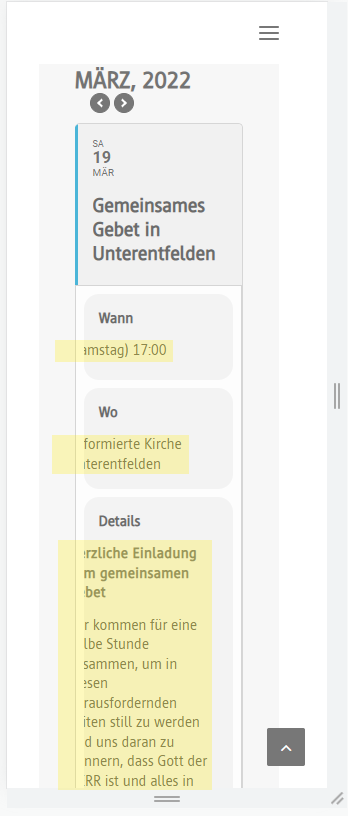
Here ist an image to illustrate the problem
perfect.
in the CSV document add _status in the header?
and the parameter to pass would be “postponed” for example?
This ticket is now private
So we have this email address: support@lsweb.ca on this helpdesk BUT no products associated with it so list the email addresses you might hve used to purchase the addon and then I’ll get the boss to look over the list
ok great but now how I can register cause it seems I just can’t register and so login to get the update.
Hello,
You can find the login wp-admin access in case Ticket #270862
Thank you
Nitzan