That fixed it!! Thank you so much!!
Archives: Replies
Replies for tickets on suppota
Reply to: tickets(271408)
Nicholas, would you also mind sending us FTP access, I am going to try to update you to latest version and I want to make sure if things fail, we have a way to get it back 🙂 thank you this ticket is private. BTW
Reply to: tickets(267551)
Kindly update to RSVP addon version 2.7.7 should resolve this and you will be able to edit the subject from RSVP Settings > Emails
Reply to: tickets(271577)
Hello,
Please take a look at this guide: https://kinsta.com/blog/wordpress-get-post-id/
It’s the same with events. Just go to wp-admin > Events.
Reply to: tickets(271256)
Ashan,
1. Please take a look at this event: https://dev2.myeventon.com/wp-admin/post.php?post=29056&action=edit
When you download attendees, the list is much longer. Is it related to customer’s issue?
2. You can put 0 on dev2 with the latest version as well: https://dev2.myeventon.com/wp-admin/post.php?post=29798&action=edit
Reply to: tickets(271256)
Hello,
Could you update EventON and other add-ons?
To update eventon to latest version: If you are unable to do autoupdate, you can go to codecanyon your account > download and get the latest eventon version as zip file. Then you can go to your website, deactivate old eventon, activate (Do not delete eventon settings & data when EventON is uninstalled) from eventon settings, delete old eventon, install new one and activate. This link will further explain the process it. Also you can follow us on twitter to get real-time announcements on updates!
To update eventon addons: You can download latest eventon addons from myeventon > my account. Then you can go to your website, deactivate old addon and install new one and activate then delete the old addon. This link will further explain the process. Also you can follow us on twitter to get real-time announcements on updates!
Thank you for your messages, I am going to assign this ticket to Ashan and he will be able to take it from here and find you a solution. Please allow some time for him to get back to you, we greatly appreciate your patience and thank you for being a eventon customer! Also please disable any IP blocking on your site if there are any.
Reply to: tickets(271408)
My apologies again. They recently installed WordFence and it did not like the insecure password. User name remains eventon, new password is:
c^!WS@mNV9^f&5(pnIDWJP$^
Please let me know when you are done so I can delete the user. Thanks!
Reply to: tickets(271566)
Hello,
There is a custom code that is causing this:
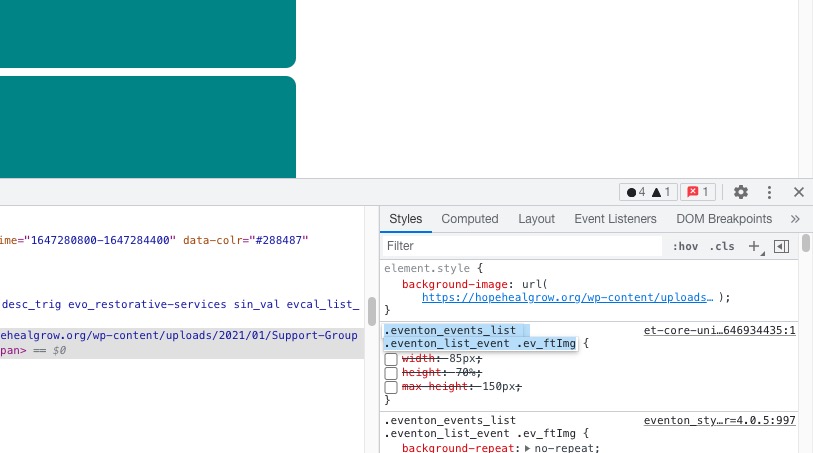
Please comment/remove it.
Reply to: tickets(271555)
Ashan,
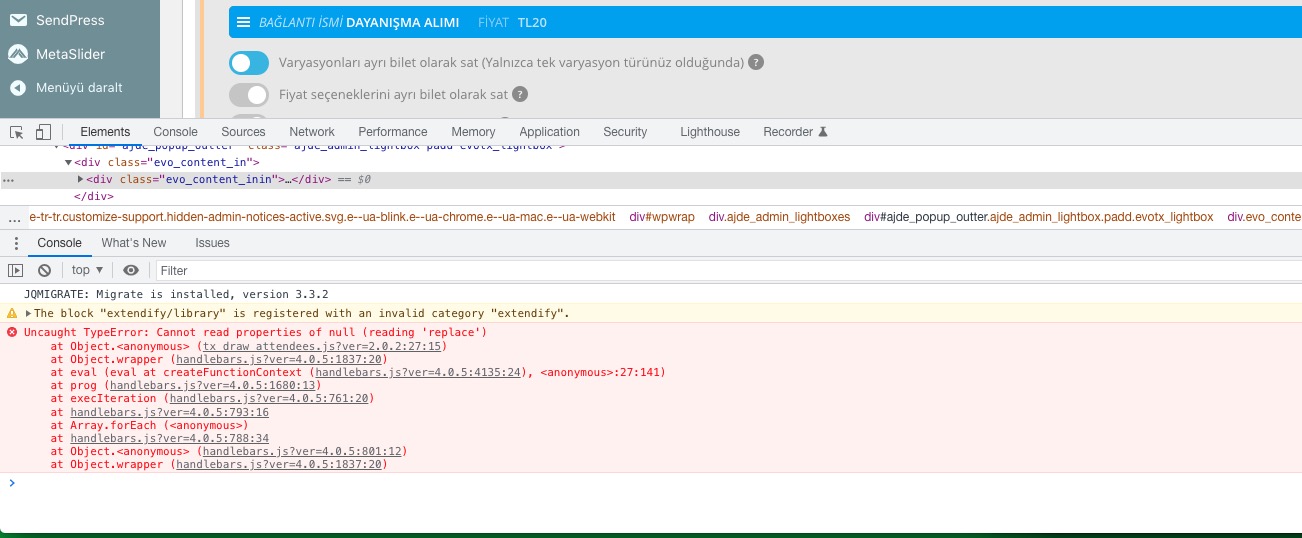
There is an issue with handlebars:
Reply to: tickets(271555)
Hello,
Thank you for your messages, I am going to assign this ticket to Ashan and he will be able to take it from here and find you a solution. Please allow some time for him to get back to you, we greatly appreciate your patience and thank you for being a eventon customer! Also please disable any IP blocking on your site if there are any.