see video beloe to the possible cause
and also as that was uploading I saw something else in the video below
Replies for tickets on suppota
see video beloe to the possible cause
and also as that was uploading I saw something else in the video below
Hi Sarah,
Please add this into your shortcode
hide_mult_occur=”yes”
I’d say you are using an earlier version of eventon, that shortcode on the dev site doesn’t pop up
try updating to 2.0.3
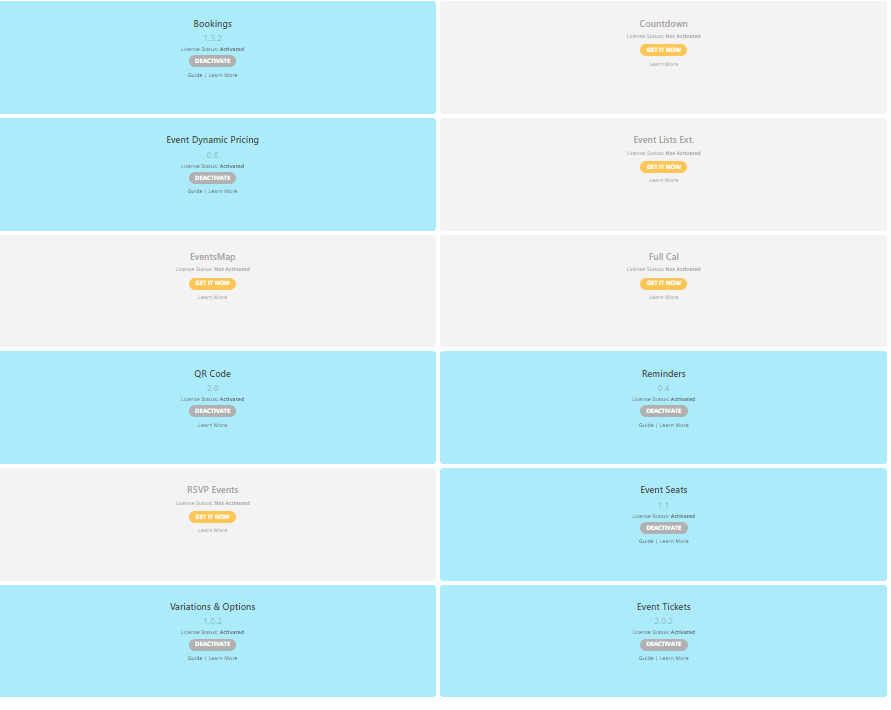
To update eventon addons: You can download latest eventon addons from myeventon > my account. Then you can go to your website, deactivate old addon and install new one and activate then delete the old addon. This link will further explain the process. Also you can follow us on twitter to get real-time announcements on updates!
https://docs.myeventon.com/documentations/changelog-fullcal/
No but also yes……sort of- it will require some editing of your event types switching event type ones for event type twos
see video below
this is what you’ll want to add to your calendar shortcode
etc_override=”yes”
from there you’d remove the color picker from action user form- and whatever they pick in event type one – that event types color will be the color
Thank you for your messages, I am going to assign this ticket to Ashan and he will be able to take it from here and find you a solution. Please allow some time for him to get back to you, we greatly appreciate your patience and thank you for being a eventon customer! Also please disable any IP blocking on your site if there are any.
login would help
have you set up variations via the woocommerce back end or via the variations plugin on the events page
if all your events will be brightcove stream on the event itself we could add some css to hide that button- you’d have to add a dummy link when you fill out the event BUT you are right it doesn’t need to be there when the video is streamed on the event itself
the other idea I had was to give out a free PDF of somekind or to change the language in Myeventon>>>>language and change it to sign up to our newsletter and simply link to the sign up page or link to facebook reviews for example (but thats normally for the Post event info)
I like the model window Idea so it plays in its seperate player so to speak but doesn’t have an actual URL to copy
perhaps the model window could contain a countdown timer until the video starts- and somehow make sure that the window can’t close unless they click the X in the corner- you don’t want them accidently logging out of the video. also need to look at mobile friendly
it would be great if it pulled other info
Like
Hi [Ticket holder name}
{event title} will begin in {countdown timer}
Hi Dave, I hope I may tap into your insights a bit more. We are making good progress with Ashan on the embedding issue, we only have to sort out the mandatory “Live Event URL” afaict.
But there’s another question regarding that protected stream: If am a logged in wordpress user, the site recognizes me and tells me “You have purchased a ticket for this event”. If I am not a wordpress user, I have no way of seeing this information. I am trying this in a separate browser and even after buying a ticket, I am still seeing the “Purchase ticket now to join” message.
If I am embedding the stream, as we have now solved here: https://dev.crimeday.de/events/charlotte-link-livestream/, how can a paying customer access the stream, if the website does not recognize him as such? I would have assumed that the link in the ticket/email is a unique link, maybe containing the ticket-number. But is is a simple link like this: https://dev.crimeday.de/events/charlotte-link-livestream/var/event_access and I cannot, for the life of me, fathom how it is supposed to work. Am I going about this all wrong?
Cheers,
Michael

See here for what appears when I scan tickets
Hi,
I performed updates and it still didn’t work.