You are very much welcome. If you have any other questions, please feel free to reach out again. If you have a moment, we would greatly appreciate if you could kindly leave us a review at codecanyon! from your account > downloads.
Cheers!
Replies for tickets on suppota
You are very much welcome. If you have any other questions, please feel free to reach out again. If you have a moment, we would greatly appreciate if you could kindly leave us a review at codecanyon! from your account > downloads.
Cheers!
Hi Chris,
Please try the code below:
.eventon_desc_in .wp-block-button__link{width: 100%; text-align: center; color: #ffffff!important; padding: 10px 10px 10px 10px; text-align: center; border-radius: 0px; font-family: ‘Oswald’,Helvetica,Arial,Lucida,sans-serif!important; text-transform: uppercase!important; }
Add the code in Appearance > Customize > Additional CSS
If that does not work, please send in some admin access to the dashboard and we will test the code that works for you.
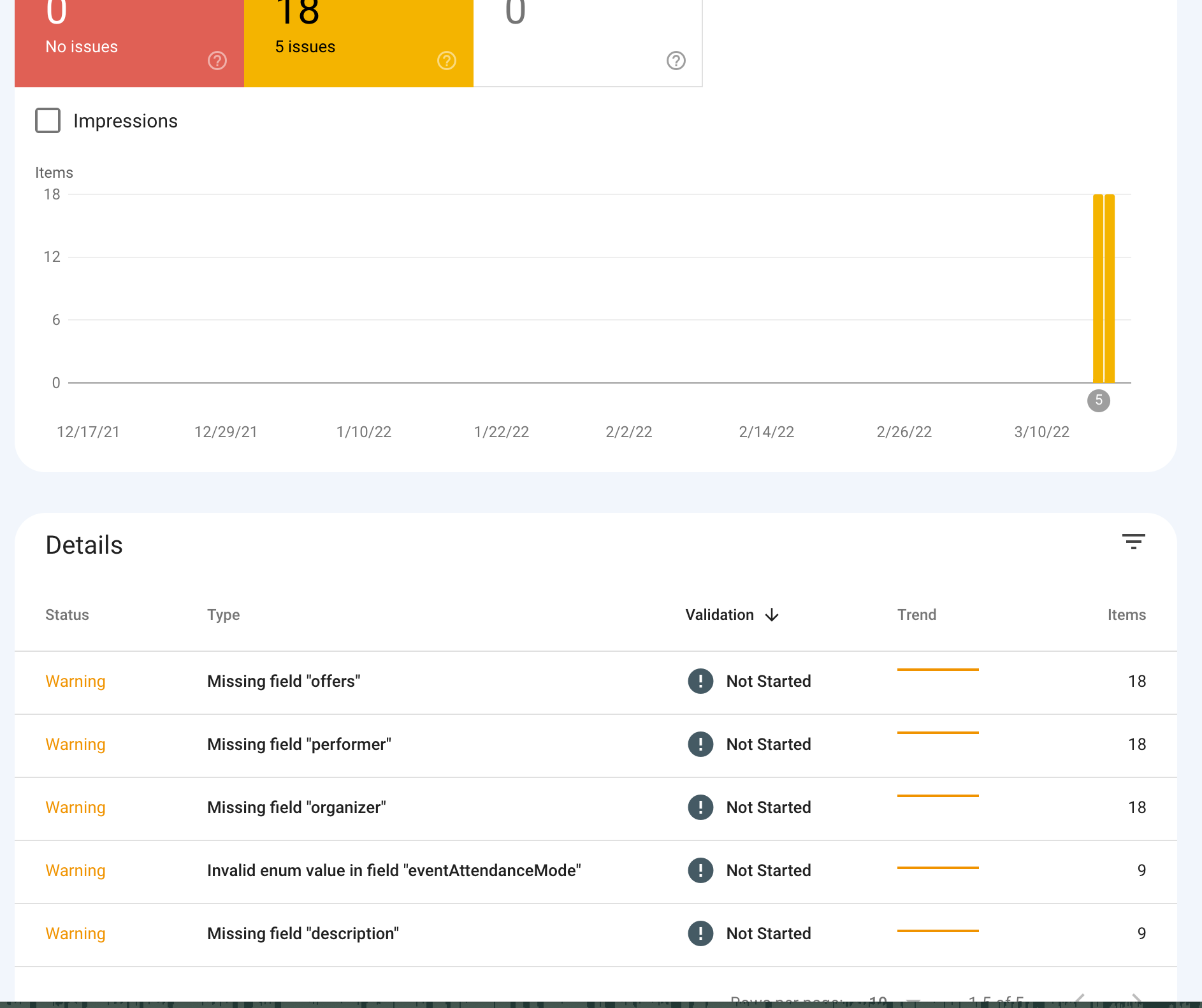
Here’s another screenshot from the console.
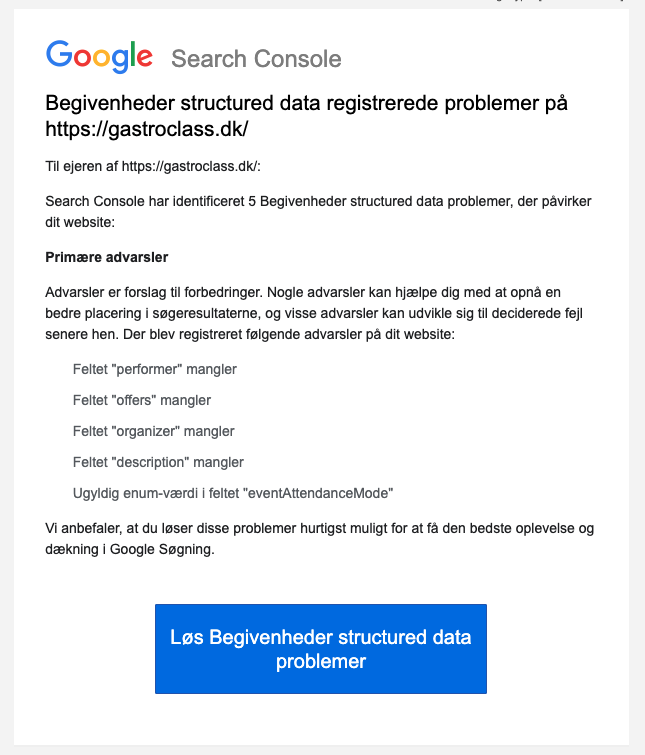
Hello. It only worked for one refresh. I’ve tried adding it to the “Customizing Additional CSS” area and tried adding it to the EventOn “styles” area and it doesn’t work.
Thoughts?
in myeventon>>>>>action user>>>>>event manager I have toggled on
Allow event assigned users to see event in event manager
so clear any caches and have a look
Hi Ashan,
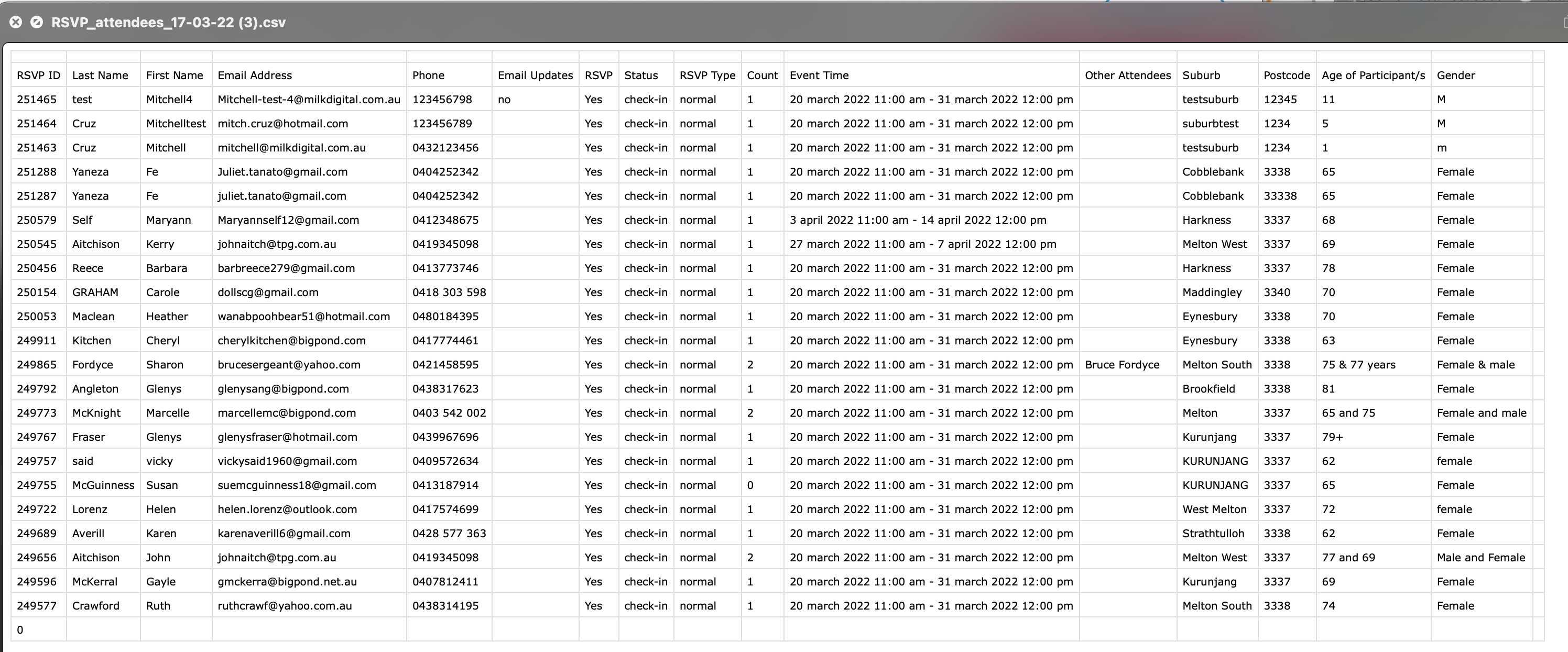
I have reverted the EventON plugin and EventON RSVP addon back to the previous version because updating these plugins didn’t sync the CSV with the attendee list. We will be updating these plugins soon anyway.
Yes I have tested on other events and it prevents me from adding a duplicate email. How was juliet.tanato@gmail.com able to be added twice according to the CSV? Is there any possible way they could have added themselves twice?
Secondly, if you view this event: https://stage.meltonlearning.com.au/events/functional-fitness-for-beginners-term-1-2022/
and scroll down to RSVP, the popup asks how many will be attending in your party. When I enter ‘0’ it defaults to ‘1’. How was this customer suemcguinness18@gmail.com able to enter ‘0’ according to the CSV? I even tried editing it as admin and it won’t let me place ‘0’… so I am not sure how this customer got away with it?
Thanks
Thank you for that. I have assigned all users to each event, per your documentation, but only the event creator can see the events in the event manager. That’s why I asked if there’s anything else I need to do. I’ve attached a screenshot of the Event Manager.
Thanks!
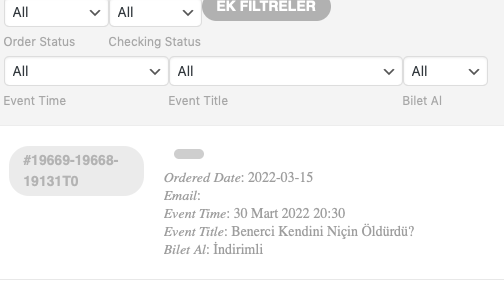
Thank you very much dear Ashan. It’s TEST but working 🙂 Fixed!
One last question, with apologies. Can I translate these English incoming titles in Attendee List? In which file can I edit it as the language options are not working? Never mind if it’s not possible or takes your response time.
Best wishes…
Thank you very much dear Ashan. For some it still doesn’t work, but for most it’s fixed. We will check the ones that don’t work. Is there an error in my edit?